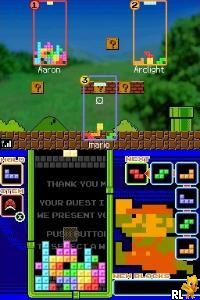
Tetris DS (USA)
0 20 1
Tetris DS (USA) is a classic Nintendo DS puzzle game that brings the timeless gameplay of falling blocks to your browser, with a variety of modes and features that have kept fans coming back for years. As part of the well-known Tetris franchise, it adds extra modes, multiplayer options, and a mix of traditional and modern twists, making it appealing to puzzle lovers and those feeling nostalgic. Playing it online means you don’t need extra hardware or software—just your browser.
Tetris DS: Gameplay Overview
The main idea is to fit falling tetrominoes into a grid to complete horizontal lines, which then disappear. The game keeps the core rules of classic Tetris—speeding up as you go, adding pressure to place pieces quickly. You rotate and move pieces around a grid, trying to prevent the stack from reaching the top. Its simple controls and clear visuals make it easy for newcomers, but skilled players can aim for higher scores and more complex strategies.
This version stands out thanks to its different game modes, each with its own rules or goals, plus multiplayer options where you can compete against others. The gameplay calls for quick thinking and flexibility, with increasing difficulty to keep things challenging. Features like the hold queue and preview window are familiar tools that help experienced players plan ahead. The variety of modes means there’s always something new to try once you’ve mastered the basics.
Modes, Levels and Progression
The game offers many modes, from the classic marathon to themed challenges and multiplayer matches. In the standard mode, you try to score as high as possible before the stack reaches the top, with speed increasing as you go. Special modes add different mechanics, like clearing specific shapes or playing under different rules, keeping things fresh. These options suit different skill levels and offer variety across multiple play sessions.
You progress by earning higher scores and lasting longer, with the pace picking up as you advance. Multiplayer lets you compete directly with friends or AI opponents. The game also unlocks new features and modes, adding to its replay value. Overall, it balances straightforward gameplay with enough challenge to keep both casual players and Tetris veterans engaged.
Winning Strategies
To do well, try to keep your stack neat and manageable, avoiding uneven towers that are hard to clear.
- Pay attention to the next pieces preview so you can plan your moves.
- Use the hold feature wisely, saving useful pieces for key moments.
- Clear multiple lines at once when possible, especially Tetrises (four-line clears), for bigger scores.
- Stay calm during fast-paced sections to prevent careless mistakes.
- Practice quick rotations and movements to keep up as the game speeds up.
- Adjust your strategy based on the mode you’re playing.
Common Questions About Tetris DS
How does the difficulty change as I play?
The game gradually speeds up based on your level or score, requiring faster reactions and smarter planning. Some modes introduce extra challenges or mechanics, keeping things interesting and varied.
What kinds of modes and levels are included?
There are several modes like the classic marathon, puzzle challenges, and multiplayer battles. Many feature increasing difficulty or special rules to keep gameplay fresh.
How much replay value does it have?
With different modes, unlockables, and the chance to compete against friends, this game encourages replaying multiple times. Trying for high scores and mastering different challenges can keep puzzle fans coming back.
Playing Tetris DS here gives you quick access to a well-made version of the game, keeping its engaging gameplay and variety of modes without any extra downloads. It’s a fun challenge for players of all levels, whether you want quick sessions or longer strategic battles.
Related games: you can also try Phoenix Wright – Ace Attorney (Europe) (En,Fr) and Rub Rabbits!, The (Europe) (En,Ja,Fr,De,Es,It), or browse all other games in the Nintendo DS category.
How to Play Tetris DS (USA)?
Fit falling blocks into the grid to complete and clear horizontal lines, preventing the stack from reaching the top. Rotate, move, and hold pieces to manage the game speed and improve your score.
Game Controls
Arrow keys move and rotate pieces; space or specific keys drop pieces quickly; other keys access hold and preview features.
You may be interested in:
-
 Nintendo DS
♥ 1
Casper’s Scare School – Classroom Capers (USA)
Nintendo DS
♥ 1
Casper’s Scare School – Classroom Capers (USA) -
 Nintendo DS
♥ 1
Zunou Nouryoku Koujou Machine – Touch de Zunoo DS (Japan)
Nintendo DS
♥ 1
Zunou Nouryoku Koujou Machine – Touch de Zunoo DS (Japan) -
 Nintendo DS
♥ 1
Zunou ni Asekaku Game Series! Vol. 1 – Cool 104 Joker & Setline (Japan)
Nintendo DS
♥ 1
Zunou ni Asekaku Game Series! Vol. 1 – Cool 104 Joker & Setline (Japan) -
 Nintendo DS
♥ 9
Zuma’s Revenge (USA)
Nintendo DS
♥ 9
Zuma’s Revenge (USA) -
 Nintendo DS
♥ 1
Zubo (USA) (En,Fr,Es)
Nintendo DS
♥ 1
Zubo (USA) (En,Fr,Es) -
 Nintendo DS
♥ 1
Zubo (Europe) (En,Fr,De,Es,It,Nl,Sv)
Nintendo DS
♥ 1
Zubo (Europe) (En,Fr,De,Es,It,Nl,Sv) -
 Nintendo DS
♥ 1
Zorro – Quest for Justice (USA) (En,Fr,De,Es,It)
Nintendo DS
♥ 1
Zorro – Quest for Justice (USA) (En,Fr,De,Es,It) -
 Nintendo DS
♥ 1
Zorro – Quest for Justice (Europe) (En,Fr,De,Es,It)
Nintendo DS
♥ 1
Zorro – Quest for Justice (Europe) (En,Fr,De,Es,It)
Comments (0)
No comments yet. Be the first to comment!