Tom & Jerry (USA) (Beta)
0 3 0
Tom & Jerry (USA) (Beta) is a classic SNES game that captures the playful chaos of the beloved cartoon duo. This action game, emulated directly in your browser, offers a straightforward experience that fans of retro platformers and slapstick comedy will enjoy. If you remember the pixelated antics of Tom and Jerry from childhood TV shows, you’ll find this game a charming throwback to the SNES era, packed with simple yet engaging gameplay.
Getting Into Tom & Jerry
The core of Tom & Jerry revolves around classic side-scrolling action with a focus on quick reflexes and timing. The game presents a series of levels where players control either Tom or Jerry, each with distinct behaviors and goals. The main objective typically involves navigating through obstacle-laden environments, avoiding enemies, and completing specific tasks or collecting items to progress.
During a session, players will move through different stages that challenge their coordination and timing. The game emphasizes short bursts of gameplay, making it easy to pick up and put down. As you advance, the difficulty ramps up slightly, demanding sharper reflexes and better planning. The game is designed for quick play sessions, perfect for casual fun or a few minutes of nostalgia.
Standout Features
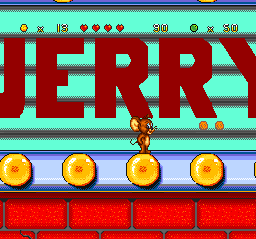
Visually, Tom & Jerry stays true to the SNES palette, with colorful sprites and simple backgrounds that evoke the cartoon’s slapstick humor. The animations are smooth enough to deliver the comic timing that fans expect, despite the game’s basic 16-bit style. Progression through the levels feels natural, with each stage introducing new challenges that keep the gameplay fresh without overcomplicating things.
Replay value comes from the game’s straightforward design and the different approaches players can take to clear levels. Since the game is action-based with a focus on timing and reflexes, players often find themselves retrying sections to improve their score or beat personal bests. The short levels make it easy to jump back in, making this a game that lends itself well to quick, repeatable sessions.
Strategy and Tips
To get the most out of Tom & Jerry, staying alert and practicing timing are key. Here are some tips to help you succeed:
- Observe enemy patterns carefully before moving forward to avoid unnecessary losses.
- Use quick, deliberate movements to navigate obstacles more effectively.
- Focus on timing jumps and attacks to maximize your success rate in tricky sections.
- Take breaks if you’re getting frustrated — patience helps improve your reflexes over time.
- Try different characters if available — some might have advantages in speed or agility.
- Remember that levels are designed to be completed quickly, so don’t overthink each move.
Quick Questions
How do I start playing Tom & Jerry?
The game loads instantly in your browser, and you can begin playing immediately without any installation. Just click to start and follow the on-screen prompts.
What’s the most common beginner mistake?
Many new players rush into levels without paying attention to enemy patterns or obstacles, which often results in unnecessary losses. Take your time and observe before acting.
Can I play Tom & Jerry on mobile or touch devices?
The game is designed for browser play, which generally works well on mobile browsers, but the experience may vary depending on your device and control preferences. Touch controls are not specifically optimized but often function with tap or swipe gestures.
Tom & Jerry offers a straightforward yet satisfying action experience rooted in the SNES era. Its simple mechanics and quick play sessions make it a good choice for fans of classic platformer action and cartoon antics alike. Playing this game is a nostalgic trip that captures the humor and chaos of the original characters, all free in your browser.
Related games: you can also try Outlander (USA) and Tactical Soccer (Japan) (Beta), or browse all other games in the SNES category.
How to Play Tom & Jerry (USA) (Beta)?
Control Tom or Jerry to navigate levels, avoid enemies, and complete tasks by timing jumps and movements. Focus on quick reactions and precise actions to progress through colorful, obstacle-filled stages.
Game Controls
Arrow keys act as the D-pad; Enter is Start; action buttons are on-screen mapped keys.








Comments (0)
No comments yet. Be the first to comment!