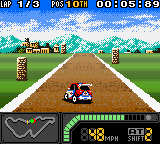
Top Gear Pocket 2 (USA)
0 1 0
Top Gear Pocket 2 (USA) is a classic Game Boy Color racing game that delivers fast-paced, arcade-style driving action. If you enjoy straightforward racing focused on time trials and quick sessions, this game offers a nostalgic feel that’s easy to pick up and fun to get better at. Suitable for those who appreciate old-school racing mechanics, it runs directly in your browser, so you can start playing without needing any downloads.
Getting Into Top Gear Pocket 2
The main idea of Top Gear Pocket 2 is choosing a car and racing against the clock on different tracks. The game has several modes, mainly time trials and single races, where your goal is to finish courses as fast as you can. During each race, you pick your vehicle, select a track, and try to beat your best lap times or reach specific targets. The controls are simple, focusing on acceleration, braking, and steering, making it easy for new players but still offering enough challenge for experienced racers to improve their skills.
As you play, you unlock new cars and tracks by completing races or achieving high scores, encouraging repeat play. The game is about quick, skillful sessions, perfect for short bursts. Learning to time acceleration and braking, especially around curves, is key to shaving seconds off your best times. It doesn’t rely on complex mechanics or upgrades but rewards precision and knowing each track’s layout well.
Standout Features
Visually, Top Gear Pocket 2 captures the limited palette and pixel art style of the Game Boy Color, with colorful, easy-to-distinguish cars and tracks. It doesn’t push the hardware’s limits, but the visuals are clear enough to keep the focus on gameplay. The progression system is straightforward: race, improve your times, and unlock new content step by step, giving a steady sense of achievement without feeling overwhelming.
This classic offers plenty of replay value through its emphasis on time trials. Players often challenge themselves to beat previous scores or improve lap times on familiar tracks. The variety of cars and tracks, along with racing against your own ghosts or high scores, helps keep things interesting. Its simplicity makes it accessible, but mastering the timing and routes on each track can keep you coming back for more.
Strategy and Tips
Starting with the right approach can help you improve in Top Gear Pocket 2. Here are some helpful tips:
- Keep your steering smooth to stay in control at high speeds, especially around tight turns.
- Brake early before entering curves to avoid losing speed or crashing.
- Select the car that fits each track’s layout; some handle turns better, others are faster on straightaways.
- Use the replay feature if available to review your best laps and spot areas to improve.
- Focus on steady acceleration and avoid sharp turns that can slow you down unnecessarily.
- Memorize track layouts to anticipate turns and plan your racing line for faster times.
Quick Questions
How do I start a race in Top Gear Pocket 2?
Choose your car and track from the main menu, then confirm to start racing.
What’s the most common mistake for beginners?
Many new players brake too late or turn too sharply, which costs speed and can lead to crashes.
Can I play Top Gear Pocket 2 comfortably on a touchscreen device?
Yes, the game runs smoothly in your browser, and the controls are simple enough for touch input, making it easy to play on mobile.
Top Gear Pocket 2 offers a straightforward racing challenge that’s easy to get into but hard to master. Its focus on time trials and quick gameplay makes it a good choice for players who want a nostalgic yet accessible racing experience right in their browser.
Related games: you can also try Mr. Driller (USA) and Bibi und Tina – Fohlen Felix in Gefahr (Germany), or browse all other games in the Game Boy Color category.
How to Play Top Gear Pocket 2 (USA)?
Choose a car and race against the clock on different tracks, aiming to beat your best times by controlling acceleration, braking, and steering. Improve your skills to unlock new cars and tracks through quick, skillful sessions.
Game Controls
Arrow keys control steering and movement; other keys handle acceleration and braking.
You may be interested in:
-
 Game Boy Color
♥ 43
Zook Hero Z
Game Boy Color
♥ 43
Zook Hero Z -
 Game Boy Color
♥ 1
Zok Zok Heroes (Japan)
Game Boy Color
♥ 1
Zok Zok Heroes (Japan) -
 Game Boy Color
♥ 1
Zoids – Shirogane no Juukishin Liger Zero (Japan)
Game Boy Color
♥ 1
Zoids – Shirogane no Juukishin Liger Zero (Japan) -
 Game Boy Color
♥ 1
Zoids – Jashin Fukkatsu! Genobreaker Hen (Japan)
Game Boy Color
♥ 1
Zoids – Jashin Fukkatsu! Genobreaker Hen (Japan) -
 Game Boy Color
♥ 2
Zoboomafoo – Playtime in Zobooland (USA)
Game Boy Color
♥ 2
Zoboomafoo – Playtime in Zobooland (USA) -
 Game Boy Color
♥ 1
Zidane Football Generation (Europe) (En,Fr,De,Es,It)
Game Boy Color
♥ 1
Zidane Football Generation (Europe) (En,Fr,De,Es,It) -
 Game Boy Color
♥ 1
Zen-Nihon Shounen Soccer Taikai – Mezase Nihon Ichi! (Japan)
Game Boy Color
♥ 1
Zen-Nihon Shounen Soccer Taikai – Mezase Nihon Ichi! (Japan) -
 Game Boy Color
♥ 1
Zebco Fishing! (USA)
Game Boy Color
♥ 1
Zebco Fishing! (USA)
Comments (0)
No comments yet. Be the first to comment!