Touch Dictionary (Korea) (Rev 1)
0 3 0
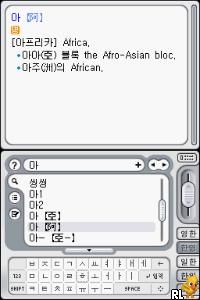
Touch Dictionary (Korea) (Rev 1) is a simple Nintendo DS game that makes learning Korean vocabulary easy and accessible. Designed mainly for Korean speakers or those wanting to expand their word knowledge, it focuses on quick lookups and clear definitions. It feels more like a helpful tool than a complicated app, perfect for quick practice or quick reference when you need it. Playing in your browser on an emulator, this piece of Nintendo DS history is ready whenever you are—no downloads needed, blending nostalgia with convenience.
Why Touch Dictionary Is Worth Playing
This Nintendo DS classic offers a straightforward, no-frills interface that values ease of use over flashy visuals. Its minimal design keeps your focus on finding words and understanding their meanings. While it doesn’t have fancy animations or immersive worlds, the clean text and logical layout make it simple to keep coming back. If you’re looking for a practical way to improve your Korean, Touch Dictionary is a straightforward option that gets the job done without clutter. Its look and feel are reminiscent of the utilitarian educational software from back in the day, making it both accessible and effective.
What makes people keep using it is how efficient it is. Whether you’re a student needing quick translations or just casually browsing new words, the quick search makes it easy to jump in and out. The simple interface works well for all ages and skill levels, from beginners to more advanced learners. Playing it in your browser means you can practice anytime—during a break or on the go—without any fuss. It’s a humble tool that makes learning vocabulary less of a chore and more of a regular habit.
Tips to Get Ahead
Start with common words to build a good foundation before moving on to tougher vocabulary.
- Use the search often to get familiar with the most common Korean words.
- Write down new words and their meanings to help remember them outside the game.
- If audio options are available, practice pronunciation or repeat words aloud for better retention.
- Set small goals, like learning 10 new words each session, to keep steady progress.
- Review words you’ve looked up before to strengthen your memory and avoid forgetting.
Things to Know Before You Start
Question?
Is Touch Dictionary hard for casual users?
Not at all. It’s designed for quick lookups rather than tough puzzles, making it suitable for anyone wanting to learn vocabulary gradually.
Question?
How long does a typical session take?
Since it’s all about quick searches and learning, most sessions last just a few minutes—perfect for short, frequent practice.
Question?
Can you use Touch Dictionary offline?
This version runs directly in your browser, so you don’t need to install anything. It’s great for quick online access but doesn’t support offline use beyond the current session.
Jump In and Try It
If you want a straightforward tool to build your Korean vocabulary, Touch Dictionary offers a simple and accessible experience. Its focus on core features makes it easy for learners of all levels. Play this classic in your browser and see how quickly your vocabulary grows without any fuss or distraction.
Related games: you can also try Pokemon Mystery Dungeon – Shallow Shindig and Dora the Explorer – Dora Puppy (Europe), or browse all other games in the Nintendo DS category.
How to Play Touch Dictionary (Korea) (Rev 1)?
Search for Korean words using the keyboard, read their definitions, and practice by reviewing or memorizing new vocabulary during each session.
Game Controls
Arrow keys navigate; Enter selects; other keys are mapped for menu and input functions.
You may be interested in:
-
 Nintendo DS
♥ 1
Casper’s Scare School – Classroom Capers (USA)
Nintendo DS
♥ 1
Casper’s Scare School – Classroom Capers (USA) -
 Nintendo DS
♥ 1
Zunou Nouryoku Koujou Machine – Touch de Zunoo DS (Japan)
Nintendo DS
♥ 1
Zunou Nouryoku Koujou Machine – Touch de Zunoo DS (Japan) -
 Nintendo DS
♥ 1
Zunou ni Asekaku Game Series! Vol. 1 – Cool 104 Joker & Setline (Japan)
Nintendo DS
♥ 1
Zunou ni Asekaku Game Series! Vol. 1 – Cool 104 Joker & Setline (Japan) -
 Nintendo DS
♥ 9
Zuma’s Revenge (USA)
Nintendo DS
♥ 9
Zuma’s Revenge (USA) -
 Nintendo DS
♥ 1
Zubo (USA) (En,Fr,Es)
Nintendo DS
♥ 1
Zubo (USA) (En,Fr,Es) -
 Nintendo DS
♥ 1
Zubo (Europe) (En,Fr,De,Es,It,Nl,Sv)
Nintendo DS
♥ 1
Zubo (Europe) (En,Fr,De,Es,It,Nl,Sv) -
 Nintendo DS
♥ 1
Zorro – Quest for Justice (USA) (En,Fr,De,Es,It)
Nintendo DS
♥ 1
Zorro – Quest for Justice (USA) (En,Fr,De,Es,It) -
 Nintendo DS
♥ 1
Zorro – Quest for Justice (Europe) (En,Fr,De,Es,It)
Nintendo DS
♥ 1
Zorro – Quest for Justice (Europe) (En,Fr,De,Es,It)
Comments (0)
No comments yet. Be the first to comment!