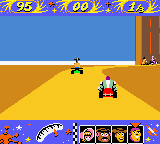
Toy Story Racer (Europe) (En,Fr,De)
0 1 0
Toy Story Racer (Europe) (En,Fr,De) is a classic Game Boy Color game that combines adventure elements with racing. It’s designed for fans of both genres, letting players control toy characters in races and exploration challenges. Bright visuals and simple mechanics keep it accessible for players of all ages, especially those who remember the Game Boy Color days.
Getting Into Toy Story Racer
The game has a straightforward core idea: race through different tracks or explore to complete objectives. You control your toy character, guiding them along racecourses, dodging obstacles, and collecting items. There’s a single-player mode where you try to beat times or opponents, and an adventure mode that involves exploring areas and doing tasks.
In a typical session, you pick a character and choose between racing or exploration. Races are easy to pick up, with controls focused on steering and avoiding hazards. Adventure segments might require finding specific items or reaching certain spots within a time limit. It runs smoothly in this browser emulator, so you can start playing instantly without any setup.
Standout Features
Visually, Toy Story Racer captures the charm of the toy characters with bright sprites and simple backgrounds. Its design keeps things clear and easy to follow, making races enjoyable. Progress depends on completing races or exploration tasks, unlocking new tracks and areas as you go. While it’s not focused on customization, the variety of environments and challenges keeps things interesting.
The game encourages trying different characters and race modes. Beating your times or finding hidden shortcuts adds to the replay value. Its straightforward gameplay means you can jump in for quick sessions or spend more time exploring everything it offers. It’s simple enough for short gaming breaks or longer playthroughs, without needing complex strategies.
Strategy and Tips
To get the most out of Toy Story Racer, it helps to understand the controls and plan your racing lines. Here are some tips:
- Keep an eye on upcoming obstacles and plan your route early to avoid sudden stops.
- Practice turning smoothly to keep your speed through corners.
- Explore environments carefully in adventure mode to find hidden items or shortcuts.
- Use collected items wisely, like boosting your speed or blocking rivals.
- Try out different characters to see which one suits your play style best.
- Pay attention to timing and rhythm; rushing can cause mistakes, so stay patient.
Quick Questions
How do I start a race in Toy Story Racer?
Pick your character and select a race or exploration challenge from the menu. Controls are simple, so jumping in is quick and easy.
What’s a common mistake new players make?
Many rush into races without getting familiar with the controls or the track, which can lead to crashes or missing shortcuts.
Can I play Toy Story Racer on mobile or touch devices?
Since it runs in your browser, it works on touch screens, but it may be harder to control precisely. A device with a dedicated input method makes gameplay smoother.
Playing Toy Story Racer offers a straightforward racing and exploration experience that captures the charm of the original Game Boy Color game. Its simple design and fun mechanics make it good for quick play sessions or longer adventures, all within your browser.
Related games: you can also try Snoopy Tennis (Europe) (En,Fr,De,Es,It,Nl) and NASCAR Racers (USA), or browse all other games in the Game Boy Color category.
How to Play Toy Story Racer (Europe) (En,Fr,De)?
Choose a toy character and race through tracks or explore areas to complete objectives, dodge obstacles, and collect items. Win races or find hidden paths to unlock new areas and improve your times.
Game Controls
Arrow keys control movement; other keys handle actions like boosting or selecting options.
You may be interested in:
-
 Game Boy Color
♥ 43
Zook Hero Z
Game Boy Color
♥ 43
Zook Hero Z -
 Game Boy Color
♥ 1
Zok Zok Heroes (Japan)
Game Boy Color
♥ 1
Zok Zok Heroes (Japan) -
 Game Boy Color
♥ 1
Zoids – Shirogane no Juukishin Liger Zero (Japan)
Game Boy Color
♥ 1
Zoids – Shirogane no Juukishin Liger Zero (Japan) -
 Game Boy Color
♥ 1
Zoids – Jashin Fukkatsu! Genobreaker Hen (Japan)
Game Boy Color
♥ 1
Zoids – Jashin Fukkatsu! Genobreaker Hen (Japan) -
 Game Boy Color
♥ 2
Zoboomafoo – Playtime in Zobooland (USA)
Game Boy Color
♥ 2
Zoboomafoo – Playtime in Zobooland (USA) -
 Game Boy Color
♥ 1
Zidane Football Generation (Europe) (En,Fr,De,Es,It)
Game Boy Color
♥ 1
Zidane Football Generation (Europe) (En,Fr,De,Es,It) -
 Game Boy Color
♥ 1
Zen-Nihon Shounen Soccer Taikai – Mezase Nihon Ichi! (Japan)
Game Boy Color
♥ 1
Zen-Nihon Shounen Soccer Taikai – Mezase Nihon Ichi! (Japan) -
 Game Boy Color
♥ 1
Zebco Fishing! (USA)
Game Boy Color
♥ 1
Zebco Fishing! (USA)
Comments (0)
No comments yet. Be the first to comment!