Turbo Toons (Europe)
0 4 0
Turbo Toons (Europe) is a classic SNES game playable right in your browser, offering a straightforward, arcade-style experience that fans of retro platformers and racing games will enjoy. Its simple yet addictive gameplay and colorful visuals make it a solid choice for players looking to experience a nostalgic title without downloads or complicated setup. This game captures a bit of SNES history, providing quick sessions filled with lighthearted fun.
Getting Into Turbo Toons
The main idea behind Turbo Toons is guiding a cartoonish character through racing levels filled with obstacles and enemies. The game focuses on timing and accuracy, as players must navigate twists, turns, and hazards while keeping up the pace. Each session involves choosing a level and racing against the clock or AI opponents, aiming to finish as fast as possible. Its simple mechanics make it easy for newcomers to pick up but still offer enough challenge to keep experienced players interested.
Most playthroughs involve completing several levels, each with increasing difficulty. As you advance, you’ll face sharper turns, faster enemies, and more complex obstacles. The game encourages trying again to beat your best times or find hidden secrets. While mainly a single-player game, its quick rounds are perfect for short bursts or casual play. Its straightforward setup suits players who like quick, satisfying gameplay without complex mechanics or long grinding sessions.
Standout Features
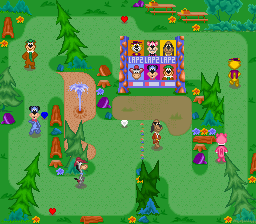
Visually, Turbo Toons features colorful, cartoon-inspired sprites and backgrounds that match the playful SNES look. Its pixel art is sharp, with character animations that add a lively, humorous touch. Despite its simplicity, it creates a vibrant, engaging atmosphere that appeals to fans of retro graphics. The design choices give each level a fun, cartoon-like feel.
Progression in Turbo Toons is simple but rewarding. Completing levels unlocks new stages and sometimes hidden paths or shortcuts, encouraging players to replay and improve. Its replay value comes from trying to beat previous times and discovering secrets. The quick, pick-up-and-play style makes it great for short gaming sessions, but it still offers enough challenge to keep players coming back. There aren’t complicated modes or unlockables, but beating your best runs feels satisfying enough to stay motivated.
Strategy and Tips
Getting the most out of Turbo Toons involves practicing timing and familiarizing yourself with each level’s layout. Here are some tips:
- Master tight turns early to save seconds.
- Use momentum—speed boosts and quick reflexes help you get through obstacles faster.
- Look for shortcuts or hidden routes to cut down your time.
- If you hit something, stay calm and recover quickly to keep your pace.
- Replay levels to memorize obstacle locations and plan your route better.
- Adjust your approach based on enemy patterns to avoid unnecessary crashes.
Quick Questions
Is Turbo Toons good for complete beginners?
Yes, its simple controls and straightforward gameplay make it easy to pick up, though mastering the levels will take some practice.
How long does a typical session last?
Most levels take just a minute or two, making it perfect for quick, casual gaming or on-the-go play.
Can I play Turbo Toons on a mobile device or touchscreen?
Even though it was made for SNES, this browser version works on any device with a web browser, including smartphones and tablets, so you can play it wherever you are.
Turbo Toons provides a fun, straightforward way to enjoy a classic SNES racing-platformer mix. Its charming visuals, simple mechanics, and quick gameplay make it a good choice for casual players and those feeling nostalgic.
Related games: you can also try Picross NP Vol. 1 (Japan) (NP) and BS Let's Pachinko Nante Gindama 1 (Japan), or browse all other games in the SNES category.
How to Play Turbo Toons (Europe)?
Guide your cartoon character through racing levels by avoiding obstacles and enemies, aiming to finish quickly and beat your best times. Replay levels to find secrets and improve your scores.
Game Controls
Arrow keys control movement; other keys handle actions, depending on the emulator setup.








Comments (0)
No comments yet. Be the first to comment!