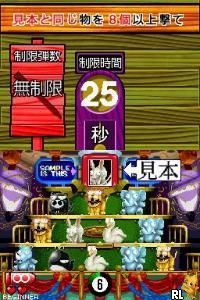
Unou no Tatsujin – GunBulleTrainer (Japan)
0 1 0
Unou no Tatsujin – GunBulleTrainer (Japan) is a Nintendo DS game that combines puzzle and strategy elements in a solo experience. Its gameplay centers on quick thinking and recognizing patterns, making it stand out from more traditional puzzle titles of the time. As a game designed for the Nintendo DS, it uses the dual screens and stylus controls to create an engaging and tactile experience that appeals to fans of brain-teasing challenges.
Unou no Tatsujin – GunBulleTrainer: Gameplay Overview
The main focus is on speed and mental agility. Players manage targets and projectiles, needing precise timing and pattern recognition to succeed. The game features a simple mechanic: responding to visual cues on the touch screen by tapping or dragging with the stylus. The dual-screen setup allows for tracking multiple elements at once, increasing the challenge as levels get tougher.
The gameplay involves completing levels within time limits, with each one becoming more complex. As you progress, sequences speed up and patterns become more detailed, requiring sharper focus and quicker reactions. The game encourages trying again to beat your scores, rewarding accuracy and speed. Its straightforward controls and gradual difficulty make it accessible for newcomers but still engaging for experienced players.
Modes, Levels and Progression
Unou no Tatsujin – GunBulleTrainer offers a series of levels that grow more difficult and complex, gradually increasing the challenge. Each stage introduces new patterns and timing needs, so players must adapt their strategies. The progression system motivates players to improve by rising to higher levels that demand faster responses and more precise actions.
While mainly a single-player game, it includes modes that focus on specific skills like quick responses or pattern memorization. These add variety for players wanting to sharpen particular aspects. The game encourages replaying levels to beat previous scores and master the increasingly tricky challenges, often requiring multiple attempts to perfect timing and accuracy.
Winning Strategies
Getting good at this game depends on staying focused and building muscle memory for the patterns. Pay attention to the visual cues on the top screen; timing is key. Practice quick, precise taps and drags with the stylus. Recognize recurring patterns to get ahead of upcoming challenges. Stay calm during faster sequences to manage reactions better. Focus on accuracy early on and then gradually pick up the pace. Replaying levels helps memorize patterns and improve response times.
Common Questions About Unou no Tatsujin – GunBulleTrainer
How does the difficulty change as I go?
The game introduces faster patterns and more complex sequences over time, requiring quicker reactions and better recognition. Early levels are manageable, but later ones demand sharper focus and faster decision-making.
Are there different modes or difficulty levels?
Mostly, it offers a single-player mode where the challenge ramps up as you progress. It’s designed to develop your skills through repeated play, with the level design itself providing the variation in difficulty.
How replayable is the game?
The game encourages improving scores and mastering levels by rewarding accuracy and quick responses. It’s fun to try and beat your previous bests, making it suitable for quick sessions or longer practice runs.
The in-browser emulation of this Nintendo DS classic makes it possible to enjoy its challenging gameplay without extra hardware or downloads. Unou no Tatsujin – GunBulleTrainer remains a stimulating test of reflexes and pattern recognition, offering a rewarding experience for puzzle and strategy fans alike.
Related games: you can also try Dragon Zakura DS (Japan) and Break 'em All (USA), or browse all other games in the Nintendo DS category.
How to Play Unou no Tatsujin – GunBulleTrainer (Japan)?
Match patterns on the screen quickly by tapping or dragging with the keyboard controls to respond to visual cues and complete levels before time runs out.
Game Controls
Arrow keys move; space or Enter to tap or drag; keyboard replaces stylus and touchscreen.
You may be interested in:
-
 Nintendo DS
♥ 1
Casper’s Scare School – Classroom Capers (USA)
Nintendo DS
♥ 1
Casper’s Scare School – Classroom Capers (USA) -
 Nintendo DS
♥ 1
Zunou Nouryoku Koujou Machine – Touch de Zunoo DS (Japan)
Nintendo DS
♥ 1
Zunou Nouryoku Koujou Machine – Touch de Zunoo DS (Japan) -
 Nintendo DS
♥ 1
Zunou ni Asekaku Game Series! Vol. 1 – Cool 104 Joker & Setline (Japan)
Nintendo DS
♥ 1
Zunou ni Asekaku Game Series! Vol. 1 – Cool 104 Joker & Setline (Japan) -
 Nintendo DS
♥ 9
Zuma’s Revenge (USA)
Nintendo DS
♥ 9
Zuma’s Revenge (USA) -
 Nintendo DS
♥ 1
Zubo (USA) (En,Fr,Es)
Nintendo DS
♥ 1
Zubo (USA) (En,Fr,Es) -
 Nintendo DS
♥ 1
Zubo (Europe) (En,Fr,De,Es,It,Nl,Sv)
Nintendo DS
♥ 1
Zubo (Europe) (En,Fr,De,Es,It,Nl,Sv) -
 Nintendo DS
♥ 1
Zorro – Quest for Justice (USA) (En,Fr,De,Es,It)
Nintendo DS
♥ 1
Zorro – Quest for Justice (USA) (En,Fr,De,Es,It) -
 Nintendo DS
♥ 1
Zorro – Quest for Justice (Europe) (En,Fr,De,Es,It)
Nintendo DS
♥ 1
Zorro – Quest for Justice (Europe) (En,Fr,De,Es,It)
Comments (0)
No comments yet. Be the first to comment!