Videomation (USA)
0 5 1
Videomation (USA) is a classic NES game that combines artistic expression with simple gameplay. Originally created as an educational title, it offers a unique drawing experience that encourages players to experiment with shapes, lines, and colors. This game appeals especially to those who enjoy casual, creative play and want to explore basic animation and drawing concepts within the NES aesthetic. Playing it brings back memories for many who grew up with the NES, and now you can try it directly in your browser without any downloads or setup.
Getting Into Videomation
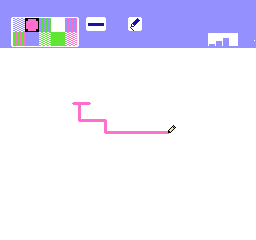
The gameplay focuses on drawing with a basic set of tools. You control a cursor that moves across the screen to create lines, shapes, and patterns with simple inputs. There are different modes, including free drawing and animation, allowing you to make static images or simple animated sequences. Starting out, you select a mode or tool and use the NES controller emulation to sketch and animate. The interface is simple enough for newcomers but offers enough options for more creative exploration.
While drawing, you can switch between tools like pens or erasers, and edit your creations frame by frame if you’re working on animations. The game encourages patience and precision, with features to undo mistakes and refine your work. The process is intuitive: sketch, add animation if you like, then review. Its educational roots mean it helps players learn about basic animation techniques or simply enjoy doodling and experimenting with colors and shapes at their own pace. Sessions tend to be short, making it perfect for casual play or quick creative bursts.
Standout Features
What makes Videomation special is its simple, charming visual style, reminiscent of NES’s 8-bit graphics and limited color palette. The interface is minimalistic, helping you focus on creating without distractions. It doesn’t have levels or scores but rewards experimentation through the ability to save and replay animated clips or detailed drawings. Trying different images or animations keeps things fresh, and the variety of tools invites endless creative possibilities.
The design suits players of all ages, especially those interested in basic art or animation. Its educational aspect helps beginners grasp fundamental drawing concepts while providing enough flexibility for more advanced users to explore simple animation. Since it runs right in your browser, you can revisit your creations anytime or challenge yourself to improve. It doesn’t aim for complexity but encourages curiosity and experimentation, making each session a chance to create something uniquely yours.
Strategy and Tips
Getting the most out of Videomation means taking a relaxed approach and trying new things. Focus on mastering the basic movement controls early so your drawing feels smooth. Use the undo option often to correct mistakes and refine your work. Experiment with different tools and colors to see how they change your drawings or animations. If you’re working on sequences, plan your frames ahead for smoother flow. Start simple—complexity can come with practice. Save your favorite pieces regularly so you don’t lose progress. And try recreating familiar objects or characters to gradually improve your skills.
- Begin with basic shapes and lines to learn the controls.
- Use undo frequently to make adjustments without frustration.
- Try different tools and colors to find interesting effects.
- Plan your animations before starting for better results.
- Save often to keep your work safe and see your progress.
- Recreating simple objects or scenes helps develop your drawing skills over time.
Quick Questions
How do I start drawing in Videomation?
Pick your tool and move the cursor to draw on the screen; controls are simple and easy to learn.
What is a common beginner mistake?
Trying to draw too complicated shapes at first can be overwhelming. Starting with simple lines and shapes builds confidence and control.
Can I play Videomation on mobile or touch screens?
The game is designed for browser play using a keyboard, so touch support might be limited or need adjustments, but it generally works best with a keyboard or mouse.
Videomation offers a straightforward yet engaging way to explore art and animation in the NES style. Its simplicity makes it easy to get started, and it encourages experimentation and learning. Whether you’re making quick sketches or animated scenes, it provides a fun platform to practice your drawing skills right in your browser.
Related games: you can also try Corvette ZR-1 Challenge (Europe) and Goal!! (Japan), or browse all other games in the NES category.
How to Play Videomation (USA)?
Use the keyboard to draw, erase, and animate simple shapes and lines. Create static images or short animations by switching tools and editing frame by frame, then save or replay your work.
Game Controls
Arrow keys move the cursor; action keys select tools, draw, erase, and switch frames.
You may be interested in:
-
![Zombie Hunter (Japan) [En by KingMike v1.01]](https://www.playf2p.com/wp-content/uploads/zombie-hunter-japan-en-by-kingmike-v1-01-200x120.png) NES
♥ 2
Zombie Hunter (Japan) [En by KingMike v1.01]
NES
♥ 2
Zombie Hunter (Japan) [En by KingMike v1.01] -
 NES
♥ 1
Zombie Hunter (Japan)
NES
♥ 1
Zombie Hunter (Japan) -
 NES
♥ 1
Zoids Mokushiroku (Japan)
NES
♥ 1
Zoids Mokushiroku (Japan) -
 NES
♥ 2
Zoids 2 – Zenebas no Gyakushuu (Japan)
NES
♥ 2
Zoids 2 – Zenebas no Gyakushuu (Japan) -
 NES
♥ 1
Zoids – Chuuou Tairiku no Tatakai (Japan)
NES
♥ 1
Zoids – Chuuou Tairiku no Tatakai (Japan) -
 NES
♥ 11
Zippy Race (Japan)
NES
♥ 11
Zippy Race (Japan) -
 NES
♥ 1
Zhen Ben Xi You Ji (Asia) (Unl)
NES
♥ 1
Zhen Ben Xi You Ji (Asia) (Unl) -
 NES
♥ 1
Zenbei!! Pro Basket (Japan)
NES
♥ 1
Zenbei!! Pro Basket (Japan)
Comments (0)
No comments yet. Be the first to comment!