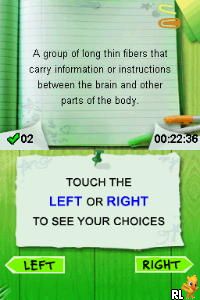
Word Academy (Europe)
0 1 0
Getting Into Word Academy
Word Academy (Europe) is a classic Nintendo DS game that challenges players to build their vocabulary through puzzle-style levels. The game offers a simple yet engaging way to practice words, making it fun for puzzle enthusiasts and language learners alike. Since it’s a Nintendo DS title, it features touch-screen controls that make selecting and connecting letters feel natural, even when played in your browser.
The main gameplay involves completing crossword-like puzzles with clues. Each level presents a grid with some letters already filled in, and players must figure out the remaining words by choosing letters from a pool or directly on the touchscreen. Early puzzles tend to be easier, helping you warm up, and then the difficulty ramps up with more challenging clues or longer words. You can choose between timed challenges for a quick pace or a relaxed mode if you prefer a more laid-back experience.
Most players solve puzzles in order, but the game also keeps track of your progress and scores. This encourages aiming for better accuracy and speed. The portable feel of the original Nintendo DS comes across well in the browser version, making it easy to pick up and put down whenever you like. Whether you want quick sessions or longer stretches of play, Word Academy fits right in. It offers a mix of educational content and puzzle fun, with enough variety to keep things interesting.
Standout Features
This game from the Nintendo DS era has simple, clean visuals focused on clarity. Bright colors and clear fonts make it accessible for all ages. The puzzles gradually get more difficult, and the game tracks your progress, rewarding accuracy and quick thinking with high scores and medals. That setup encourages replaying levels to sharpen your skills and improve your results.
With multiple modes like standard puzzles, timed challenges, and daily puzzles, there’s plenty to keep you engaged. Different clues and word lengths introduce a variety of vocabulary themes, preventing things from feeling repetitive. As you improve, you can unlock tougher levels or bonus puzzles, which adds a sense of achievement and motivation to keep practicing. The straightforward design makes it suitable for quick play sessions or longer word-building marathons.
Strategy and Tips
If you’re new to Word Academy, focusing on common prefixes, suffixes, and root words can help you solve puzzles faster. Keep an eye on the clues—they often hint at the word’s length or category. Using hints sparingly can save resources for tougher puzzles. Taking a moment to scan the entire grid before filling in words can reveal patterns or partial words you might have missed.
- Start by filling in the easiest words first to build momentum and get clues for tougher ones.
- Choose your letters carefully; picking the right ones early on can prevent dead ends later.
- If you’re stuck, think of synonyms or related words that fit the clues and the grid.
- Pay attention to the wording of clues—they sometimes suggest a category, like animals, places, or actions.
- Practice regularly to get familiar with common word structures and speed up your solving.
- Use hints when needed, but don’t over-rely on them, so you can improve your vocabulary and puzzle skills.
Quick Questions
How do I get started with Word Academy?
Just open the game in your browser and follow the prompts to start solving puzzles. The interface is easy to use, with touch controls that work smoothly with mouse or finger on touch screens.
What’s a common mistake beginners make?
Many new players try to fill in words without fully reading the clues or thinking about the letter pool. Taking a moment to analyze clues and plan your moves helps avoid guesswork and improves accuracy.
Can I play Word Academy comfortably on mobile or touch devices?
Yes, the game’s touch-friendly design makes it suitable for smartphones, tablets, and other touch-enabled screens, providing a smooth puzzle experience right in your browser.
Word Academy gives you a straightforward way to practice vocabulary and solve puzzles. Its simple design and variety of modes make it a good choice whether you’re casually playing or focusing on improving your word skills without needing to install anything.
Related games: you can also try Pogo Island (Europe) and Blazer Drive (Japan), or browse all other games in the Nintendo DS category.
How to Play Word Academy (Europe)?
Complete crossword puzzles by selecting the correct letters based on clues, filling in the grid to build words and improve your score. Play at your own pace, with options for timed or relaxed modes.
Game Controls
Arrow keys navigate; Enter selects letters and confirms choices.
You may be interested in:
-
 Nintendo DS
♥ 1
Casper’s Scare School – Classroom Capers (USA)
Nintendo DS
♥ 1
Casper’s Scare School – Classroom Capers (USA) -
 Nintendo DS
♥ 1
Zunou Nouryoku Koujou Machine – Touch de Zunoo DS (Japan)
Nintendo DS
♥ 1
Zunou Nouryoku Koujou Machine – Touch de Zunoo DS (Japan) -
 Nintendo DS
♥ 1
Zunou ni Asekaku Game Series! Vol. 1 – Cool 104 Joker & Setline (Japan)
Nintendo DS
♥ 1
Zunou ni Asekaku Game Series! Vol. 1 – Cool 104 Joker & Setline (Japan) -
 Nintendo DS
♥ 9
Zuma’s Revenge (USA)
Nintendo DS
♥ 9
Zuma’s Revenge (USA) -
 Nintendo DS
♥ 1
Zubo (USA) (En,Fr,Es)
Nintendo DS
♥ 1
Zubo (USA) (En,Fr,Es) -
 Nintendo DS
♥ 1
Zubo (Europe) (En,Fr,De,Es,It,Nl,Sv)
Nintendo DS
♥ 1
Zubo (Europe) (En,Fr,De,Es,It,Nl,Sv) -
 Nintendo DS
♥ 1
Zorro – Quest for Justice (USA) (En,Fr,De,Es,It)
Nintendo DS
♥ 1
Zorro – Quest for Justice (USA) (En,Fr,De,Es,It) -
 Nintendo DS
♥ 1
Zorro – Quest for Justice (Europe) (En,Fr,De,Es,It)
Nintendo DS
♥ 1
Zorro – Quest for Justice (Europe) (En,Fr,De,Es,It)
Comments (0)
No comments yet. Be the first to comment!