Charlie and the Chocolate Factory (U)(Trashman)
0 6 2
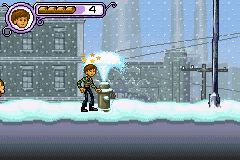
Charlie and the Chocolate Factory (U)(Trashman) is a classic Game Boy Advance game that brings Roald Dahl’s story to your browser. As a nostalgic glimpse into the GBA era, it offers a simple action experience rooted in childhood adventures. Its pixel art visuals and straightforward sound design evoke the feel of handheld gaming from the early 2000s, giving you a familiar way to revisit this story on modern devices.
Step Into the World of Charlie and the Chocolate Factory
This game captures the colorful, candy-filled universe of Willy Wonka’s factory, with vibrant sprite-based visuals reminiscent of its time. The factory’s hallways, chocolate rivers, and whimsical machines are rendered in cheerful colors, creating an energetic atmosphere true to the story. The soundtrack features light, upbeat tunes that add to the playful mood, while sound effects highlight each action with a nostalgic touch. Playing on this browser emulator, you can enjoy the game’s visuals and sounds without needing to install anything, experiencing a bit of early 2000s handheld gaming firsthand.
How the Gameplay Hooks You
The game focuses on action, offering a series of simple but engaging challenges that test your timing and reflexes. Progress depends on completing tasks and avoiding hazards within the factory, with each level presenting a different scenario inspired by the story. The pace is steady, encouraging you to stay focused on precision and quick reactions rather than complicated strategies. As you move forward, the difficulty increases gradually, but it’s still suitable for short sessions or casual play, with clear objectives guiding you through each stage.
Pro Tips for Charlie and the Chocolate Factory
To make your playthrough smoother, consider these tips:
- Pay attention to obstacle timing; rushing can lead to mistakes.
- Practice each segment to learn hazard patterns and improve your reflexes.
- Focus on deliberate, small movements instead of frantic button mashing.
- Be patient with tricky sections — rushing can cause unnecessary errors.
- Use checkpoints wisely to avoid losing progress after tough segments.
- Stay calm and keep trying; the game’s challenge is fair but requires focus.
Frequently Asked Questions
How long does a typical session of Charlie and the Chocolate Factory last?
Most playthroughs take around 10-15 minutes, depending on your skill. It’s good for quick breaks or casual play.
Does the game get repetitive over time?
The core gameplay stays the same, but each level introduces new challenges and hazards inspired by the story, keeping things interesting for a few sessions. It’s primarily about quick reflexes rather than complex mechanics.
Is Charlie and the Chocolate Factory suitable for all ages?
Yes, with simple controls and a family-friendly theme, it’s accessible for most players. Younger ones might need some help with timing, but it’s generally safe for casual gaming.
Playing Charlie and the Chocolate Factory through your browser offers a simple way to enjoy a piece of handheld gaming history. Its focus on timing and action makes for a casual challenge, all wrapped in Willy Wonka’s colorful world. Whether you’re looking for a quick distraction or a nostalgic reminder, this classic GBA game is easy to access and fun to play.
Related games: you can also try 2 in 1 – Brother Bear & Disney Princess (E)(Independent) and Castlevania – Circle Of The Moon – Hugh Baldwin Hack, or browse all other games in the Game Boy Advance category.
How to Play Charlie and the Chocolate Factory (U)(Trashman)?
Navigate Charlie through the factory, avoiding hazards and completing tasks to progress through levels. Focus on timing and quick reactions to succeed in each challenge.
Game Controls
Arrow keys control movement; action buttons are mapped to keyboard keys for jumping and interacting.
You may be interested in:
-
 Game Boy Advance
♥ 2
Zooo (J)(Rising Sun)
Game Boy Advance
♥ 2
Zooo (J)(Rising Sun) -
 Game Boy Advance
♥ 4
Zooo (E)(Trashman)
Game Boy Advance
♥ 4
Zooo (E)(Trashman) -
 Game Boy Advance
♥ 2
ZooCube (U)(Mode7)
Game Boy Advance
♥ 2
ZooCube (U)(Mode7) -
 Game Boy Advance
♥ 1
ZooCube (E)(Blizzard)
Game Boy Advance
♥ 1
ZooCube (E)(Blizzard) -
 Game Boy Advance
♥ 1
Zone of the Enders – The Fist of Mars (U)(Mode7)
Game Boy Advance
♥ 1
Zone of the Enders – The Fist of Mars (U)(Mode7) -
 Game Boy Advance
♥ 1
Zone of the Enders – The Fist of Mars (E)(Cezar)
Game Boy Advance
♥ 1
Zone of the Enders – The Fist of Mars (E)(Cezar) -
 Game Boy Advance
♥ 1
Zoku Bokura no Taiyou – Taiyou Shounen Django (J)(Independent)
Game Boy Advance
♥ 1
Zoku Bokura no Taiyou – Taiyou Shounen Django (J)(Independent) -
 Game Boy Advance
♥ 7
Zoku Bokura no Taiyou – Taiyou Shounen Django (J)(Caravan)
Game Boy Advance
♥ 7
Zoku Bokura no Taiyou – Taiyou Shounen Django (J)(Caravan)
Comments (0)
No comments yet. Be the first to comment!