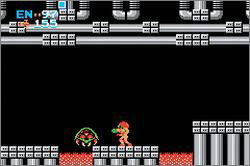
Classic NES – Metroid (U)(BatMan)
0 11 1
Classic NES – Metroid (U)(BatMan) is a port of the well-known NES action-adventure, adapted for the Game Boy Advance. This version keeps the core gameplay that made the original so popular, offering a straightforward experience that fans of platformers, shooters, and exploration-based adventures will appreciate, even on a smaller screen. It’s a good choice for those seeking a compact yet demanding quest that tests reflexes and puzzle-solving skills.
Getting Into Classic NES – Metroid
This Game Boy Advance version sticks to the familiar gameplay cycle of exploring, collecting items, and upgrading your abilities. The game is set across interconnected screens where you move through different environments, fight enemies, and uncover hidden secrets. Exploration is key, with new areas opening up after you find upgrades that give access to previously unreachable parts of the map.
Throughout the game, you’ll switch between combat and solving puzzles. It encourages a careful approach: exploring each area thoroughly, defeating enemies, and gathering items that improve your movement, defense, or attack. Save points are limited, so managing health and resources is crucial. You can choose your own path through the map, but keep in mind that enemies and hazards get tougher as you go along.
Standout Features
The visuals stay true to the original 8-bit style, giving the game a nostalgic pixel art look that still looks clear and charming. Progress depends heavily on discovering items — each new upgrade unlocks new areas and abilities, keeping the sense of discovery alive. The map system combined with item upgrades encourages multiple playthroughs to find all secrets and explore every corner of the environment.
Replaying the game offers the chance to try different routes and strategies. As difficulty gradually increases, revisiting areas with new abilities can reveal hidden paths and secrets you missed before. The game rewards exploration, especially when you find hidden items or defeat tough enemies. Being portable, you can pick it up and play in short sessions without losing your place.
Strategy and Tips
Explore each area carefully and keep track of where you’ve been. Save your health and ammo when you can, especially before boss fights.
- Upgrade your weapons and movement abilities early to reach new areas faster.
- Thoroughly explore each zone — secrets and upgrades are often hidden behind breakable blocks or in hard-to-reach spots.
- Learn enemy patterns to improve your chances in combat, especially in tight spaces.
- Save often and plan your route to avoid unnecessary backtracking, particularly in tough sections.
- Try different item combinations to find the best route or reach hidden areas.
Quick Questions
How do I get started if I’ve never played Metroid before?
Take your time exploring each area, collecting upgrades, and paying attention to your surroundings for hidden passages.
What’s a common mistake beginners make?
Many players forget to backtrack after getting new abilities, missing out on secrets and upgrades that could make later parts easier.
Can I play this game comfortably on mobile or touch devices?
Since it runs in your browser, you can play Classic NES – Metroid on mobile devices with touch controls, though accuracy might vary depending on your device and browser.
Classic NES – Metroid remains a fun challenge for fans of exploration and action. This port offers an authentic, portable experience that captures the spirit of the original, making it a solid addition to your browser-based retro collection.
Related games: you can also try 3 in 1 – Majesco's Rec Room Challenge (U)(Sir VG) and Bobobohbo Bohbobo Ougi 87.5 Bakuretsu Hanage Shinken (J)(Polla), or browse all other games in the Game Boy Advance category.
How to Play Classic NES – Metroid (U)(BatMan)?
Explore the map, defeat enemies, find upgrades, and uncover secrets to progress through interconnected areas. Manage resources carefully and revisit areas with new abilities to access hidden paths.
Game Controls
Arrow keys move; buttons handle actions like shooting, jumping, and interacting.
You may be interested in:
-
 Game Boy Advance
♥ 2
Zooo (J)(Rising Sun)
Game Boy Advance
♥ 2
Zooo (J)(Rising Sun) -
 Game Boy Advance
♥ 4
Zooo (E)(Trashman)
Game Boy Advance
♥ 4
Zooo (E)(Trashman) -
 Game Boy Advance
♥ 2
ZooCube (U)(Mode7)
Game Boy Advance
♥ 2
ZooCube (U)(Mode7) -
 Game Boy Advance
♥ 1
ZooCube (E)(Blizzard)
Game Boy Advance
♥ 1
ZooCube (E)(Blizzard) -
 Game Boy Advance
♥ 1
Zone of the Enders – The Fist of Mars (U)(Mode7)
Game Boy Advance
♥ 1
Zone of the Enders – The Fist of Mars (U)(Mode7) -
 Game Boy Advance
♥ 1
Zone of the Enders – The Fist of Mars (E)(Cezar)
Game Boy Advance
♥ 1
Zone of the Enders – The Fist of Mars (E)(Cezar) -
 Game Boy Advance
♥ 1
Zoku Bokura no Taiyou – Taiyou Shounen Django (J)(Independent)
Game Boy Advance
♥ 1
Zoku Bokura no Taiyou – Taiyou Shounen Django (J)(Independent) -
 Game Boy Advance
♥ 7
Zoku Bokura no Taiyou – Taiyou Shounen Django (J)(Caravan)
Game Boy Advance
♥ 7
Zoku Bokura no Taiyou – Taiyou Shounen Django (J)(Caravan)
Comments (0)
No comments yet. Be the first to comment!