Pokemon WaterRed Version
0 14 3
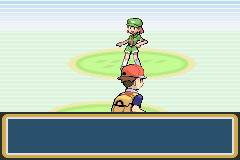
Pokemon WaterRed Version is a classic Game Boy Advance game that mixes the turn-based battles of traditional Pokémon titles with a water-themed twist. The game is a role-playing adventure focused on exploration, collecting Pokémon, and battling across aquatic environments filled with water-type creatures. Its mechanics are familiar but adapted for the GBA, offering a nostalgic feel for long-time fans and a solid introduction for newcomers. Best of all, you can play it directly in your browser without any downloads or installations.
Pokemon WaterRed Version: Gameplay Overview
In this game, you take on the role of a young trainer working toward becoming a Pokémon Champion. The main activity involves catching, training, and battling water Pokémon in various aquatic locations. Battles follow the classic turn-based style, where choosing the right moves, understanding type advantages, and knowing your Pokémon’s abilities are key. The map features routes, towns, and waterways that encourage exploration and encounters with different Pokémon.
The mechanics stay true to the series but with a focus on water Pokémon. You’ll find wild Pokémon in natural habitats and can build a team suited for water battles. The challenge grows as you face tougher trainers and gym leaders, with in-browser emulation making battles and exploration quick and smooth.
Modes, Levels and Progression
The game moves in a straight line through gyms and the Pokémon League, with the goal of defeating the Elite Four and claiming the title. There aren’t any alternative modes or multiplayer options, but there’s plenty of content, including side quests and optional challenges. As you play, battles get more demanding, requiring you to manage your team carefully. Catching different water Pokémon with varying levels and evolutions adds depth, and the game’s leveling system ensures battles stay fair as you advance. Replayability comes from trying different team combinations, catching rare Pokémon, or completing the Pokédex with unique strategies.
Winning Strategies
Knowing type advantages is essential—water Pokémon are strong against fire, ground, and rock but weak to electric and grass moves. Balancing your team to cover these weaknesses can make a big difference. Keep your Pokémon at or above your opponents’ levels to avoid unnecessary setbacks. Using status moves and healing items can help you outlast tough battles, especially against gym leaders and the Elite Four. Explore water routes thoroughly to find rare Pokémon and hidden items. Adjust your team based on upcoming challenges to stay flexible and prepared.
Common Questions About Pokemon WaterRed Version
How does the difficulty change as you go?
The game gets tougher as you defeat gym leaders and face stronger trainers. Early battles are simple, but later ones require better planning and team management.
Are there different modes or difficulty settings?
There aren’t any extra modes or difficulty options. The challenge mainly comes from progressing through the game and the level of opponents you face.
How much replay value does it have?
You can replay to try different teams, catch rare Pokémon, or complete the Pokédex. Changing your approach adds variety and keeps the game interesting.
Playing Pokemon WaterRed Version in your browser offers a faithful, easy way to enjoy a water-themed Pokémon adventure rooted in the GBA era. Its blend of strategy and exploration makes it a good pick for fans wanting a nostalgic yet engaging experience.
Related games: you can also try Mission Impossible – Operation Surma (U)(TrashMan) and Castlevania – Aria of Sorrow – Call of Chaos, or browse all other games in the Game Boy Advance category.
How to Play Pokemon WaterRed Version?
Capture, train, and battle water Pokémon across aquatic routes to defeat gym leaders and become the Pokémon Champion. Explore, build your team, and strategize to win battles and progress through the game.
Game Controls
Arrow keys control movement; Enter and other keys handle actions and menu navigation.
You may be interested in:
-
 Game Boy Advance
♥ 2
Zooo (J)(Rising Sun)
Game Boy Advance
♥ 2
Zooo (J)(Rising Sun) -
 Game Boy Advance
♥ 4
Zooo (E)(Trashman)
Game Boy Advance
♥ 4
Zooo (E)(Trashman) -
 Game Boy Advance
♥ 2
ZooCube (U)(Mode7)
Game Boy Advance
♥ 2
ZooCube (U)(Mode7) -
 Game Boy Advance
♥ 1
ZooCube (E)(Blizzard)
Game Boy Advance
♥ 1
ZooCube (E)(Blizzard) -
 Game Boy Advance
♥ 1
Zone of the Enders – The Fist of Mars (U)(Mode7)
Game Boy Advance
♥ 1
Zone of the Enders – The Fist of Mars (U)(Mode7) -
 Game Boy Advance
♥ 1
Zone of the Enders – The Fist of Mars (E)(Cezar)
Game Boy Advance
♥ 1
Zone of the Enders – The Fist of Mars (E)(Cezar) -
 Game Boy Advance
♥ 1
Zoku Bokura no Taiyou – Taiyou Shounen Django (J)(Independent)
Game Boy Advance
♥ 1
Zoku Bokura no Taiyou – Taiyou Shounen Django (J)(Independent) -
 Game Boy Advance
♥ 7
Zoku Bokura no Taiyou – Taiyou Shounen Django (J)(Caravan)
Game Boy Advance
♥ 7
Zoku Bokura no Taiyou – Taiyou Shounen Django (J)(Caravan)
Comments (0)
No comments yet. Be the first to comment!