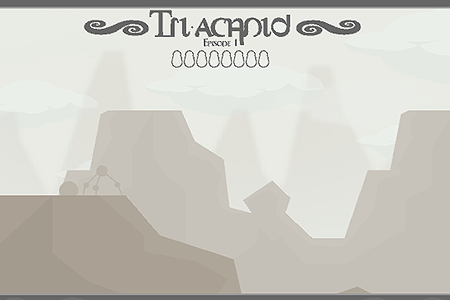
Tri-achnid
0 50 50
Tri-achnid is a charming and challenging online game that offers a retro-inspired experience perfect for fans of classic browser gaming. This game invites players to step into the tiny world of a spider navigating a web filled with obstacles, enemies, and surprises. Whether you’re feeling nostalgic and want to relive childhood memories or just looking for a quick, engaging challenge, Tri-achnid provides a fun, accessible experience right in your browser. Its simple controls and straightforward gameplay make it easy to pick up but tough to master, so it’s perfect for casual play and replayability.
Playing Tri-achnid is like going on a mini adventure where reflexes, timing, and strategy all matter. The game features a series of levels or stages, each with a web the spider needs to cross without falling or getting caught. As you go along, the difficulty increases with more complex web layouts, faster enemies, and tricky traps. You can enjoy playing solo, trying to beat your best scores or complete levels efficiently, or just challenge yourself to last longer each time. The main idea is guiding the spider across the web, avoiding dangers, and collecting goodies, all while aiming for the highest score possible.
Getting Into Tri-achnid
Tri-achnid’s gameplay is all about quick decisions and precise movements. Each game starts with your spider on one side of a web, and your goal is to reach the other side without falling or getting caught. The web is made up of interconnected strands you need to cross carefully. Timing your jumps and moves is key, especially as the web gets more complicated and enemies start to appear. Controls are simple—usually just a few keys or mouse clicks—making it easy for casual players to jump right in.
As you advance through levels or aim for higher scores, new challenges come up—faster enemies, more complex web patterns, and sometimes moving obstacles. You can choose to play a quick game to beat your best score or focus on completing specific levels for a more structured experience. Each run tests your reflexes and planning skills, encouraging you to learn the web’s layout and enemy behaviors. The difficulty grows gradually enough for newcomers to understand the mechanics but ramps up enough to keep experienced players interested. Playing online means you can jump into the action whenever you want, without needing downloads or installations.
Standout Features
Visually, Tri-achnid has a nostalgic pixel art style that many players find charming. Its colorful, simple graphics are clear, helping you focus on gameplay. The web designs are creative, with varied patterns that keep each level visually interesting. Animations are smooth, and the sound effects add to its retro feel, making every successful crossing satisfying. The artwork captures the essence of old-school browser games, appealing both to those with a sense of nostalgia and newcomers alike.
Progression is straightforward but keeps things interesting. As you score points and complete levels, you unlock new web environments and sometimes new spider characters, adding a personal touch. The game encourages replaying with different difficulty settings and scoring challenges—trying for high scores, finishing levels within certain times, or avoiding enemies. Even after completing a level, there are reasons to go back—improving your previous score, finding shortcuts, or just mastering the web’s layout. That makes Tri-achnid enjoyable to play repeatedly, with each session helping you sharpen your skills and aim for better results.
Strategy and Tips
If you want to get better at Tri-achnid, a few simple strategies can help. Be patient and watch enemy patterns carefully to plan safe crossings. Think ahead before making your move to avoid unnecessary risks. Timing your jumps is more important than rushing—hurrying often leads to mistakes. Collect power-ups or bonus items when you find them, as they can give you extra points or temporary invincibility. Keep an eye on the web’s layout and stay flexible as obstacles change. Practice helps you understand the game’s rhythm and improves your reactions over time.
- Learn the web layout early to plan your crossings more smoothly.
- Prioritize timing over speed—rushing can cause errors.
- Watch enemy movements so you can cross safely.
- Use power-ups wisely to boost your score or stay alive longer.
- If you get stuck, restarting can sometimes give you a fresh start and better results.
- Work on completing levels with fewer mistakes for higher scores.
- Try different routes to find shortcuts and safer crossing points.
Quick Questions
How do I start if I’ve never played Tri-achnid before?
Just click to begin, and the game will show you how to control your spider and what to do. A few practice runs will help you get comfortable with the web’s layout and enemy patterns.
What’s a common mistake beginners make in Tri-achnid?
Many new players try to rush across without paying attention to enemy movements or web patterns, which often leads to falls or getting caught. Taking your time and observing helps a lot.
Can I play Tri-achnid on mobile or touch devices?
Yes, since it’s a browser game, it works well on touch screens. Just tap or click to control your spider, making it easy to enjoy on smartphones and tablets.
Tri-achnid combines simple controls with enough challenge to keep things interesting. Its nostalgic visuals and straightforward gameplay make it a good choice for quick gaming sessions. Give it a try and see how far you can get guiding your spider across the web—each attempt offers a little more practice and a fresh challenge.
Related games: you can also try Defend Your Castle and Pico vs. Uberkids, or browse all other games in the Flash category.
How to Play Tri-achnid?
Guide the spider across web levels by timing jumps and avoiding enemies and traps to reach the other side and score points. Each level gets more challenging with faster enemies and complex web layouts.
Game Controls
Use arrow keys or WASD to move, Space to jump, or click with the mouse.
You may be interested in:
-
 Flash
♥ 0
Nick Jr. Jukebox
Flash
♥ 0
Nick Jr. Jukebox -
 Flash
♥ 0
Go Diego Go: Rainforest Adventure
Flash
♥ 0
Go Diego Go: Rainforest Adventure -
 Flash
♥ 0
Dora’s Star Mountain Mini-Golf!
Flash
♥ 0
Dora’s Star Mountain Mini-Golf! -
 Flash
♥ 0
Dora the Explorer: Say It Two Ways
Flash
♥ 0
Dora the Explorer: Say It Two Ways -
 Flash
♥ 0
Mr. Meaty Treasures Of The Deep
Flash
♥ 0
Mr. Meaty Treasures Of The Deep -
 Flash
♥ 0
SpongeBob’s Pizza Toss!
Flash
♥ 0
SpongeBob’s Pizza Toss! -
 Flash
♥ 0
SpongeBob Squarepants: Squeaky Boot Blurbs
Flash
♥ 0
SpongeBob Squarepants: Squeaky Boot Blurbs -
 Flash
♥ 0
SpongeBob: Coloring Book
Flash
♥ 0
SpongeBob: Coloring Book
Comments (0)
No comments yet. Be the first to comment!