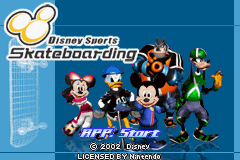
2 in 1 – Disney Sportpack (E)(Rising Sun)
0 12 0
2 in 1 – Disney Sportpack (E)(Rising Sun) is a classic Game Boy Advance game that combines several Disney-themed sports mini-games into one package. Designed for players who enjoy quick, casual gameplay and Disney characters, this title offers a collection of sports challenges featuring familiar faces from Disney animations. It’s perfect for fans of simple, accessible gameplay who want to enjoy a variety of mini-games in a single session, all playable directly in your browser without any downloads.
Getting Into 2 in 1 – Disney Sportpack
The game offers a straightforward experience built around choosing different sports mini-games and aiming for high scores or fast times. You pick a sport, learn its controls, and then try to beat your previous scores or challenge friends in local multiplayer modes. It’s designed for quick matches, making it ideal for short gaming sessions or casual play.
Most modes start with simple instructions that explain how to play. From there, it’s about mastering each mini-game’s mechanics, whether it’s hitting baseballs, racing, or other sports-themed activities. Trying out different sports can unlock new challenges or help you improve your scores, giving a small sense of progress even within the mini-game format.
Standout Features
One of the game’s highlights is its colorful, cartoon-style visuals that capture Disney’s charm. Bright animations keep the gameplay lively and engaging. The variety of sports—from racing to target shooting—keeps things interesting, and the simple design makes it easy to pick up and play, with enough depth to keep trying to beat your best scores.
Replayability comes from the variety of mini-games and the motivation to improve your previous results. Some modes include local multiplayer options, allowing friends to compete directly, which adds to the fun. Unlocking new mini-games or character skins as you progress keeps things fresh. Overall, its focus on quick, fun sports challenges makes it a solid choice for Disney fans and casual gamers alike.
Strategy and Tips
Getting comfortable with familiar characters can help you learn each mini-game’s mechanics. Focus on mastering one sport before moving to the next to build your skills efficiently.
- Watch for visual cues and sound effects that tell you when to act or hit a target for better timing.
- Practice the rhythm of controls in each mini-game to boost your reaction speed.
- Notice patterns in sports challenges to anticipate your opponent’s moves or improve your timing.
- Adjust your approach based on how the mini-game scores—some reward accuracy, others speed or power.
- If you’re playing with friends, talk about strategies to help each other improve.
Quick Questions
Can I play 2 in 1 – Disney Sportpack on mobile devices or touchscreens?
Since it runs in your browser, it works on mobile devices that support browser emulation, so you can enjoy it on touchscreens without any trouble.
What should I do if a mini-game feels too hard?
Focus on improving your timing and getting familiar with each game’s mechanics. Practice can make a big difference, and many challenges become easier once you recognize the patterns.
Is this game suitable for young children?
Yes, its simple gameplay and Disney characters make it accessible and friendly for kids or beginners trying casual gaming.
This collection of Disney-themed sports mini-games offers a fun, easy-to-play experience for fans of casual gaming and Disney characters. 2 in 1 – Disney Sportpack features a variety of challenges that keep things interesting, all playable right in your browser without any hassle.
Related games: you can also try 2 in 1 – Brother Bear & Disney Princess (E)(Independent) and Play 2 in 1 – Barenbruder & Disney Prinzessinen (G)(Independent), or browse all other games in the Game Boy Advance category.
How to Play 2 in 1 – Disney Sportpack (E)(Rising Sun)?
Choose a mini-game, complete the sports challenge by following on-screen prompts, and try to beat your high score or time. Switch between sports quickly for fun and improvement.
Game Controls
Arrow keys for movement; action buttons mapped to keyboard keys for hitting, racing, or targeting.
You may be interested in:
-
 Game Boy Advance
♥ 2
Zooo (J)(Rising Sun)
Game Boy Advance
♥ 2
Zooo (J)(Rising Sun) -
 Game Boy Advance
♥ 4
Zooo (E)(Trashman)
Game Boy Advance
♥ 4
Zooo (E)(Trashman) -
 Game Boy Advance
♥ 2
ZooCube (U)(Mode7)
Game Boy Advance
♥ 2
ZooCube (U)(Mode7) -
 Game Boy Advance
♥ 1
ZooCube (E)(Blizzard)
Game Boy Advance
♥ 1
ZooCube (E)(Blizzard) -
 Game Boy Advance
♥ 1
Zone of the Enders – The Fist of Mars (U)(Mode7)
Game Boy Advance
♥ 1
Zone of the Enders – The Fist of Mars (U)(Mode7) -
 Game Boy Advance
♥ 1
Zone of the Enders – The Fist of Mars (E)(Cezar)
Game Boy Advance
♥ 1
Zone of the Enders – The Fist of Mars (E)(Cezar) -
 Game Boy Advance
♥ 1
Zoku Bokura no Taiyou – Taiyou Shounen Django (J)(Independent)
Game Boy Advance
♥ 1
Zoku Bokura no Taiyou – Taiyou Shounen Django (J)(Independent) -
 Game Boy Advance
♥ 7
Zoku Bokura no Taiyou – Taiyou Shounen Django (J)(Caravan)
Game Boy Advance
♥ 7
Zoku Bokura no Taiyou – Taiyou Shounen Django (J)(Caravan)
Comments (0)
No comments yet. Be the first to comment!