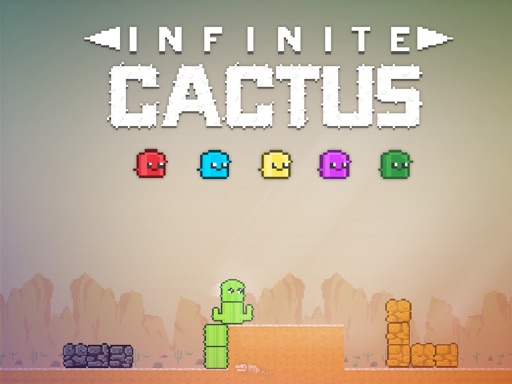
Infininte Cactus
The game loads when you press the "Play" button.
The game loads when you press the "Play" button.
Infininte Cactus is a straightforward yet addictive hypercasual game where players try to build a tall cactus while avoiding obstacles. Designed to be easy to start, it appeals to anyone who enjoys quick, skill-based challenges that test timing and reflexes. Whether you have a few minutes or want to see how high you can go, it offers a lighthearted experience suitable for mobile and desktop play.
If you like games that demand quick reactions, precise timing, and a bit of planning, Infininte Cactus might become one of your favorites. Its simple mechanics hide a surprisingly engaging challenge, encouraging players to get better with each run. The colorful visuals and lively soundtrack make each session enjoyable. It’s a good pick for casual gamers needing a quick distraction or anyone aiming to beat high scores with friends.
The main gameplay involves building a cactus tower by tapping the screen (or clicking if you’re on a desktop). Each tap adds a segment, making the cactus grow upward. But it’s not just about stacking segments; timing and level changes matter to pass barriers and avoid obstacles. As your cactus gets taller, the game speeds up, making each move more important.
Starting out, the interface is simple. You begin with a small cactus and some easy barriers. As you tap to add segments, new challenges appear—moving barriers, tricky levels, and sometimes special zones. Successfully passing these hurdles earns points and brings you closer to Fiesta Mode. Hitting the ground perfectly three times activates this mode, allowing you to destroy obstacles for big score boosts. The game encourages balancing careful building with precise timing to keep going further.
The visuals are bright and playful, with a lively art style that keeps things fun. The colorful cactus and animated obstacles stand out against a simple background, making gameplay clear and satisfying. The design helps you focus on quick decisions and timing without feeling cluttered.
Your progress depends on reaching higher levels and unlocking new challenges. Each successful obstacle pass boosts your score, and the increasing difficulty keeps the game interesting. Fiesta Mode adds a burst of chaos, letting you smash through obstacles for big points. Since each run is different—obstacles shift positions and timing changes—you’ll find yourself trying to beat your best or compete with friends for the top spot on the leaderboard.
Timing and patience matter just as much as quick reflexes. While the game is simple, getting better at it involves a bit of strategy to maximize your scores and last longer. Here are some tips:
How do I get started playing Infininte Cactus?
Just load the game on this site, tap or click to start building your cactus, and navigate past obstacles to see how high you can go. It’s designed to be intuitive, so you’ll be playing in no time.
What is a common mistake beginners make in Infininte Cactus?
Many rush their taps, which causes uneven growth and makes dodging obstacles harder. Focusing on smooth, controlled taps can improve your chances of success.
Can I play Infininte Cactus on my phone or tablet?
Yes! The game works well on touch screens, so it’s just as easy and fun to play on smartphones and tablets. It responds smoothly to taps and clicks, providing a consistent experience across devices.
Infininte Cactus offers a simple yet challenging gameplay experience perfect for quick sessions. Its bright visuals and increasing difficulty keep things interesting, always pushing players to beat their best or go longer. Whether you’re after a casual distraction or a test of reflexes, there’s plenty to enjoy here.
Related games: you can also try Disk Destroyer and Sweet Baby Clean House, or browse all other games in the Hypercasual category.
Tap or click to add cactus segments and build upward while avoiding moving obstacles. Time your actions to pass barriers and activate Fiesta Mode for extra points.
Click or tap to add segments; on desktop, use mouse or spacebar to control.