Josefine Skolehjelp – Norsk – Kaos i Kommaby (Norway)
0 1 0
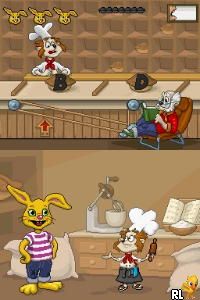
Josefine Skolehjelp – Norsk – Kaos i Kommaby (Norway) is a classic Nintendo DS game that blends educational elements with light adventure mechanics. What sets it apart from other titles in the genre is its humorous take and focus on the everyday challenges of school life. It appeals to a wide age range and benefits from the dual-screen setup and stylus input, offering a gameplay experience that feels both familiar and engaging for fans of the console’s era.
Josefine Skolehjelp – Norsk – Kaos i Kommaby: Gameplay Overview
The main gameplay involves helping Josefine, a school helper, handle various tasks in a Norwegian school. Players use the stylus to interact with objects and characters, completing tasks like organizing classroom supplies or solving small puzzles related to school routines. The game emphasizes managing time and making decisions, encouraging players to prioritize and react quickly to changing situations.
As you play, you move through different school day scenarios, each with specific goals to reach. The mechanics are simple, based on point-and-click interactions using the Nintendo DS’s touch screen. The game promotes quick thinking and organization, all wrapped in a lighthearted tone that keeps things fun and easygoing.
Modes, Levels and Progression
The game is structured around levels that represent different school days or activities, with difficulty increasing as you move forward. Each new level introduces fresh tasks and challenges, requiring players to adapt their strategies to complete objectives efficiently. The variety of tasks helps keep things interesting; some levels focus on speed, while others emphasize accuracy and planning.
The content is moderate, mainly revolving around routine school activities presented in a playful way. You might replay levels to improve your scores, finish tasks faster, or explore different ways to complete objectives. While there aren’t complex branching paths, the variety of challenges makes it worth playing multiple times.
Winning Strategies
To do well in Josefine Skolehjelp – Norsk – Kaos i Kommaby, try to prioritize tasks based on time limits. Staying organized and reacting quickly to new challenges will help you finish levels more smoothly.
- Use the stylus carefully to select objects and interact swiftly with characters.
- Plan your moves ahead when possible, especially in levels with several tasks happening at once.
- Pay attention to hints or cues from the game to avoid missing important steps.
- Practice levels to boost your speed and accuracy, especially if you want high scores.
- Keep track of your time; rushing can cause you to miss objectives or make mistakes, which means replaying the level.
Common Questions About Josefine Skolehjelp – Norsk – Kaos i Kommaby
How does the difficulty change as you progress?
The game introduces more complex tasks and tighter time limits, requiring quicker responses and better planning as you advance through levels.
Are there different modes or difficulty settings?
Josefine Skolehjelp – Norsk – Kaos i Kommaby features a series of levels that get harder over time. It doesn’t have multiple difficulty modes beyond this progression.
How much replay value does it offer?
You can replay levels to improve your scores or try different approaches to tasks. Even though the core gameplay stays the same, exploring different strategies can keep things fresh.
Playing Josefine Skolehjelp – Norsk – Kaos i Kommaby here gives you a quick taste of a nostalgic Nintendo DS game. Its simple mechanics, combined with humor and school-themed activities, make it a fun choice for players looking for a light puzzle adventure.
Related games: you can also try Danny Phantom – Urban Jungle (USA) and Crazy Frog Collectables – Art School (Europe) (En,Fr,De,Es,It), or browse all other games in the Nintendo DS category.
How to Play Josefine Skolehjelp – Norsk – Kaos i Kommaby (Norway)?
Help Josefine complete school tasks by clicking objects and solving puzzles quickly. Manage your time and prioritize actions to finish levels efficiently.
Game Controls
Arrow keys control movement; Enter or spacebar select and interact.
You may be interested in:
-
 Nintendo DS
♥ 1
Casper’s Scare School – Classroom Capers (USA)
Nintendo DS
♥ 1
Casper’s Scare School – Classroom Capers (USA) -
 Nintendo DS
♥ 1
Zunou Nouryoku Koujou Machine – Touch de Zunoo DS (Japan)
Nintendo DS
♥ 1
Zunou Nouryoku Koujou Machine – Touch de Zunoo DS (Japan) -
 Nintendo DS
♥ 1
Zunou ni Asekaku Game Series! Vol. 1 – Cool 104 Joker & Setline (Japan)
Nintendo DS
♥ 1
Zunou ni Asekaku Game Series! Vol. 1 – Cool 104 Joker & Setline (Japan) -
 Nintendo DS
♥ 9
Zuma’s Revenge (USA)
Nintendo DS
♥ 9
Zuma’s Revenge (USA) -
 Nintendo DS
♥ 1
Zubo (USA) (En,Fr,Es)
Nintendo DS
♥ 1
Zubo (USA) (En,Fr,Es) -
 Nintendo DS
♥ 1
Zubo (Europe) (En,Fr,De,Es,It,Nl,Sv)
Nintendo DS
♥ 1
Zubo (Europe) (En,Fr,De,Es,It,Nl,Sv) -
 Nintendo DS
♥ 1
Zorro – Quest for Justice (USA) (En,Fr,De,Es,It)
Nintendo DS
♥ 1
Zorro – Quest for Justice (USA) (En,Fr,De,Es,It) -
 Nintendo DS
♥ 1
Zorro – Quest for Justice (Europe) (En,Fr,De,Es,It)
Nintendo DS
♥ 1
Zorro – Quest for Justice (Europe) (En,Fr,De,Es,It)
Comments (0)
No comments yet. Be the first to comment!