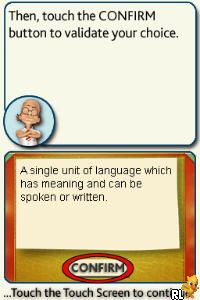
My Spanish Coach – Level 2 – Improve Your Spanish (Europe)
0 1 0
My Spanish Coach – Level 2 – Improve Your Spanish (Europe) is a classic Nintendo DS game that helps learners build their Spanish skills through interactive lessons and exercises. It’s great for beginners or anyone wanting to strengthen their language fundamentals in a structured way. Since it’s a Nintendo DS title, it features touch controls and a simple interface, making it easy to fit into short, focused practice sessions. Fans of language learning or nostalgic DS titles will find this a handy addition to their collection, especially since it runs directly in the browser on this site, so there’s no need to download anything.
Getting Into My Spanish Coach – Level 2 – Improve Your Spanish
The gameplay centers on completing lessons that cover vocabulary, pronunciation, and basic grammar. Each session usually involves selecting or listening to words and phrases, then practicing through multiple-choice questions or fill-in-the-blank exercises. The game guides you through a series of lessons that get a little more challenging as you go, helping reinforce what you’ve learned while introducing new concepts. It encourages active participation by asking you to speak or type responses, which makes it more engaging than just watching or listening. You can do quick daily practice or longer study sessions, and the progress tracking keeps you motivated to keep learning.
The game is organized into levels or lessons that build on each other. You can revisit lessons anytime to reinforce your skills. Since it’s designed for language learning, it emphasizes repetition and correct pronunciation, with immediate feedback to help you improve. Its simple layout makes it accessible for different skill levels, guiding you from basic vocabulary to more complex sentences at your own pace. The touch-friendly interface makes navigation easy on a Nintendo DS or in-browser emulator, which suits quick, bite-sized practice sessions.
Standout Features
One feature that stands out is how the game shows progress. As you finish lessons, you unlock new vocabulary and grammar topics, giving a clear sense of moving forward. The visuals are simple but effective, with clear text and icons that support recognition and memorization. The interface stays true to the original DS style, with menus and prompts that are easy to follow, even if you’re new to the game. This visual clarity helps you focus on learning rather than being distracted by flashy graphics.
There’s good replay value thanks to the variety of lessons and the option to revisit previous modules. The game encourages repeated practice with quizzes and pronunciation exercises that you can redo as many times as needed. It also allows you to learn at your own pace, picking out specific topics to review or improve. Since it tracks your progress, you can see how much you’ve improved and go back to tough lessons whenever you want. It’s a solid tool for steady, incremental learning instead of just a one-off experience.
Strategy and Tips
Start with the basics and move forward gradually. Focus on pronunciation and repeat exercises until you feel confident with each set before proceeding. Use the review options often to reinforce earlier vocabulary and grammar. Take your time with lessons—rushing can make it harder to remember and understand. Revisit difficult modules multiple times instead of skipping ahead, especially if you find certain words or concepts tricky. Short, regular practice sessions tend to work better than long, infrequent ones and help keep your progress steady.
- Pay attention to pronunciation prompts and practice aloud whenever possible.
- Use the review feature regularly to keep earlier lessons fresh in your mind.
- Try to understand grammar rules along with memorizing vocabulary for more effective learning.
- If you get a question wrong, review the correct answer and try again until it sticks.
- Set small goals for each session to stay motivated and see your progress.
Quick Questions
How do I start a new lesson?
Just select the lesson from the menu and follow the instructions. The game will guide you through listening exercises and quizzes.
What’s a common mistake beginners make?
Trying to memorize vocabulary without practicing pronunciation or understanding grammar can slow you down. It’s best to focus on both accuracy and pronunciation from the start.
Can I play this comfortably on a phone or touchscreen device?
Yes, since it runs in your browser, it’s touch-friendly and works well on mobile devices with a compatible browser, so you can practice wherever you are.
This version of My Spanish Coach – Level 2 – Improve Your Spanish offers a straightforward way to boost your language skills. Its simple approach makes it suitable for learners of all ages, and since it runs right in your browser, practicing is quick and easy whenever you want.
Related games: you can also try My Make-Up (Europe) (En,Fr,De,Es,It,Sv,No,Da,Fi) and Mind Your Language – Lern Deutsch! (Europe) (En,Fr,De,Es,It), or browse all other games in the Nintendo DS category.
How to Play My Spanish Coach – Level 2 – Improve Your Spanish (Europe)?
Complete lessons by selecting or listening to words, then answer questions to practice vocabulary, pronunciation, and grammar. Progress through levels to unlock new topics and improve your Spanish skills.
Game Controls
Arrow keys navigate menus; Enter confirms selections; mouse clicks are used for all interactions.
You may be interested in:
-
 Nintendo DS
♥ 1
Casper’s Scare School – Classroom Capers (USA)
Nintendo DS
♥ 1
Casper’s Scare School – Classroom Capers (USA) -
 Nintendo DS
♥ 1
Zunou Nouryoku Koujou Machine – Touch de Zunoo DS (Japan)
Nintendo DS
♥ 1
Zunou Nouryoku Koujou Machine – Touch de Zunoo DS (Japan) -
 Nintendo DS
♥ 1
Zunou ni Asekaku Game Series! Vol. 1 – Cool 104 Joker & Setline (Japan)
Nintendo DS
♥ 1
Zunou ni Asekaku Game Series! Vol. 1 – Cool 104 Joker & Setline (Japan) -
 Nintendo DS
♥ 9
Zuma’s Revenge (USA)
Nintendo DS
♥ 9
Zuma’s Revenge (USA) -
 Nintendo DS
♥ 1
Zubo (USA) (En,Fr,Es)
Nintendo DS
♥ 1
Zubo (USA) (En,Fr,Es) -
 Nintendo DS
♥ 1
Zubo (Europe) (En,Fr,De,Es,It,Nl,Sv)
Nintendo DS
♥ 1
Zubo (Europe) (En,Fr,De,Es,It,Nl,Sv) -
 Nintendo DS
♥ 1
Zorro – Quest for Justice (USA) (En,Fr,De,Es,It)
Nintendo DS
♥ 1
Zorro – Quest for Justice (USA) (En,Fr,De,Es,It) -
 Nintendo DS
♥ 1
Zorro – Quest for Justice (Europe) (En,Fr,De,Es,It)
Nintendo DS
♥ 1
Zorro – Quest for Justice (Europe) (En,Fr,De,Es,It)
Comments (0)
No comments yet. Be the first to comment!