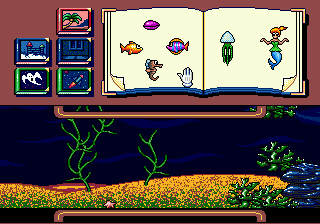
Wacky Worlds Creativity Studio (USA)
0 8 1
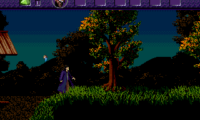
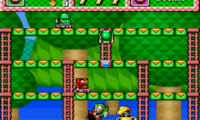
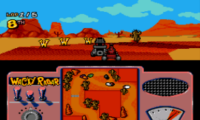
Wacky Worlds Creativity Studio (USA) is a classic Genesis game now playable directly in your browser, so you can explore it without any downloads or setup. It mixes simulation with educational elements, appealing to those interested in creative, hands-on activities rooted in the familiar Genesis style. Its simple mechanics and accessible design make it suitable for a wide range of ages and skill levels, offering a fun way to engage with interactive learning and imaginative play.
What Is Wacky Worlds Creativity Studio?
Wacky Worlds Creativity Studio is a simulation game that invites players to experiment with different creative projects. The game provides a sandbox environment where you can explore activities related to design, organization, and problem-solving, all within a playful setting. Since it emphasizes educational content, you can learn while having fun, making it ideal for anyone who enjoys building and experimenting.
At its core, the game offers a variety of interactive tools and scenarios that promote creativity and critical thinking. Unlike story-driven titles, this one focuses on open-ended play, letting players try out ideas and see how they turn out. Its simple interface and familiar Genesis controls make it easy for newcomers to start creating right away.
What Keeps You Coming Back
A big reason people return is the variety of activities and the freedom to experiment. Because it’s a simulation with educational elements, there’s no single “winning” approach, which encourages players to revisit and refine their projects. The open-ended style means you can spend multiple sessions trying out different configurations, designs, and setups, each time discovering new possibilities.
Replayability also comes from the focus on creativity. With no fixed goals or limits, players can challenge themselves with new ideas or share their creations with friends. This promotes a sense of progress through experimentation, making each session feel fresh. The game’s straightforward setup and instant play on this site mean you can jump in anytime to tinker or learn something new.
Handy Tips
If you’re just starting out, here are some quick tips to get the most from Wacky Worlds Creativity Studio:
- Start with simple projects to get comfortable with the tools before moving on to more complex setups.
- Use the undo feature often; it’s great for trying things out without losing progress.
- Try mixing different elements to see what creative results you can create.
- Check out tutorials or prompts within the game for new ideas and techniques.
- Save your favorite creations regularly to avoid losing them and to showcase your best work.
- If available, explore community sharing options to see what others have made and get inspired.
Player FAQ
Is Wacky Worlds Creativity Studio easy for young children to pick up?
Yes, its simple interface and intuitive controls make it accessible for younger players, making it a good educational tool for children interested in creativity and basic simulation activities.
Can I play Wacky Worlds Creativity Studio offline or on mobile devices?
This version runs directly in your browser, so once it loads, you don’t need an internet connection. It’s designed mainly for desktop or laptop browsers and might not work optimally on mobile devices.
Is Wacky Worlds Creativity Studio suitable for players of all skill levels?
Definitely. Its straightforward gameplay and open-ended approach make it great for beginners and experienced players alike, offering plenty of opportunities for experimentation and learning.
Exploring Wacky Worlds Creativity Studio reveals a fun space for imagination and education, all within a familiar Genesis setup. Its easy access and focus on creative simulation make it a good choice for casual players looking to enjoy some nostalgic, browser-based fun.
Related games: you can also try Sonic Remastered v0.1 and Sonic 2 Heroes Vfirst release by flamewing (S2 Hack), or browse all other games in the Genesis category.
How to Play Wacky Worlds Creativity Studio (USA)?
Create and experiment with different projects using simple tools in a sandbox environment. Explore, modify, and learn through hands-on play without specific goals.
Game Controls
Arrow keys or WASD move; action keys perform tools and selections; use keyboard for all interactions.

Comments (0)
No comments yet. Be the first to comment!