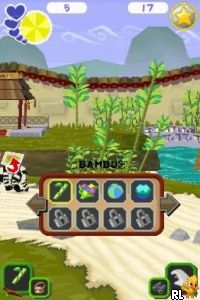
World of Zoo (USA) (En,Fr)
0 1 1
World of Zoo (USA) (En,Fr) is a classic Nintendo DS game that offers a charming simulation experience focused on caring for and managing a variety of animals. Thanks to intuitive controls and simple gameplay, it’s easy to pick up and suitable for players of all ages. Whether you’re experienced with simulations or new to the genre, this game provides a relaxing, engaging experience that runs smoothly in your browser, with no download needed.
What Is World of Zoo?
This game belongs to the simulation genre, centered on building and maintaining a zoo filled with different animals. The main goal is to create a lively habitat where each animal’s needs are met, while also designing an inviting space for visitors. The gameplay involves managing resources, caring for animals, and shaping the zoo’s appearance in a laid-back way.
Players can select various animals to care for, customize habitats, and watch their zoo grow over time. Tasks like feeding animals, cleaning enclosures, and expanding the layout are part of the routine. The straightforward mechanics make it accessible for younger players or those new to simulation games.
What Keeps You Coming Back
What makes World of Zoo appealing is the variety of animals and the freedom to personalize your zoo. It offers a gentle challenge in balancing animal needs with visitor satisfaction, encouraging experimentation with different layouts and animal combinations. The relaxed pace lets players spend time refining their zoo without feeling pressured, creating a satisfying sense of progress as the zoo develops.
Replayability comes from the different ways you can design your zoo, the range of animals to care for, and the casual gameplay style. There are no strict objectives or time limits, so you can return whenever you want to experiment with new ideas or simply enjoy caring for animals. The visual charm and straightforward mechanics make it easy to pick up and pause, fitting into short gaming sessions or longer creative periods.
Handy Tips
To get the most out of World of Zoo, here are some tips:
- Plan your zoo layout to make the best use of space and keep animals moving easily between habitats.
- Pay attention to each animal’s specific needs to keep them healthy and happy, which also attracts more visitors.
- Use customization options to create themed habitats, adding visual interest and variety.
- Expand gradually to manage resources well, avoiding overcrowding or overextending your zoo.
- Save your progress often, especially if you want to try different designs or strategies.
- Focus on simple tasks like feeding and cleaning to keep everything running smoothly without stress.
Player FAQ
Is World of Zoo suitable for younger players?
Yes, the controls are easy to understand, and the objectives are straightforward, making it good for children and newcomers.
Can I play this game offline or only in the browser?
This version runs directly in your browser, so once it loads, you don’t need an internet connection. It’s accessible at any time.
Is World of Zoo better for quick sessions or longer play?
The relaxed pace works well for both short, casual play sessions and longer periods of creative building, depending on what you prefer.
Overall, this version of World of Zoo offers a simple, enjoyable experience that captures the charm of managing a lively animal collection. Its laid-back gameplay makes it a good choice for players of all ages looking for a gentle, immersive simulation that you can enjoy right in your browser.
Related games: you can also try Drawn to Life – SpongeBob SquarePants Edition (Europe) (En,Fr,De,It,Nl) and Ciao Dream Touch! – Happy Anniversary (Japan), or browse all other games in the Nintendo DS category.
How to Play World of Zoo (USA) (En,Fr)?
Build and manage a zoo by caring for animals, designing habitats, and keeping visitors happy. Balance resources and animal needs to grow your zoo at your own pace.
Game Controls
Arrow keys move the cursor; Enter selects; other keys perform actions; mouse may be used.
You may be interested in:
-
 Nintendo DS
♥ 1
Casper’s Scare School – Classroom Capers (USA)
Nintendo DS
♥ 1
Casper’s Scare School – Classroom Capers (USA) -
 Nintendo DS
♥ 1
Zunou Nouryoku Koujou Machine – Touch de Zunoo DS (Japan)
Nintendo DS
♥ 1
Zunou Nouryoku Koujou Machine – Touch de Zunoo DS (Japan) -
 Nintendo DS
♥ 1
Zunou ni Asekaku Game Series! Vol. 1 – Cool 104 Joker & Setline (Japan)
Nintendo DS
♥ 1
Zunou ni Asekaku Game Series! Vol. 1 – Cool 104 Joker & Setline (Japan) -
 Nintendo DS
♥ 9
Zuma’s Revenge (USA)
Nintendo DS
♥ 9
Zuma’s Revenge (USA) -
 Nintendo DS
♥ 1
Zubo (USA) (En,Fr,Es)
Nintendo DS
♥ 1
Zubo (USA) (En,Fr,Es) -
 Nintendo DS
♥ 1
Zubo (Europe) (En,Fr,De,Es,It,Nl,Sv)
Nintendo DS
♥ 1
Zubo (Europe) (En,Fr,De,Es,It,Nl,Sv) -
 Nintendo DS
♥ 1
Zorro – Quest for Justice (USA) (En,Fr,De,Es,It)
Nintendo DS
♥ 1
Zorro – Quest for Justice (USA) (En,Fr,De,Es,It) -
 Nintendo DS
♥ 1
Zorro – Quest for Justice (Europe) (En,Fr,De,Es,It)
Nintendo DS
♥ 1
Zorro – Quest for Justice (Europe) (En,Fr,De,Es,It)
Comments (0)
No comments yet. Be the first to comment!