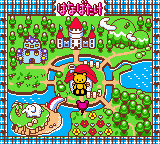
Super Me-Mail GB – Me-Mail Bear no Happy Mail Town (Japan)
0 1 0
Super Me-Mail GB – Me-Mail Bear no Happy Mail Town (Japan) is a charming classic from the Game Boy Color era that you can enjoy right in your browser. Its straightforward gameplay and adorable visuals make it easy to pick up and play, with no complicated setup needed—just load the page and start. It’s a nice reminder of the handheld’s heyday.
What Is Super Me-Mail GB – Me-Mail Bear no Happy Mail Town?
This game combines puzzle elements with an adventure style, where you help a cute bear character manage mail tasks around a small town. The main idea is sorting, delivering, and organizing the mail, which calls for quick thinking and some planning. The controls are simple, and the goals are clear, making it suitable for players of all ages who enjoy light, casual gaming. It’s a fun pick-up-and-play title that feels just right for anyone nostalgic about Game Boy Color classics.
Super Me-Mail GB – Me-Mail Bear no Happy Mail Town moves at a relaxed pace, with clear objectives. You’ll chat with townsfolk, complete mail deliveries, and solve little puzzles to keep everything running smoothly. The pixel art style and cheerful sound design give it a warm, inviting vibe that harks back to the best titles on the GBC. The game encourages trying different routes and exploring to find secrets, which keeps things fresh and interesting.
What Keeps You Coming Back
The charm of the game lies in its simple mechanics paired with cute visuals and sounds. As you progress, new areas and more complex mail tasks unlock, which keeps the gameplay engaging. The difficulty ramps up gradually, rewarding careful planning and quick reactions. Its gentle challenge level and adorable characters inspire players to improve their delivery skills and explore every part of Happy Mail Town.
Plus, the variety of tasks and the satisfaction of completing deliveries perfectly encourage replaying. Many players find themselves returning to optimize routes, beat previous times, or just enjoy the cozy world. Its straightforward nature makes it great for quick sessions or longer playthroughs—perfect for fans of puzzle-adventure games on the Game Boy Color platform.
Handy Tips
To get the most out of Super Me-Mail GB – Me-Mail Bear no Happy Mail Town, here are some helpful tips:
- Plan your delivery routes before starting to avoid unnecessary backtracking.
- Pay attention to what the townsfolk request so you can prioritize urgent deliveries.
- Use shortcuts and explore the map to find hidden paths or quicker routes.
- Keep an eye on your delivery time to avoid missing deadlines and losing points.
- If you get stuck, taking a short break might help you see the best route more clearly.
- Try different delivery orders to see what works best for each level.
Player FAQ
Is Super Me-Mail GB – Me-Mail Bear no Happy Mail Town easy for kids or beginners?
Yes. Its simple mechanics and gentle difficulty make it suitable for younger players or anyone new to puzzle games.
Does Super Me-Mail GB – Me-Mail Bear no Happy Mail Town need an internet connection?
Since it runs directly in your browser as an emulated Game Boy Color game, you don’t need to connect online once it loads. It can be played offline anytime.
Is the game accessible for people with no prior gaming experience?
Definitely. Its straightforward gameplay, clear goals, and easy controls make it simple to pick up, even if you’re new to handheld-style puzzle adventures.
This classic game, playable right in your browser, offers a cozy, charming experience rooted in Game Boy Color history. Super Me-Mail GB – Me-Mail Bear no Happy Mail Town shows that simple, enjoyable gameplay still has a place for fans of retro titles.
Related games: you can also try Dragon Quest Monsters (Germany) and Phantom Zona (Japan), or browse all other games in the Game Boy Color category.
How to Play Super Me-Mail GB – Me-Mail Bear no Happy Mail Town (Japan)?
Help the bear sort, deliver, and organize mail around the town by planning routes and completing tasks quickly. Talk to townsfolk, explore, and solve small puzzles to keep everything running smoothly.
Game Controls
Arrow keys control movement; other keys handle actions and interactions.
You may be interested in:
-
 Game Boy Color
♥ 1
Test Drive Off-Road 3 (USA)
Game Boy Color
♥ 1
Test Drive Off-Road 3 (USA) -
 Game Boy Color
♥ 1
Test Drive Le Mans (USA) (En,Fr,Es)
Game Boy Color
♥ 1
Test Drive Le Mans (USA) (En,Fr,Es) -
 Game Boy Color
♥ 1
Test Drive Cycles (USA)
Game Boy Color
♥ 1
Test Drive Cycles (USA) -
 Game Boy Color
♥ 1
Test Drive 6 (USA)
Game Boy Color
♥ 1
Test Drive 6 (USA) -
 Game Boy Color
♥ 1
Test Drive 2001 (USA)
Game Boy Color
♥ 1
Test Drive 2001 (USA) -
 Game Boy Color
♥ 1
Tech Deck Skateboarding (USA, Europe)
Game Boy Color
♥ 1
Tech Deck Skateboarding (USA, Europe) -
 Game Boy Color
♥ 1
Tazmanian Devil – Munching Madness (USA) (En,Fr,De,Es,It)
Game Boy Color
♥ 1
Tazmanian Devil – Munching Madness (USA) (En,Fr,De,Es,It) -
 Game Boy Color
♥ 1
Tazmanian Devil – Munching Madness (Europe) (En,Fr,De,Es,It)
Game Boy Color
♥ 1
Tazmanian Devil – Munching Madness (Europe) (En,Fr,De,Es,It)
Comments (0)
No comments yet. Be the first to comment!