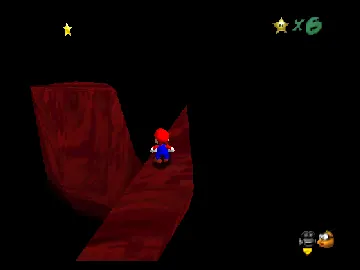
Another Mario Adventure
Play Another Mario Adventure
0 1 0
Another Mario Adventure is a classic Nintendo 64 game played right in your browser, offering a simple platforming experience for fans of that era. If you enjoy nostalgic, 3D platformers with straightforward mechanics and colorful visuals, this game gives you a good dose of retro fun without needing downloads or complicated setup. Its easy-to-pick-up gameplay makes it suitable for players of all ages who want a quick challenge rooted in the Nintendo 64 style.
Read more about Another Mario AdventureShow less
Getting Into Another Mario Adventure
The game involves guiding Mario through levels filled with obstacles, enemies, and collectibles. The main idea is running, jumping, and avoiding hazards while gathering items to boost your score and move forward. You usually start from the beginning or a checkpoint, aiming to complete levels efficiently. The controls are simple, focusing on timing your jumps and managing movement to overcome platforming sections. It’s a single-player experience, with no multiplayer, but replaying helps you improve your time or find hidden secrets.
Levels are designed to be approachable, combining easy jumps with some trickier parts that test your reflexes. It doesn’t include complex mechanics like power-ups or character switching, making it accessible for newcomers. The pace is steady and rewards careful timing rather than frantic button-mashing. Sessions tend to last around 10-20 minutes, which makes it good for quick play or practice runs to sharpen your skills.
Standout Features
This Nintendo 64 classic features colorful, polygonal graphics that still look good in a browser. The levels vary enough to keep things interesting, with different themes and layouts encouraging exploration and replay. Progression is simple—finish levels to unlock new stages or replay old ones to beat your best times. That gives the game some longevity for casual players.
Replay often reveals hidden secrets and alternative routes, adding more depth beyond the initial playthrough. Its design focuses on timing and precise jumps, making mastery satisfying without needing complex mechanics or long tutorials. The in-browser emulator runs smoothly, giving quick access without downloads, so you can jump right in and focus on improving your skills and finding all the hidden secrets.
Strategy and Tips
If you want to get better at playing, concentrating on timing and patience will help. Here are some tips:
- Get familiar with each level’s layout to anticipate tricky sections and plan your moves.
- Use small jumps for tight spaces or to avoid enemies more effectively.
- Keep your momentum; rushing can cause mistakes or falls.
- Gather coins and items when safe to boost your score and find secrets.
- Practice tough parts separately to build muscle memory.
- Watch out for visual cues that warn of hazards or platform edges.
Quick Questions
How do I start playing Another Mario Adventure?
The game loads instantly in your browser; just click to begin and use your keyboard to control Mario.
What’s a common mistake for beginners?
Many players try to rush through levels without paying attention to jumps and timing, which often leads to falls. Take your time and plan each move.
Can I play this on a mobile device or touchscreen?
Yes, you can play on mobile browsers that support game controls, although precise timing might be easier with a keyboard or mouse.
Playing Another Mario Adventure offers a nostalgic yet straightforward platforming challenge that works well for quick sessions or practicing. Its accessible design and classic gameplay make it a fun throwback for fans of the Nintendo 64 era, all ready to go right in your browser for instant fun.
Related games: you can also try 64 Hanafuda – Tenshi no Yakusoku (Japan) and 64Modder's Bob-Omb Battlefield Remake, or browse all other games in the Nintendo 64 category.
How to Play Another Mario Adventure?
Guide Mario through levels by running and jumping to avoid obstacles, defeat enemies, and collect items to complete each stage quickly and improve your best times.
Game Controls
Arrow keys control movement; spacebar jumps; other keys handle actions.







