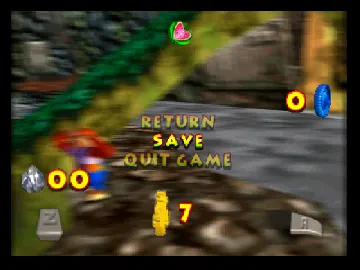
Banjo-Kazooie Levels in Donkey Kong 64
Play Banjo-Kazooie Levels in Donkey Kong 64
0 4 0
Banjo-Kazooie Levels in Donkey Kong 64 is a fun crossover that combines the charm of the Nintendo 64 classic with the colorful world of Donkey Kong. This unexpected mix lets players explore familiar environments from Banjo-Kazooie within Donkey Kong’s vibrant universe. The game captures elements of both titles, blending their unique visual styles and sounds into a smooth experience you can play right in your browser. For fans of the Nintendo 64 era, this crossover feels nostalgic while offering something fresh, with pixel-perfect graphics and tunes that remind you of the late 90s.
Read more about Banjo-Kazooie Levels in Donkey Kong 64Show less
Step Into the World of Banjo-Kazooie Levels in Donkey Kong 64
Set against the lively backdrop of Donkey Kong’s jungle and mountains, the visuals evoke the whimsical yet detailed style of Banjo-Kazooie. Bright colors, textured environments, and animated characters create an atmosphere that’s both familiar and inviting. The sound design echoes the cheerful melodies and quirky effects from the original Banjo-Kazooie, now mixed into Donkey Kong’s world with a playful touch. Moving between the two worlds feels natural, with each level keeping its own identity while fitting into a larger crossover. The game encourages exploration, with little details and hidden Easter eggs scattered throughout each environment.
How the Gameplay Hooks You
This Nintendo 64 classic blends platforming, puzzles, and exploration, keeping the pace lively. Navigating levels requires precise jumping and clever use of character abilities, creating a steady rhythm of challenge and progress. Each level introduces new mechanics and secrets, making it worth revisiting to find everything. It’s easy to jump in for a quick puzzle or spend longer exploring every corner. The controls are straightforward, helping maintain a smooth flow that feels accessible for newcomers and satisfying for longtime fans alike.
Pro Tips for Banjo-Kazooie Levels in Donkey Kong 64
To enjoy the game fully, look around each level for hidden items. Watch for alternate paths that can speed up your progress. Try out different character abilities to find secrets or reach tricky spots. Take your time—rushing can cause you to miss details or collectibles. Sometimes puzzles need you to backtrack after getting new tools or abilities, so revisit areas. Saving often helps, especially after tough sections or when you find shortcuts.
- Keep an eye out for visual hints about secrets or shortcuts.
- Use the environment—climb ledges and find hidden passages.
- Take breaks if needed; patience and thorough exploration pay off.
- Experiment with puzzle solutions to find shortcuts or easier approaches.
- Collect items that boost your abilities early on to make later challenges easier.
Frequently Asked Questions
Is the game good for short play sessions?
Definitely. The levels are designed for quick, engaging play, making it perfect for casual gaming or brief playthroughs.
Does it feel repetitive after a while?
The core gameplay can be familiar, but the variety of puzzles, level layouts, and secrets keep things interesting over multiple sessions.
Will the atmosphere stay consistent throughout the game?
Yes. The cheerful, quirky vibe of Banjo-Kazooie is maintained while fitting smoothly into the Donkey Kong universe, creating a cohesive and fun environment.
Playing the Banjo-Kazooie levels in Donkey Kong 64 offers a charming crossover experience that honors both games. Its straightforward gameplay and nostalgic feel make it worth exploring directly in your browser, whether you’re familiar with these Nintendo 64 classics or just curious to see what they’re about.
Related games: you can also try B3313 Unabandoned (unofficial 1.0) and Banjo Kazooie 3D World, or browse all other games in the Nintendo 64 category.
How to Play Banjo-Kazooie Levels in Donkey Kong 64?
Explore levels by jumping, solving puzzles, and finding hidden items. Use character abilities to progress and uncover secrets across vibrant environments.
Game Controls
Arrow keys move; space or designated keys jump and interact; other keys perform actions.







