Bowser Simulator Demo
Play Bowser Simulator Demo
0 5 3
Intro
Bowser Simulator Demo gives a playful peek into Nintendo’s famous villain, all through a version that runs right in your browser. It’s a simple simulation that captures the spirit of that era’s straightforward, fun gameplay. Think of it as a little piece of N64 nostalgia, bringing back the feeling of sitting in front of a bulky TV with a controller in hand, even if you’re just clicking around on a webpage.
The visuals are minimal but effective—bright, pixelated graphics reminiscent of the 64-bit days, paired with basic sound effects that hint at Bowser’s ongoing menace. The tone is light, with a cartoonish charm that fits the Nintendo universe, while still having enough chaos to keep things lively. It’s a quick, easy way to enjoy some retro fun without needing a console or downloads. Just open it up and start exploring Bowser’s world in your browser.
Step Into the World of Bowser Simulator Demo
The visuals lean on the Nintendo 64’s pixel art style. Bright colors and blocky textures create a simple but charming scene, evoking the feeling of late 90s platform or sandbox games. The sound design is straightforward—basic effects and a looping soundtrack keep the mood light and playful, focusing attention on Bowser’s antics.
The overall vibe is casual, emphasizing fun over complexity. The controls are easy to pick up, so new players can get right to it. Despite its simplicity, it has a quirky personality, with Bowser’s exaggerated movements and expressions adding humor. Playing it in a browser means quick load times and no installations needed, giving you a slice of Nintendo 64 hardware through a modern web browser.
How the Gameplay Hooks You
The main idea is to watch and interact with Bowser’s exaggerated reactions and movements. It’s relaxed but engaging, encouraging you to try different actions and see how Bowser responds. Each session can feel a little different depending on what you experiment with or trigger.
There aren’t any deep mechanics or long-term goals. Instead, it’s about quick, fun moments—great for a break or a nostalgic fix. The simple gameplay makes it easy to jump in, have a laugh, and then move on, all while experiencing a small piece of Nintendo 64 history through your browser.
Pro Tips for Bowser Simulator Demo
To get the most out of this demo, consider these tips:
- Try different timings and angles to see how Bowser reacts.
- Pause and resume to catch new animations or reactions.
- Use your browser’s zoom feature to get a better look at Bowser’s expressions and movements.
- Play somewhere distraction-free so you can fully enjoy the pixel art and sounds.
- Check back now and then to see new behaviors or funny moments as you experiment.
Frequently Asked Questions
Can I play Bowser Simulator Demo on my mobile device?
Yes. Since it runs right in your browser, it works on most modern mobile devices, though it’s easier to play on a desktop.
Does the game have any modes or replay value?
This demo mainly shows Bowser’s animations and reactions. There aren’t modes or long-term gameplay, so it’s best enjoyed in quick bursts.
Is it suitable for kids or casual players?
The cartoonish visuals and funny animations make it accessible for all ages, but it’s more of a light curiosity than a deep game for dedicated players.
Enjoy exploring Bowser’s world through this browser-based demo—it’s a small piece of Nintendo 64 history you can run anytime, anywhere.
Related games: you can also try Play 007 – GoldenEye (Europe) and Air Boarder 64 (Europe), or browse all other games in the Nintendo 64 category.
How to Play Bowser Simulator Demo?
Click around to make Bowser move and react. Watch his animations change as you interact, enjoying quick, fun moments inspired by Nintendo 64 style.
Game Controls
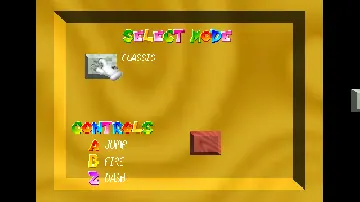
Arrow keys control movement; other keys handle actions and interactions.







