Chao Bandstand
Play Chao Bandstand
0 18 5
Chao Bandstand is a classic Nintendo 64 game playable in your browser, offering a fun rhythm experience that fans of the console will enjoy. Originally made for the Nintendo 64, this game provides an easy way to enjoy a rhythm-based activity without extra hardware or downloads. It’s perfect for players looking for a light, casual game that can be played in short or longer sessions. Whether you’re new to rhythm games or feeling nostalgic, Chao Bandstand gives a simple, engaging experience right in your browser.
Read more about Chao BandstandShow less
Getting Into Chao Bandstand
The main idea behind Chao Bandstand is matching beats and rhythms, so timing and reactions matter. You pick a track and perform actions in sync with musical cues. During gameplay, you select a song or rhythm pattern and try to keep your timing accurate based on what’s shown on the screen. The game is straightforward: listen, react, and see how well you do with each try.
It offers different modes like quick play or practice, so you can focus on mastering certain rhythms or just experiment with different tunes. As you play, the game tracks your accuracy and gives feedback to help you improve. This makes it easy to see your progress and stay motivated to beat your previous scores. Sessions are usually short but can last longer as you get more comfortable or aim for higher scores.
Standout Features
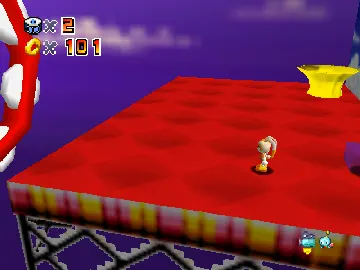
The visuals are simple but colorful, with a bright animated style that matches the playful vibe of the game. The graphics are typical of Nintendo 64, with blocky characters and clear prompts that are easy to understand. This helps players stay focused on the game without getting distracted.
Progress depends on how well you perform and stay consistent. While there aren’t many unlocks or customization options, the fun comes from trying to improve your timing and mastering different rhythms. Its straightforward design makes it easy to jump in and out, whether for quick gaming or longer practice sessions. The simplicity also makes it accessible for players of all ages, especially newcomers to rhythm games.
Strategy and Tips
If you want to get the most out of Chao Bandstand, listen carefully to the rhythm cues and react quickly. Practicing regularly can help you develop better timing and boost your scores. Don’t get discouraged if you miss at first; your accuracy will improve as you get used to the game.
- Start with easier tracks or modes to build confidence before trying more complicated rhythms.
- Pay close attention to visual cues that tell you when to act; these are your main guide for timing.
- Stay relaxed and avoid rushing your responses, since accuracy matters more than speed.
- Use practice modes to fine-tune your timing without worrying about scoring.
- Remember that each session is short—take breaks if you start to feel frustrated or tired.
Quick Questions
How do I get started playing Chao Bandstand?
Just open the game in your browser, pick a mode or track, and follow the prompts to start playing.
What’s a common mistake beginners make?
Many react too early or too late to rhythm cues, so focusing on listening carefully and timing your responses helps a lot.
Can I play Chao Bandstand on a mobile device?
Yes, since it runs in your browser, you can play it on mobile devices with touch controls, making it easy to enjoy wherever you are with an internet connection.
Chao Bandstand is a simple, fun rhythm game that’s easy to pick up. Its focus on timing makes it a good choice for casual players and those practicing their sense of beat—all playable right in your browser without any fuss.
Related games: you can also try Bio F.R.E.A.K.S. (USA) and Banjo Kazooie Kurkoin Quest v0.3 – Splash Mountain, or browse all other games in the Nintendo 64 category.
How to Play Chao Bandstand?
Choose a song, then press keys in time with the visual cues to match the rhythm and score points. Focus on timing and react quickly to improve your accuracy over multiple attempts.
Game Controls
Arrow keys and other keyboard keys replace the controller buttons for gameplay.







