Dance Dance Revolution GB3 (Japan)
Play Dance Dance Revolution GB3 (Japan)
0 2 0
Dance Dance Revolution GB3 (Japan) is a classic Game Boy Color game that captures the spirit of the popular dance game series. Its simple gameplay makes it easy for newcomers to enjoy, especially with the portable console’s straightforward controls. Now, you can play this rhythm game directly in your browser, with no downloads or installations needed, thanks to the emulation on this site.
Read more about Dance Dance Revolution GB3 (Japan)Show less
What Is Dance Dance Revolution GB3?
This game falls into the rhythm genre, where players press buttons in sync with music beats and on-screen prompts. The main goal is to match the directional arrows with the music, earning points and honing your timing as you move through the tracks. It offers a variety of songs and difficulty levels, making it suitable for both beginners and more experienced players. The gameplay focuses on timing, coordination, and rhythm, offering a fun challenge whether you play for a few minutes or longer sessions.
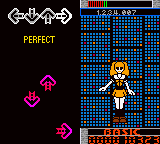
On the Game Boy Color, Dance Dance Revolution GB3 simplifies the arcade experience into a portable format. The game uses the directional pad to hit arrows that scroll across the screen, matching the beat. Its interface is designed to be easy to understand, with an emphasis on rhythm and timing rather than complex mechanics. This makes it a fun, accessible way to enjoy dance-style gameplay anywhere—whether on the bus, during a break, or just at home.
What Keeps You Coming Back
One of the main reasons players enjoy Dance Dance Revolution GB3 is its simple yet engaging gameplay. The game features a decent selection of songs and difficulty levels, encouraging players to improve their timing and accuracy. Hitting the arrows correctly gives satisfying feedback, and the increasing difficulty makes it rewarding to beat your personal bests.
It’s easy to replay since you can quickly challenge yourself and see progress. There are multiple modes and tracks suited to different skill levels, so you’ll find something that keeps the game interesting, whether you’re just starting out or have been playing rhythm games for a while.
Handy Tips
Here are some tips to get the most out of Dance Dance Revolution GB3:
- Begin on the easiest difficulty to get comfortable with the arrow patterns and timing.
- Prioritize rhythm over speed; hitting the arrows accurately matters more than doing it fast.
- Pay close attention to the music to anticipate arrows and prepare your button presses.
- Pause between songs to review your performance and set new goals.
- Practice tricky sections slowly, then gradually increase your speed for better accuracy.
- Try different songs to develop your timing and enjoy a variety of rhythm challenges.
Player FAQ
Is Dance Dance Revolution GB3 easy for newcomers?
Yes, it’s accessible for beginners, especially if you start on lower difficulty levels and work your way up as you improve.
Can kids enjoy Dance Dance Revolution GB3?
Definitely. Its simple controls and fun music make it suitable for children and casual players, but adults can find it just as entertaining for quick rhythm practice.
Does Dance Dance Revolution GB3 need an internet connection to play?
Nope. The game runs directly in your browser through emulation, so you can play offline whenever you like.
Dance Dance Revolution GB3 offers a straightforward, engaging rhythm experience on the Game Boy Color. Its easy-to-learn gameplay and diverse song selection make it appealing to players of all ages. Playing it here in your browser gives instant access to a nostalgic dance game that’s simple to pick up and hard to put down.Related games: you can also try Bug's Life, A (Europe) and Aladdin (Europe) (En,Fr,De,Es,It,Nl), or browse all other games in the Game Boy Color category.
How to Play Dance Dance Revolution GB3 (Japan)?
Press the arrow keys in time with the music beats to match the on-screen prompts and score points. Aim for accurate timing to improve and beat your high scores.
Game Controls
Arrow keys act as the D-pad; Enter is Start; other keys handle game functions.
Related Retro Games
 ♥ 43Zook Hero Z
 ♥ 1Zok Zok Heroes (Japan)
 ♥ 1Zoids – Shirogane no Juukishin Liger Zero (Japan)
 ♥ 1Zoids – Jashin Fukkatsu! Genobreaker Hen (Japan)
 ♥ 2Zoboomafoo – Playtime in Zobooland (USA)
 ♥ 1Zidane Football Generation (Europe) (En,Fr,De,Es,It)
 ♥ 1Zen-Nihon Shounen Soccer Taikai – Mezase Nihon Ichi! (Japan)
 ♥ 1Zebco Fishing! (USA)