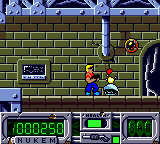
Duke Nukem (USA) (En,Fr,De,Es,It)
Play Duke Nukem (USA) (En,Fr,De,Es,It)
0 10 0
Duke Nukem (USA) (En,Fr,De,Es,It) is a classic Game Boy Color title that captures the gritty, over-the-top action of the beloved franchise in a portable format. As a game from the GBC era, it offers pixelated yet vibrant visuals, with colorful environments and detailed sprite work that echo the arcade-inspired atmosphere of the original series. The sound design features chiptune melodies and punchy effects that add to the sense of urgency and combat intensity, even with the limited hardware of the Game Boy Color. Playing it here, directly in your browser, brings back a nostalgic thrill—no cartridges or emulators needed, just instant access to some classic action.
Read more about Duke Nukem (USA) (En,Fr,De,Es,It)Show less
Step Into the World of Duke Nukem
This Game Boy Color version introduces players to a simplified, yet recognizable, take on the explosive universe of Duke Nukem. The visuals lean into the pixel art style of the era, with small but expressive character sprites and backgrounds that hint at sci-fi and military themes. The soundtrack, while limited, features energetic tunes that keep the adrenaline flowing during hectic firefights. The atmosphere is packed with relentless action, emphasizing quick reflexes and straightforward combat. Since it’s portable, you can get a quick fix of pixelated chaos anytime, whether during a break or a longer gaming session.
How the Gameplay Hooks You
Focused on fast-paced platforming and shooting, Duke Nukem requires quick decisions and precise timing. The levels challenge your reflexes and spatial awareness, with each stage throwing new enemies and obstacles your way. The pacing keeps you on your toes, blending platform jumps with shooting encounters that demand accuracy and strategic movement. The cycle is simple: navigate the environment, take out enemies, and reach the exit before running out of health or time. Short bursts of play feel satisfying, and each level offers a manageable challenge that encourages replaying to improve scores and speed.
Pro Tips for Duke Nukem
To get the most out of the game, it helps to understand its fast rhythm and keep an eye on your health. Here are some tips:
- Learn enemy patterns early so you can anticipate attacks and conserve ammo.
- Use cover behind obstacles during firefights to stay safe.
- Take out tougher enemies quickly to avoid getting overwhelmed.
- Check every level for hidden paths or items that can help you progress.
- Maintain a steady pace—rushing often leads to mistakes, but hesitation can cost you time.
- Save your ammo and aim carefully to avoid running out at critical moments.
Frequently Asked Questions
How long does each session of Duke Nukem last?
The levels are designed for quick play sessions, usually taking just a few minutes each. Perfect for short gaming breaks.
Does the game become repetitive or does it keep things fresh?
While the core gameplay stays consistent, the increasing difficulty and variety of enemies help keep each level feeling different enough for multiple playthroughs.
Is this game suitable for new players or only for fans of the series?
The straightforward platformer-shooter style makes it accessible to newcomers, though its challenge level also appeals to fans of classic action games.
Playing Duke Nukem here offers a faithful, crisp version of a well-loved GBC classic. Its quick, action-packed gameplay makes it a good choice for fans of retro platformers and shooters alike. Whether you’re revisiting old favorites or trying it for the first time, you can enjoy a bit of portable chaos whenever you like—experience the pixelated mayhem and see why Duke Nukem remains a memorable name in gaming history.
Related games: you can also try Driver – You are the Wheelman (USA) (En,Fr,De,Es,It) and Bad Badtz-Maru Robo Battle (Japan), or browse all other games in the Game Boy Color category.
How to Play Duke Nukem (USA) (En,Fr,De,Es,It)?
Move through levels, shoot enemies, and reach the exit before running out of health or time. Collect items, avoid obstacles, and defeat tougher foes quickly to progress.
Game Controls
Arrow keys control movement; action buttons are mapped to keyboard keys for shooting and jumping.
Related Retro Games
 ♥ 43Zook Hero Z
 ♥ 1Zok Zok Heroes (Japan)
 ♥ 1Zoids – Shirogane no Juukishin Liger Zero (Japan)
 ♥ 1Zoids – Jashin Fukkatsu! Genobreaker Hen (Japan)
 ♥ 2Zoboomafoo – Playtime in Zobooland (USA)
 ♥ 1Zidane Football Generation (Europe) (En,Fr,De,Es,It)
 ♥ 1Zen-Nihon Shounen Soccer Taikai – Mezase Nihon Ichi! (Japan)
 ♥ 1Zebco Fishing! (USA)