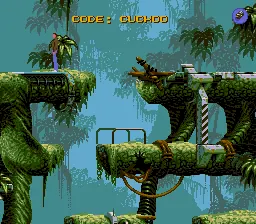
Flashback – The Quest for Identity
Play Flashback – The Quest for Identity
0 8 0
Flashback – The Quest for Identity is a classic Sega CD game that stands out as a cinematic platformer focused on puzzle-solving and exploration. Originally released during an era when CD-based systems brought new depth and presentation to gaming, this title offers a sci-fi adventure that emphasizes storytelling and atmospheric visuals. Playing it on this site means experiencing the game directly in your browser, with no need for downloads or setup, just instant access to a piece of 16-bit history.
Read more about Flashback – The Quest for IdentityShow less
Why Flashback – The Quest for Identity Is Worth Playing
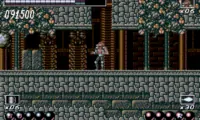
This Sega CD classic combines detailed sprite work with a cinematic approach that was innovative at its time. The visuals are crisp and fluid, with animated cutscenes that help tell a mysterious story set in a futuristic universe. The game’s atmospheric design pulls players into a world filled with strange alien landscapes and abandoned facilities, creating a sense of isolation and curiosity. Its smooth animation and clever use of color make exploring its environments engaging, even after all these years.
Gameplay revolves around exploration, puzzle-solving, and precise platforming. The game’s difficulty curves are well-structured, challenging players to think before acting without feeling unfair. The voice acting and sound design complement the visuals, adding layers of tension and intrigue. While the story’s details are minimal at first, the game’s presentation and pacing keep you hooked, encouraging multiple playthroughs to uncover its secrets. Overall, it remains a noteworthy example of how storytelling and gameplay could come together on the Sega CD, making it worth revisiting for fans of classic adventure titles.
Tips to Get Ahead
Here are some practical pointers to help you progress smoothly through the game:
- Pay close attention to environmental clues; many puzzles rely on subtle visual or audio cues.
- Explore every area thoroughly before moving on, as key items or pathways can be easy to miss.
- Save frequently if the game allows, especially before attempting difficult platforming sections.
- Observe the behavior of enemies and moving platforms to time your actions correctly.
- Use the game’s hint system, if available, to avoid getting stuck on particularly tricky puzzles.
- Take your time; rushing can lead to unnecessary mistakes, especially in platform-heavy segments.
Things to Know Before You Start
Question?
How difficult is Flashback – The Quest for Identity?
It has a moderate difficulty level typical of its era, requiring patience and observation but not punishingly hard.
Question?
How long does a typical session last?
A single play session can range from about 30 minutes to an hour, depending on your familiarity with platformers and puzzle games of that time.
Question?
Is it suitable for casual players or more dedicated gamers?
This game appeals more to players who enjoy deliberate exploration and problem-solving, making it a good fit for fans of classic adventure games rather than quick, casual sessions.
Jump in and see for yourself why Flashback – The Quest for Identity remains a memorable piece of gaming history. Its engaging visuals, atmospheric storytelling, and classic gameplay mechanics make it worth experiencing, especially in this browser-based version that keeps its vintage charm alive. Whether you’re a seasoned retro gamer or new to the platformer genre, exploring this adventure offers a glimpse into a time when storytelling and gameplay converged on CD systems to create memorable experiences.
Related games: you can also try CrazySonic – Super Ultra Cool Bodacious Radical Mega CD Remastered Edition!!! (European Version) and Play After Burner III, or browse all other games in the Sega CD category.
How to Play Flashback – The Quest for Identity?
Explore environments, solve puzzles, and jump across platforms to uncover the story and progress through the game. Pay attention to clues, avoid enemies, and use items to advance.
Game Controls
Arrow keys for movement; action keys for jumping, interacting, and solving puzzles.