![Gekisha Boy (Japan) [En by Zatos v0.99] (~Photograph Boy)](/wp-content/uploads/gekisha-boy-japan-en-by-zatos-v0-99-photograph-boy.png.webp)
Gekisha Boy (Japan) [En by Zatos v0.99] (~Photograph Boy)
Play Gekisha Boy (Japan) [En by Zatos v0.99] (~Photograph Boy)
0 1 0
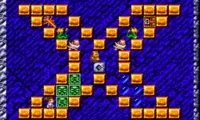
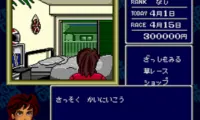
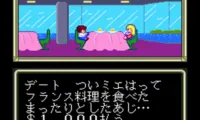
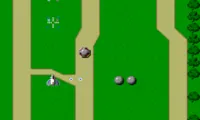
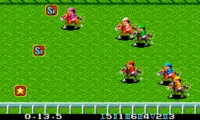
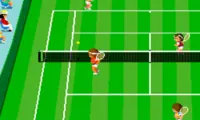
Gekisha Boy is a TurboGrafx-16 photography action game originally released on the Japanese PC Engine. This edition applies Zatos’s English fan translation to a game also known as Photograph Boy. You control a young photographer and his camera frame, searching scrolling scenes for the strange moments that make a successful assignment.
Read more about Gekisha Boy (Japan) [En by Zatos v0.99] (~Photograph Boy)Show less
Gameplay
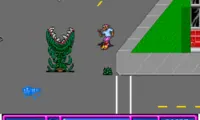
Each assignment sets a score target. Photographing the right subject at the right instant earns points, while careless shooting uses up film that you may need later. The camera frame can be aimed around the scene, so the photographer’s position and the best subject are not always in the same place. That separation creates the game’s main challenge: watch for an unusual event while also avoiding incoming obstacles. Good photographs can release extra film and upgrades, giving accurate timing a practical reward as well as a higher score. Many scenes rely on short visual gags, making recognition and memory useful on repeated attempts. Learning where a subject appears helps you move the frame into place before the opportunity disappears. Progress depends on completing the photographic task while keeping enough film to continue.
Good to know
This Japanese release has an English fan translation by Zatos, version 0.99; Photograph Boy is the alternate title noted in the listing.
How to Play Gekisha Boy (Japan) [En by Zatos v0.99] (~Photograph Boy)?
Aim the camera at unusual events and take well-timed pictures to satisfy each assignment’s score target. Keep the photographer clear of obstacles and preserve enough film to finish.
Game Controls
Arrow keys act as the D-pad and Enter is Start; the other action buttons are mapped to keyboard keys in the player.