Gourmet Guy’s 1000IQ Food Quiz
Play Gourmet Guy’s 1000IQ Food Quiz
0 1 2
Gourmet Guy’s 1000IQ Food Quiz is a browser-based emulation of a classic Nintendo 64 game, offering a puzzle experience centered around food knowledge and quick thinking. It’s perfect for anyone who enjoys trivia, brain teasers, or light-hearted quiz challenges. The game presents a simple but engaging way to test your facts about food and recognition skills. If you’re feeling nostalgic for Nintendo 64 games or want a casual quiz to challenge your food smarts, you can try it out directly in your browser without any downloads.
Read more about Gourmet Guy’s 1000IQ Food QuizShow less
Getting Into Gourmet Guy’s 1000IQ Food Quiz
The gameplay involves answering food-related questions or identifying items from clues. You’ll see multiple-choice options or images, and you need to select what you think is correct within a time limit. As you go along, the questions get a bit tougher, covering different food categories like ingredients, dishes, brands, and culinary terms. A typical game might start with easier questions to warm up and then move into more challenging territory, making it suitable for quick sessions or longer trivia marathons. There are no complex mechanics or multiplayer modes—just quick rounds you play alone. You can try again to beat your previous score or improve your accuracy. Since it’s an emulation of a Nintendo 64 game in your browser, it loads instantly and is ready to play without any setup. The straightforward question-and-answer format keeps things simple, so it’s easy for players of all ages and skill levels to enjoy.Standout Features
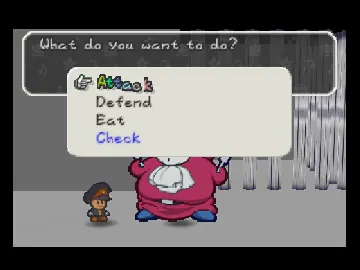
Visually, Gourmet Guy’s 1000IQ Food Quiz has a simple, nostalgic look reminiscent of Nintendo 64 games, with clear, colorful graphics that prioritize readability. The interface is minimal but functional, focusing on delivering questions quickly and letting you choose answers easily. Its retro style adds charm for fans of old-school gaming. Your progress depends on how many questions you can answer correctly in a row or within a set time. The game records high scores locally, encouraging you to improve your accuracy and speed over multiple plays. Replay value comes from trying to beat your best scores or challenging yourself with tougher questions. Since the questions are randomized each time, every session feels fresh. It’s good for short breaks or casual gaming, offering enough variety to keep things interesting without becoming repetitive.Strategy and Tips
Getting a good score means balancing accuracy and speed. Here are some helpful tips:- Read each question carefully before rushing your answer, especially on harder prompts.
- Use elimination on multiple-choice questions to narrow down options quickly.
- Become familiar with common food items and brands to recognize answers faster.
- Practice regularly to improve your reaction time and memory for food facts.
- Start with questions you find easier, then revisit tougher ones if you have time.
- If you’re unsure about a question, guess and move on to keep your streak going.
Quick Questions
How do I get started playing Gourmet Guy’s 1000IQ Food Quiz?
Answer: Just load the game on this site and click to start—no downloads needed.What’s a common mistake beginners make?
Answer: Rushing answers without reading the questions carefully often results in mistakes and lower scores.Can I play this game on mobile or touch devices?
Answer: Yes, since it runs in your browser, it works well on mobile devices and touch screens, making casual play easy and fun. This classic Nintendo 64 game offers a simple way to test and improve your food knowledge quickly, right in your browser. Whether you’re into trivia or just want a light challenge, Gourmet Guy’s 1000IQ Food Quiz makes learning fun and accessible.Related games: you can also try Castlevania (Europe) (En,Fr,De) and Forsaken 64 (USA), or browse all other games in the Nintendo 64 category.
How to Play Gourmet Guy’s 1000IQ Food Quiz?
Answer food-related questions correctly within a time limit to score points. Select the right option or image from multiple choices, with questions increasing in difficulty as you progress.
Game Controls
Arrow keys or keyboard shortcuts to select answers; Enter to confirm.







