John Romero’s Daikatana (Europe) (En,Fr,De)
Play John Romero’s Daikatana (Europe) (En,Fr,De)
0 3 0
John Romero’s Daikatana (Europe) (En,Fr,De) is a classic Nintendo 64 first-person shooter that offers a nostalgic look at the early days of the genre. Designed for players who enjoy retro gaming and straightforward combat, this game runs directly in your browser, no downloads needed. It’s a faithful port of a Nintendo 64 game, letting modern players experience its mechanics and visuals without hassle.
Read more about John Romero’s Daikatana (Europe) (En,Fr,De)Show less
Getting Into John Romero’s Daikatana
The game is played from a first-person perspective, with core gameplay focused on exploring levels, fighting enemies, and collecting items. Sessions usually involve moving through linear or semi-open maps, engaging in combat with various foes, and searching for key objects or weapons to move forward. The pacing is deliberate, encouraging players to think about their next move instead of rushing ahead blindly.
You can expect to switch between different weapons, each suited for certain enemy types or situations. There are no multiplayer modes—this is a single-player experience where progress depends on completing levels and defeating bosses. The difficulty increases gradually, requiring careful resource management and good aim. Its simple design makes it accessible for newcomers, but mastering it means paying attention to enemy patterns and moving efficiently.
Standout Features
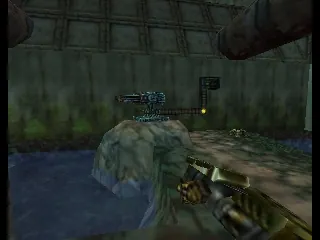
Visually, John Romero’s Daikatana features the polygonal style typical of late 90s first-person shooters, with environments ranging from industrial sites to outdoor landscapes. The graphics hold up well on this emulator, offering a nostalgic yet familiar experience. Progression through levels is straightforward, with each area presenting new threats and puzzles to solve. This keeps the gameplay interesting across multiple sessions.
The game’s replay value comes from its level design and weapon choices. Since enemy placement and level layouts are fixed, players might revisit sections to improve their time or try different tactics. The simple gameplay loop of exploration, combat, and item collection encourages repeat playthroughs, especially for those interested in mastering the weapons or discovering hidden secrets.
Strategy and Tips
To get the most out of the game, it helps to understand enemy behaviors and manage your ammo carefully. Here are some tips to stay alive longer:
- Save often, especially before tough encounters or entering new areas.
- Try different weapon combinations to see what works best against certain enemies.
- Explore levels slowly; rushing might cause unnecessary damage or cause you to miss items.
- Use cover during firefights to avoid damage and plan your next move.
- Keep an eye out for health and ammo pickups, which are crucial during combat.
- If you’re stuck on a puzzle or enemy, revisit earlier sections to gather more resources or reevaluate your strategy.
Quick Questions
Is John Romero’s Daikatana easy for beginners?
The simple level structure makes it accessible, but the combat can be tough for new players, especially on higher difficulty levels.
How long does a typical game session last?
Levels can take around 30 minutes to an hour to complete, depending on how familiar you are with the game and how much you explore each area.
Can I play John Romero’s Daikatana on mobile or touch devices?
This version runs in your browser, so it works well on touch devices that support browser emulation, providing a playable experience without extra setup.
Playing John Romero’s Daikatana here gives you a taste of Nintendo 64 gaming in a simple, accessible way. It’s a good pick for fans of classic shooters who want to revisit a familiar challenge or new players curious about retro FPS titles.
Related games: you can also try Hyper Olympics in Nagano 64 (Japan) and All Star Tennis '99 (Europe) (En,Fr,De,Es,It), or browse all other games in the Nintendo 64 category.
How to Play John Romero’s Daikatana (Europe) (En,Fr,De)?
Explore levels, fight enemies, find weapons and items, and defeat bosses to progress through the game. Move carefully, manage resources, and learn enemy patterns to succeed.
Game Controls
Arrow keys for movement; space or action keys for shooting and interacting.







