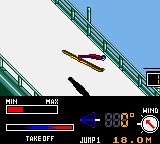
Konami Winter Games (Europe)
Play Konami Winter Games (Europe)
0 1 0
Konami Winter Games (Europe) is a classic Game Boy Color game that features a collection of winter sports competitions, all playable directly in your browser. Its straightforward design makes it easy for players of all skill levels to pick up and enjoy without any complicated setup. Whether you’re feeling nostalgic for the GBC era or just want to try some retro sports games, this title offers a simple, accessible experience.
Read more about Konami Winter Games (Europe)Show less
What Is Konami Winter Games?
Konami Winter Games is a collection of winter-themed events that test your timing and control skills. As a game from the Game Boy Color period, it keeps things simple with quick gameplay sessions, making each event easy to jump into. The main aim is to beat your opponents in competitions like skiing, snowboarding, and other chilly activities.
Designed for casual play, the game focuses on fast reactions and precision rather than complex strategies. Its platform, the Game Boy Color, means the experience stays straightforward with minimal menus and controls. The game is all about having fun and competing, with each event bringing a different challenge to test your coordination and timing. It’s a light, competitive game suited for players looking for a quick sports fix.
What Keeps You Coming Back
Konami Winter Games stands out thanks to its variety of events, each with slightly different mechanics, encouraging players to master multiple disciplines within the same game. Its simple yet engaging gameplay encourages repeated tries to beat personal or friends’ records. The short play sessions make it perfect for quick gaming, but mastering each event can take some practice, which keeps things interesting.
With easy controls and clear objectives, the game feels accessible to a wide range of players. Trying to improve your scores across all events—whether by shaving seconds off your runs or beating your previous marks—adds a competitive edge. Its nostalgic charm and instant in-browser play keep players coming back for more challenges and high scores.
Handy Tips
To get the most out of Konami Winter Games, a few tips can help improve your gameplay:
- Pay close attention to timing, especially in events like skiing or snowboarding, where seconds matter.
- Practice each event individually to find the best rhythm and control points for higher scores.
- Watch for on-screen prompts or cues, which can help you anticipate the next move or button press.
- Stay calm and steady, since rushing can lead to mistakes and lower scores.
- Use the in-browser emulator’s features to reset quickly if you want to retry an event.
- Keep an eye on your scores to see which events might need more practice for better results.
Player FAQ
Is Konami Winter Games easy for kids or newcomers to pick up?
Yes, the simple controls and straightforward events make it accessible for younger players and those new to sports games.
Does Konami Winter Games require an internet connection to play?
No, since it runs directly in your browser as a Game Boy Color game, it doesn’t need an internet connection once loaded.
Can I play Konami Winter Games on mobile devices or tablets?
Yes, the browser emulator works on most devices, so you can enjoy this retro title on smartphones and tablets without any extra downloads.
Playing Konami Winter Games offers a simple, fun experience that’s easy to pick up, making it great for quick gaming sessions or casual competition. Its classic GBC style makes it a nice addition to any retro gaming collection, and you can play it right in your browser whenever you like.
Related games: you can also try Dinosaur (USA) (Beta) and Gremlins Unleashed (Europe) (En,Fr,De,Es,It,Pt), or browse all other games in the Game Boy Color category.
How to Play Konami Winter Games (Europe)?
Complete winter sports events by timing your button presses correctly to beat your opponents or your best score. Focus on quick reactions and precision in skiing, snowboarding, and other challenges.
Game Controls
Arrow keys control movement; other keys handle actions like jumping or starting.
Related Retro Games
 ♥ 43Zook Hero Z
 ♥ 1Zok Zok Heroes (Japan)
 ♥ 1Zoids – Shirogane no Juukishin Liger Zero (Japan)
 ♥ 1Zoids – Jashin Fukkatsu! Genobreaker Hen (Japan)
 ♥ 2Zoboomafoo – Playtime in Zobooland (USA)
 ♥ 1Zidane Football Generation (Europe) (En,Fr,De,Es,It)
 ♥ 1Zen-Nihon Shounen Soccer Taikai – Mezase Nihon Ichi! (Japan)
 ♥ 1Zebco Fishing! (USA)