Logical (USA)
Play Logical (USA)
0 1 0
Logical (USA) is a classic Game Boy Color game that mixes action and strategy into a challenging puzzle. Designed for players who enjoy thinking through problems while making quick, precise moves, it offers a straightforward but demanding experience. Playing it in your browser means no downloads or setup—just jump right in, whether for a quick session or a nostalgic revisit to a beloved handheld era.
Read more about Logical (USA)Show less
Getting Into Logical
In Logical, you solve puzzles that test your reasoning and planning skills. The main idea is to analyze each puzzle, figure out the best moves, and execute them swiftly. As you go along, puzzles get trickier, requiring more foresight and careful thought. The game offers a series of levels, each with a different setup, encouraging you to try different tactics to finish them efficiently.
At first, puzzles are simpler, helping you get a feel for how everything works. As you progress, the challenges demand faster decisions and better planning. There’s no long story mode here—just continuous puzzle-solving, making it great for quick mental workouts or longer play sessions when you’re in the mood for a challenge. It’s a game that rewards patience, focus, and strategic thinking, encouraging you to replay levels to improve your times or use fewer moves.
Standout Features
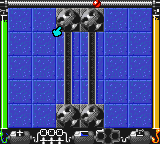
The visuals stay true to the classic Game Boy Color style, simple but clear so you can easily see everything without distractions. The minimalist design keeps the focus on solving puzzles. Progression is straightforward—solving one unlocks the next, and while the difficulty ramps up, it keeps things interesting as you try to beat your best scores or solve faster.
Trying different approaches to solve puzzles more efficiently adds replay value. The levels are self-contained, so you can jump into any challenge without needing to remember long storylines. The combination of simple mechanics and increasing difficulty makes it appealing for puzzle fans or anyone looking for a mental challenge on their Game Boy Color or in-browser emulator.
Strategy and Tips
Start with the easier puzzles to get a good grasp of how everything works. Once you understand the rules, don’t rush—take your time to plan your moves. Keep an eye on the whole puzzle rather than reacting to individual parts. Look for patterns or shortcuts that can help you solve things faster. Sometimes pausing to think ahead can save you time and moves overall.
- Analyze complex puzzles carefully before acting.
- Identify recurring patterns or mechanics that can be used again.
- Solve puzzles in fewer moves to improve your score.
- Try different solutions and remember what works best.
- Break larger puzzles into smaller sections to manage them better.
- Replay earlier levels to beat your previous scores or move counts.
Quick Questions
How do I get started if I’ve never played before?
Work through the initial puzzles to learn the mechanics gradually; the game introduces concepts step-by-step.
What’s the most common mistake beginners make?
Rushing without analyzing the whole puzzle often leads to unnecessary moves or errors. Take your time at first.
Can I play Logical on a mobile device or with touch controls?
Yes, since it runs in your browser, it’s playable on mobile devices with touch controls, making it easy to try anywhere.
Logical offers a simple yet challenging puzzle experience rooted in action and planning. Its clean visuals and growing difficulty make it accessible for newcomers while still engaging for experienced puzzle fans. Playing it in your browser makes for quick, satisfying sessions that test your reasoning and strategy, fitting nicely into the classic Game Boy Color collection.
Related games: you can also try Land Before Time, The (USA) and Jankyuusei – Cosplay Paradise (Japan), or browse all other games in the Game Boy Color category.
How to Play Logical (USA)?
Solve puzzles by analyzing the setup, planning your moves carefully, and executing them quickly to complete each level efficiently. Progress through increasingly challenging levels to test your reasoning and strategy.
Game Controls
Arrow keys control movement; other keys handle actions and selections.
Related Retro Games
 ♥ 43Zook Hero Z
 ♥ 1Zok Zok Heroes (Japan)
 ♥ 1Zoids – Shirogane no Juukishin Liger Zero (Japan)
 ♥ 1Zoids – Jashin Fukkatsu! Genobreaker Hen (Japan)
 ♥ 2Zoboomafoo – Playtime in Zobooland (USA)
 ♥ 1Zidane Football Generation (Europe) (En,Fr,De,Es,It)
 ♥ 1Zen-Nihon Shounen Soccer Taikai – Mezase Nihon Ichi! (Japan)
 ♥ 1Zebco Fishing! (USA)