Low Poly Promo Models (Luigi)
Play Low Poly Promo Models (Luigi)
0 6 0
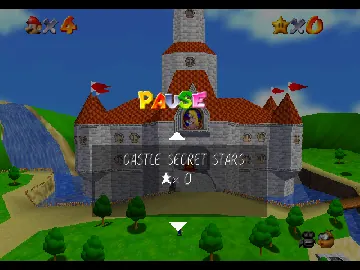
Low Poly Promo Models (Luigi) is a simple browser-based version of a classic Nintendo 64 game, showcasing a variety of low poly character models. Designed for quick access, this game allows players to explore straightforward, stylized models without complicated gameplay mechanics. It’s perfect for those interested in 3D modeling or just wanting a relaxed visual display that runs right in your browser, no downloads needed. This setup captures the nostalgic feel of Nintendo 64’s era while offering an instant-play format.
Read more about Low Poly Promo Models (Luigi)Show less
What Is Low Poly Promo Models?
This game mainly serves as a visual showcase or modeling demonstration. Its focus is on presenting a selection of low poly character models, often used for promotional purposes or as sample assets for 3D artists. The experience involves browsing through these models and appreciating their design and geometry, rather than playing a traditional game with objectives or challenges. It’s accessible for all ages and skill levels, offering a straightforward way to enjoy simple 3D visuals.
The core activity is viewing and possibly interacting with these models in a static or semi-interactive setup. There are no complex mechanics or storylines—just a collection of models rendered in a minimalist, low polygon style. It offers a quick, casual way to enjoy nostalgic Nintendo 64-era graphics with modern browser tech, making it easy to explore without external software or hardware.
What Keeps You Coming Back
The main appeal is its collection of low poly models, which can attract fans of 3D art and design. The selection might include different characters, objects, or figures, all created with a clean, stylized look. This can serve as inspiration or reference for artists and designers. The simple, clear models make for a relaxing visual experience that you can enjoy over and over without getting bored.
The variety of models and easy browsing options help keep things fresh. Since it runs right in your browser, you can revisit anytime to see new models or compare different styles. The straightforward interface encourages casual exploration, making it a nice break from more intense gaming. For fans of low poly design or Nintendo 64 visuals, it offers ongoing visual interest and a way to recognize familiar styles in a stripped-down form.
Handy Tips
If you’re new to Low Poly Promo Models, here are some tips to get the most out of it:
- Use the controls to rotate or zoom in on models for a better look at details.
- Browse models in different categories or sections if available, to see a variety of styles.
- Maximize your browser window for a clearer view of the details.
- If possible, reset the view when exploring multiple models to start fresh.
- Share interesting models with friends using available sharing options or screenshots.
Player FAQ
Is Low Poly Promo Models suitable for kids or beginners?
Yes, it’s easy to navigate with no complicated controls, making it good for players of all ages, including younger ones.
Do I need an internet connection to use Low Poly Promo Models?
This runs directly in your browser, so an internet connection is needed, but no downloads or installations are required.
Can I play Low Poly Promo Models on mobile devices?
Yes, it works in your browser, so you should be able to play on mobile browsers that support basic controls, though the experience might vary depending on your device.
Low Poly Promo Models offers a quick, easy way to enjoy a collection of stylized, low poly models without any hassle. Its simple interface and focus on visual appreciation make it a relaxed choice for fans of Nintendo 64-era aesthetics and 3D art alike.
Related games: you can also try Counter Strike 1.64 and Cruis'n USA (USA) (Rev B), or browse all other games in the Nintendo 64 category.
How to Play Low Poly Promo Models (Luigi)?
Browse through low poly character models by rotating and zooming to appreciate their design. No objectives, just explore and enjoy the visual display in your browser.
Game Controls
Use keyboard keys to rotate, zoom, and switch models; mouse may also be used for interaction.







