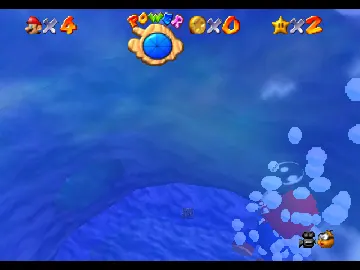
Low Poly Promo Models (Mario)
Play Low Poly Promo Models (Mario)
0 9 0
Low Poly Promo Models (Mario) is a straightforward browser game that echoes a classic Nintendo 64 title. You can play it right in your browser without needing to download anything. Its simple graphics and relaxed gameplay make it easy for anyone to jump in and have a bit of fun. This nostalgic piece offers a charming take on low poly models of Mario, giving a look at early 3D gaming that’s both interesting and visually appealing.
Read more about Low Poly Promo Models (Mario)Show less
What Is Low Poly Promo Models?
Low Poly Promo Models is a 3D modeling experience that highlights stylized, low polygon versions of Mario characters and scenes. The main idea is to explore or view these models, which are designed with minimalistic, geometric shapes typical of early 3D graphics. It’s more about appreciating the visuals and casually interacting than about complex gameplay mechanics.
It’s designed to be a relaxed activity, allowing you to examine the models from different angles and appreciate the simplicity and creativity behind low poly art. Instead of traditional levels or tasks, it offers a series of static or semi-interactive scenes where you can observe or manipulate the models within a limited environment. It’s a nice option for fans interested in early 3D design or anyone looking for a quick visual distraction.
What Keeps You Coming Back
The draw is in its clean, stylized visuals and the novelty of viewing low poly models of Mario. People might return to admire the design or share these models with friends. The straightforward interface and lack of complicated mechanics make it easy to enjoy quick sessions, making it perfect for casual viewing or light exploration.
While it doesn’t have traditional game modes, the variety of models—ranging from characters to scenes—encourages repeating visits. Its focus on visual style sparks curiosity and appreciation for low poly art, inspiring users to try creating their own models or simply enjoy the playful aesthetic. The browser compatibility and instant play mean you can jump in whenever you feel like a quick visual break.
Handy Tips
To get the most out of Low Poly Promo Models, keep these in mind:
- Use your mouse or trackpad to rotate models and see them from different angles.
- Zoom in or out if the game allows, to catch finer details or get a wider view of scenes.
- Try moving models around to better understand the shapes behind each design.
- Take screenshots of your favorite models for sharing or keeping in your collection.
- Switch between different scenes or models to appreciate the variety in low poly design.
Player FAQ
Is Low Poly Promo Models easy for beginners to enjoy?
Absolutely. Its simple controls and static models make it accessible for all ages and experience levels, including those new to 3D modeling or browsing games.
Can younger players enjoy Low Poly Promo Models safely?
Yes, its straightforward, non-violent presentation makes it suitable for children and casual users who want to explore visuals without worry.
Does Low Poly Promo Models need an internet connection to play?
Since it runs directly in your browser and is built for quick access, you don’t need an internet connection after it loads. You can enjoy it offline or on any device with an up-to-date browser.
Low Poly Promo Models offers a simple, charming look at early 3D representations of Mario characters. It’s perfect for fans of low poly art or anyone looking for a quick visual break. Its browser-based setup makes it easy to access and share, making it a fun addition to any collection of retro-style digital curiosities.
Related games: you can also try Bowser's Dank Rave 5 (Chaos Edition) and Geno Pack, or browse all other games in the Nintendo 64 category.
How to Play Low Poly Promo Models (Mario)?
Explore and view low poly Mario models from different angles, zoom in and out, and switch scenes for a relaxed visual experience. No objectives, just casual observation and interaction.
Game Controls
Use mouse or trackpad to rotate, zoom, and move models; keyboard for scene switching and navigation.







