Mahjong Quest (Japan)
Play Mahjong Quest (Japan)
0 1 0
Mahjong Quest (Japan) is a classic Game Boy Color game that captures the enduring charm of tile-matching puzzles. Its pixel art style and chiptune melodies bring a nostalgic simplicity, reminding players of the handheld’s heyday. Based on the traditional Japanese game of mahjong, it offers a straightforward yet engaging experience suitable for short sessions or longer play.
Read more about Mahjong Quest (Japan)Show less
Step Into the World of Mahjong Quest
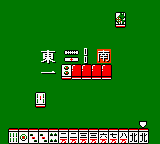
The game features a tidy, grid-like layout where players match tiles to clear the board. The visuals are simple pixel art, with each tile designed to resemble traditional mahjong symbols. The background is minimal, keeping the focus on the puzzle, while the sound design includes repetitive, catchy tunes that help concentration without becoming a distraction. The atmosphere feels calm and focused, emphasizing the methodical nature of the game.
Though it doesn’t include complex animations or storylines, Mahjong Quest maintains a steady, meditative tone. Its interface is minimal—just the puzzle grid and a few menu options—making it easy for players of all ages to pick up. The Japanese origins might mean some tiles or symbols aren’t immediately familiar, but the gameplay itself is quite intuitive. Playing through this browser emulator, you can enjoy the game’s vintage appeal without any extra hardware—just a few clicks to start playing.
How the Gameplay Hooks You
The main idea involves selecting pairs of matching tiles to remove them from the board, gradually revealing what’s underneath. As you clear pairs, new tiles shift into place, creating a steady rhythm of pattern recognition and quick decisions. The difficulty increases as the layout gets more complicated, requiring sharper eyes and faster reflexes.
The pacing is well-suited for quick, focused play sessions—great for a break or casual gaming. Progress comes from clearing more complex tile arrangements, giving a sense of achievement without feeling overwhelming. The simple mechanics and lack of timed elements make it accessible but also engaging enough for puzzle fans who enjoy a calm yet stimulating challenge.
Pro Tips for Mahjong Quest
Start by spotting tiles with only one possible match—that’s often the safest move. Focus on uncovering tiles that are blocked on multiple sides first, which will open up more options later. Keep an eye on the whole board instead of just immediate matches; thinking ahead can help avoid dead-ends.
- Match tiles that will free up the most covered tiles underneath.
- Use hints only when you’re really stuck, to save them for tougher puzzles.
- Clear cluttered areas early to prevent tiles from becoming permanently blocked.
- If you find yourself making repeated mistakes or feeling tired, take a break—sometimes a fresh perspective helps.
Frequently Asked Questions
Does Mahjong Quest get repetitive after a while?
The gameplay stays consistent, but the increasing complexity of the layouts keeps things interesting. Shorter sessions can help keep it feeling fresh and prevent fatigue.
Can I play Mahjong Quest offline or only on this site?
This version runs right in your browser, so there’s no need for downloads or installations. It’s perfect for quick, casual sessions whenever you want.
Is Mahjong Quest suitable for all ages or for quick play?
Yes, the simple mechanics and calming pace make it accessible for players of any age. It’s great for short breaks or longer puzzle marathons, depending on your mood.
Mahjong Quest delivers a straightforward, nostalgic mahjong puzzle experience with clean visuals and classic gameplay. Playing it here in your browser makes it easy to enjoy a timeless tile-matching game whenever you’re looking for a quick mental challenge.
Related games: you can also try Kaitei Densetsu!! Treasure World (Japan) and Game Boy Wars 3 (Japan), or browse all other games in the Game Boy Color category.
How to Play Mahjong Quest (Japan)?
Match pairs of identical tiles to remove them from the grid and clear the board. Focus on uncovering hidden tiles and planning your moves to avoid dead-ends as the layout gets more complex.
Game Controls
Arrow keys move the cursor; Enter selects tiles; spacebar confirms matches.
Related Retro Games
 ♥ 43Zook Hero Z
 ♥ 1Zok Zok Heroes (Japan)
 ♥ 1Zoids – Shirogane no Juukishin Liger Zero (Japan)
 ♥ 1Zoids – Jashin Fukkatsu! Genobreaker Hen (Japan)
 ♥ 2Zoboomafoo – Playtime in Zobooland (USA)
 ♥ 1Zidane Football Generation (Europe) (En,Fr,De,Es,It)
 ♥ 1Zen-Nihon Shounen Soccer Taikai – Mezase Nihon Ichi! (Japan)
 ♥ 1Zebco Fishing! (USA)