Mario’s Nightmare 64 (v1.1) (English)
Play Mario’s Nightmare 64 (v1.1) (English)
0 8 0
Mario’s Nightmare 64 (v1.1) (English) is a classic Nintendo 64 game you can now play right in your browser. It brings back memories for fans of that era, using the same gameplay and mechanics that made the console popular. If you’re into platformers or action-adventure games from the late 90s, this title lets you jump in without needing to download anything or go through complicated setups.
Read more about Mario’s Nightmare 64 (v1.1) (English)Show less
Getting Into Mario’s Nightmare 64
This Nintendo 64 game focuses on simple, engaging gameplay. Players move through levels filled with obstacles, enemies, and puzzles, working to complete objectives and move forward. The game involves exploring environments, gathering items, and tackling challenges that require good timing and accuracy. Levels are pretty short, so each one is a self-contained challenge you can finish in a few minutes. It’s perfect for quick play sessions or if you want a compact, focused experience.
It encourages exploration and problem-solving, with players figuring out how to bypass enemies or unlock new areas. The controls match the original Nintendo 64 setup, using arrow keys or gamepad emulation for movement and actions. Since it runs directly in your browser, you can start playing right away and pick up where you left off without any fuss. It’s a good choice if you’re after a retro challenge that doesn’t demand hours of commitment but still offers enough variety to keep coming back.
Standout Features
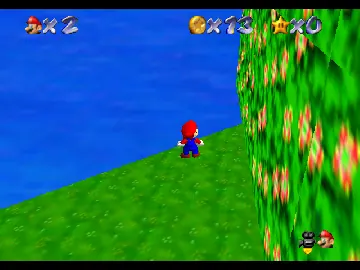
Visually, Mario’s Nightmare 64 keeps the blocky, colorful look that classic Nintendo 64 platformers are known for. While it doesn’t have modern high-definition graphics, the style is charming and nostalgic, with clear sprite work and environment designs. The progression is straightforward but satisfying, with each level introducing new layouts and obstacles to keep things interesting. Replayability comes from trying to master levels, discover hidden items, and improve your times, which makes replays rewarding.
Even with its simple design, the game gives a sense of progress that pushes you to keep going. Finishing levels unlocks new areas or bonuses, adding a bit of extra motivation to revisit earlier stages. Because the game is built for quick, focused sessions, it’s great for those who enjoy short bursts of nostalgia or want a manageable challenge they can wrap up in one sitting. The accessible design makes it inviting for newcomers, while the difficulty gradually increases to keep experienced players engaged.
Strategy and Tips
If you’re just starting out with Mario’s Nightmare 64, try the first few levels to get used to the controls and enemy patterns. Practice timing your jumps and attacks to avoid taking damage. Look out for hidden paths or items; exploring can often lead to shortcuts or power-ups that make progress easier.
- Take your time exploring each level for secrets and shortcuts.
- Learn enemy movement patterns so you can avoid unnecessary hits and conserve health.
- Focus on completing objectives efficiently to improve your score and unlock new areas.
- Use trial and error to understand level layouts—patience helps, especially in tougher sections.
- If you get stuck, try different strategies, as some obstacles need specific approaches to overcome.
Quick Questions
How do I get started with Mario’s Nightmare 64?
Just click to load the game in your browser, and it starts right away—no downloads needed. Use your keyboard or gamepad to move around and play.
What’s a common mistake for beginners?
Many players rush through levels without exploring enough, missing secrets that could make things easier and reduce frustration.
Can I play Mario’s Nightmare 64 on mobile or touch devices?
Yes, since it runs in your browser, it works on phones and tablets that support browser-based games, though controls might be a bit trickier than on a PC or console.
Playing Mario’s Nightmare 64 gives you a straightforward, nostalgic taste of classic Nintendo 64 platforming. It’s a simple game that rewards exploration and skill, making it a solid choice for quick retro gaming fun in your browser.
Related games: you can also try Ceaseless Climb and Charmy The Bee 64 Playable, or browse all other games in the Nintendo 64 category.
How to Play Mario’s Nightmare 64 (v1.1) (English)?
Guide Mario through levels by jumping over obstacles, defeating enemies, and solving puzzles to reach the end. Complete each stage quickly to unlock new areas and improve your score.
Game Controls
Arrow keys control movement; other keys handle jumping and actions, emulating a Nintendo 64 controller.







