Nakayoshi Cooking Series 3 – Tanoshii Obentou (Japan)
Play Nakayoshi Cooking Series 3 – Tanoshii Obentou (Japan)
0 1 0
Nakayoshi Cooking Series 3 – Tanoshii Obentou (Japan) is a sweet little game from the Game Boy Color days, with a cozy, nostalgic feel. It lets players enjoy a cute cooking theme centered around making colorful bento boxes. The gameplay is simple, and the cheerful visuals make it a nice option for short sessions—perfect for a quick break in a tiny kitchen full of potential.
Read more about Nakayoshi Cooking Series 3 – Tanoshii Obentou (Japan)Show less
Step Into the World of Nakayoshi Cooking Series 3 – Tanoshii Obentou
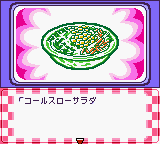
The pixel art is bright and inviting, with soft colors that create a friendly atmosphere. The visuals resemble a lively cartoon, with charming food items and adorable characters guiding you through each step of making bento. The sound is minimal but effective, with light melodies and simple effects that keep things upbeat without feeling overwhelming.
Running smoothly in your browser, the game works well on a Game Boy Color emulator, with an interface that’s easy to navigate. Menus clearly show the ingredients and tools needed for each bento. Its nostalgic style suits casual, relaxed gameplay, making it fun for younger players or anyone looking for a charming, stress-free distraction.
How the Gameplay Hooks You
The core loop is straightforward: choose ingredients, assemble the bento, and serve it to a character. Each level introduces new ingredients and styles, gradually becoming a bit more challenging. Tasks are short and manageable, keeping you engaged without feeling rushed. As you progress, you unlock new items and customization options, giving a small sense of achievement with each finished bento.
The game encourages quick thinking by limiting the time for each task, which adds a bit of excitement. Its mechanics are simple enough for quick play sessions, making it ideal for casual gaming or quick breaks. The satisfying feedback from selecting and arranging ingredients makes each successful bento feel rewarding—even if you’re only playing for a few minutes.
Pro Tips for Nakayoshi Cooking Series 3 – Tanoshii Obentou
Getting the hang of where ingredients go can help you speed things up—try to remember common combos to save time.
- Pay attention to what the characters prefer; some might favor certain ingredients or styles.
- Practice quick selections to keep up with busy levels.
- Use your tools wisely—sometimes arranging ingredients neatly can make a difference.
- Don’t rush too much; staying calm helps you focus and get higher scores.
- Mix different ingredients to find new combos and earn bonuses.
Frequently Asked Questions
Does Nakayoshi Cooking Series 3 – Tanoshii Obentou get repetitive?
The core task is simple—assembling bento—but the increasing difficulty and new ingredients keep it interesting for short play sessions.
Can I play this game in short bursts?
Definitely. Each level is quick to finish, making it easy to enjoy in brief gaming moments without losing progress.
Is the game good for younger players or beginners?
Yes. Its simple mechanics and cheerful visuals make it accessible and fun for all ages, especially those new to gaming or looking for light entertainment.
Playing Nakayoshi Cooking Series 3 – Tanoshii Obentou offers a cozy, snack-sized challenge that’s both relaxing and satisfying. Its colorful design and straightforward gameplay make it a charming addition to any Game Boy Color collection, playable right in your browser without any fuss. Whether you enjoy cooking games or just want a quick, charming distraction, this classic has a warm, approachable feel.
Related games: you can also try 3D Pocket Pool (Europe) (En,Fr,De,Es,It,Nl) and Atlantis – The Lost Empire (USA, Europe), or browse all other games in the Game Boy Color category.
How to Play Nakayoshi Cooking Series 3 – Tanoshii Obentou (Japan)?
Select ingredients, assemble colorful bento boxes, and serve them to characters within a time limit. Complete levels to unlock new items and improve your cooking skills.
Game Controls
Arrow keys move the cursor; Enter confirms selections and actions.
Related Retro Games
 ♥ 43Zook Hero Z
 ♥ 1Zok Zok Heroes (Japan)
 ♥ 1Zoids – Shirogane no Juukishin Liger Zero (Japan)
 ♥ 1Zoids – Jashin Fukkatsu! Genobreaker Hen (Japan)
 ♥ 2Zoboomafoo – Playtime in Zobooland (USA)
 ♥ 1Zidane Football Generation (Europe) (En,Fr,De,Es,It)
 ♥ 1Zen-Nihon Shounen Soccer Taikai – Mezase Nihon Ichi! (Japan)
 ♥ 1Zebco Fishing! (USA)