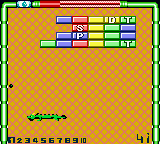
Pocket Color Block (Japan)
Play Pocket Color Block (Japan)
0 1 0
Pocket Color Block (Japan) is a charming piece of Game Boy Color history, capturing the simplicity and tactile pleasure of pixel art puzzles. This classic from the Game Boy Color era offers a straightforward yet addictive experience, all playable directly in your browser without any downloads. Its monochrome palette and retro sound design evoke a nostalgic atmosphere, inviting players to rediscover a time when handheld gaming was a tactile, pixel-perfect affair.
Read more about Pocket Color Block (Japan)Show less
Step Into the World of Pocket Color Block
Designed with minimalistic visuals, the game’s pixel art style emphasizes clarity and contrast, making each block easy to identify and manipulate. The soundscape is subdued, with simple chiptunes that echo the handheld’s limited audio capabilities, creating a calming environment suited for quick sessions or longer puzzle-solving stints. Its interface is clean, with intuitive controls that don’t distract from the core gameplay, making it accessible to players of all ages and skill levels.
As a Japanese release, the game’s language may be in Japanese, which could be a challenge for non-Japanese speakers. However, the gameplay mechanics are straightforward enough that language barriers rarely hinder progress. The game’s atmosphere is quiet and focused, emphasizing puzzle-solving rather than narrative complexity. Playing it in your browser offers instant access, turning your browser into a pocket-sized arcade for puzzle fans seeking a taste of retro handheld gaming.
How the Gameplay Hooks You
At its core, the game revolves around arranging blocks to fit into designated spaces. The pace is steady but engaging, with each completed puzzle unlocking the next challenge, creating a satisfying sense of progression. The game’s loop encourages pattern recognition and spatial reasoning, rewarding players who develop quick mental calculations and strategic planning. It’s designed for short bursts of play, making it ideal for quick breaks or extended puzzle marathons.
The difficulty gradually ramps up, introducing more complex arrangements and tighter constraints, yet the core mechanics stay simple enough to pick up immediately. This balance ensures the game remains accessible but challenging enough to keep you returning for just one more puzzle. Its straightforward design means players can easily lose track of time as they focus on fitting the blocks perfectly, making it a perfect browser-based pastime for puzzle enthusiasts.
Pro Tips for Pocket Color Block
Getting the most out of this classic involves a few strategic approaches:
- Start with the edges and corners to create a stable framework for the rest of the blocks.
- Pay attention to the shape and size of each block before placing it to avoid unnecessary moves.
- Look for patterns in previous puzzles to develop quick placement strategies.
- Take your time on difficult levels—rushing often leads to mistakes.
- Use the undo function if available to experiment with placements without penalty.
- Practicing regularly can help improve your spatial reasoning and puzzle-solving speed.
Frequently Asked Questions
Does the game support multiple difficulty levels?
The game offers a steady challenge, gradually increasing in complexity, but it doesn’t have explicit difficulty settings. Instead, each puzzle presents a new challenge, which makes it suitable for players who enjoy gradual difficulty ramps.
Is Pocket Color Block good for short gaming sessions?
Definitely. Its simple mechanics and quick puzzle cycles make it perfect for brief play, whether you have a few minutes or more time to spare.
Can I play this offline or on mobile devices?
Since it runs directly in your browser, the experience is online-only on this site; however, the game’s design works well on mobile browsers, giving you a portable puzzle experience without needing to download anything.
Playing Pocket Color Block offers a clean, pixel-perfect escape into classic puzzle gameplay. Its straightforward mechanics and nostalgic look make it a timeless choice for puzzle fans after a quick, satisfying challenge right in their browser.
Related games: you can also try Missile Command (Europe) and Burger Burger Pocket (Japan), or browse all other games in the Game Boy Color category.
How to Play Pocket Color Block (Japan)?
Arrange falling blocks to fit into designated spaces and complete puzzles. Clear each level by fitting all blocks correctly, then move on to the next challenge. Focus on spatial reasoning and pattern recognition.
Game Controls
Arrow keys control movement; specific keys rotate and place blocks; all actions are handled via keyboard.
Related Retro Games
 ♥ 43Zook Hero Z
 ♥ 1Zok Zok Heroes (Japan)
 ♥ 1Zoids – Shirogane no Juukishin Liger Zero (Japan)
 ♥ 1Zoids – Jashin Fukkatsu! Genobreaker Hen (Japan)
 ♥ 2Zoboomafoo – Playtime in Zobooland (USA)
 ♥ 1Zidane Football Generation (Europe) (En,Fr,De,Es,It)
 ♥ 1Zen-Nihon Shounen Soccer Taikai – Mezase Nihon Ichi! (Japan)
 ♥ 1Zebco Fishing! (USA)