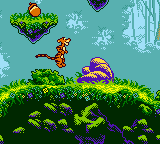
Pooh and Tigger’s Hunny Safari (Europe) (En,Fr,De,Es,It,Nl)
Play Pooh and Tigger’s Hunny Safari (Europe) (En,Fr,De,Es,It,Nl)
0 1 0
Pooh and Tigger’s Hunny Safari (Europe) (En,Fr,De,Es,It,Nl) is a classic Game Boy Color action game that brings players into the whimsical world of Winnie the Pooh and his friends. Its gameplay is simple but engaging, mixing timing-based mechanics with exploration elements that suit players of all ages. As a title from the Game Boy Color era, it offers a straightforward experience that emphasizes fun and charm over complex stories or long levels.
Read more about Pooh and Tigger’s Hunny Safari (Europe) (En,Fr,De,Es,It,Nl)Show less
Pooh and Tigger’s Hunny Safari: Gameplay Overview
The game mainly focuses on action sequences where you control Pooh or Tigger trying to gather hunny while dodging obstacles. You’ll need to time your movements and react quickly, often tapping or pressing buttons at just the right moments. Controls are easy to pick up, centering on timing and positioning. This creates short, repeatable levels that challenge your reflexes and accuracy.
Each character has unique movement patterns and abilities, so you’ll need to adjust your approach accordingly. The game includes mini-challenges like navigating mazes or avoiding hazards, keeping things varied. The pace is lively but forgiving enough for casual players, with a focus on quick reactions and timing. Success often depends on developing a good sense of rhythm and patience, making each run lively and rewarding.
Modes, Levels and Progression
The game features a simple progression system, with levels that grow more difficult as you go along. It doesn’t have complex modes or branching paths, but each level offers different layouts and obstacles, preventing the game from feeling repetitive. Your goal is to collect hunny while avoiding hazards, sometimes requiring precise timing or strategic movement.
Progression is straightforward—completing one level unlocks the next. The design encourages players to replay levels to improve scores or finish faster, making it a good choice for quick gaming sessions. The replay value comes from mastering levels and aiming for high scores, especially if you enjoy precise gameplay.
Winning Strategies
To do well, focus on timing your movements carefully. Patience and observation help avoid dangers and gather hunny efficiently. Moving at a steady pace, rather than rushing, usually results in better control and fewer mistakes.
- Watch obstacle and enemy patterns to predict their movements.
- Practice your timing for taps and button presses, especially in sequences that require quick reactions.
- Collect hunny in areas with minimal or predictable hazards.
- Learn each level’s layout to plan your route and avoid unnecessary risks.
- Replaying levels helps improve your score and reaction times over time.
Common Questions About Pooh and Tigger’s Hunny Safari
How does the difficulty increase as I go?
Levels get tougher with more complex obstacle patterns and faster hazards, demanding quicker reactions and better timing as you progress.
Are there different modes or multiplayer options?
No, this game offers a single-player experience focused on completing levels and improving your scores. There aren’t any extra modes or multiplayer features.
How much replay value does it have?
You can replay levels to beat your high scores and sharpen your timing. Since levels are short and get more challenging, it’s great for quick, casual sessions where you want to improve your performance.
Playing Pooh and Tigger’s Hunny Safari through this platform lets you access it instantly without downloads or setup. Its simple mechanics and charming style make it a good pick for fans of vintage Game Boy Color games looking for a straightforward action challenge.
Related games: you can also try Monsters, Inc. (Europe) (En,Es,Nl) and Ganbare Goemon – Mononoke Douchuu Tobisuise Nabebugyou! (Japan), or browse all other games in the Game Boy Color category.
How to Play Pooh and Tigger’s Hunny Safari (Europe) (En,Fr,De,Es,It,Nl)?
Control Pooh or Tigger to collect hunny while avoiding obstacles. Time your movements and reactions to complete levels and progress through increasing challenges.
Game Controls
Arrow keys for movement; action buttons for jumping and interacting.
Related Retro Games
 ♥ 43Zook Hero Z
 ♥ 1Zok Zok Heroes (Japan)
 ♥ 1Zoids – Shirogane no Juukishin Liger Zero (Japan)
 ♥ 1Zoids – Jashin Fukkatsu! Genobreaker Hen (Japan)
 ♥ 2Zoboomafoo – Playtime in Zobooland (USA)
 ♥ 1Zidane Football Generation (Europe) (En,Fr,De,Es,It)
 ♥ 1Zen-Nihon Shounen Soccer Taikai – Mezase Nihon Ichi! (Japan)
 ♥ 1Zebco Fishing! (USA)