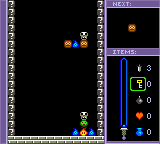
Puzzle Master (USA)
Play Puzzle Master (USA)
0 1 0
Puzzle Master (USA) is a classic Game Boy Color game that tests your logic and problem-solving skills with a variety of puzzles. Great for fans of brainteasers, it offers a simple but engaging experience that you can enjoy in quick sessions or longer stretches. Its straightforward mechanics and easy-to-understand design make it suitable for players of all ages who want a mental workout on their Game Boy Color or through the browser emulator.
Read more about Puzzle Master (USA)Show less
Getting Into Puzzle Master
The main idea in Puzzle Master is solving puzzles that require recognizing patterns, understanding spatial relationships, and thinking strategically. Each puzzle presents a different challenge, like arranging blocks, connecting lines, or filling spaces within a grid. As you progress, the puzzles become more challenging, encouraging you to come up with new strategies and look at problems from different angles.
The game offers multiple modes, usually including a standard puzzle mode that keeps track of your progress and a time challenge for players who want to test their speed. Usually, you start with an easy puzzle to warm up and then move on to more complex ones. Controls are simple, designed for quick pick-up-and-play, which makes it perfect for short breaks or casual play. The game rewards careful planning and patience, with each puzzle solved unlocking the next one.
Standout Features
Visually, Puzzle Master keeps things minimal but clear, with simple black-and-white or limited-color graphics typical of Game Boy Color titles. The focus is on readability and understanding, so players can quickly identify puzzle elements without distraction. The interface is intuitive, with easy navigation through puzzles and menus, making it accessible for everyone.
Progression is straightforward but satisfying. As you finish puzzles, new ones are unlocked in a logical order, giving a steady sense of achievement. The game’s replay value comes from its variety of puzzles and the challenge mode, which invites you to beat your best times. While it’s not an expansive game, its well-crafted puzzles and increasing difficulty make it appealing for puzzle fans who enjoy sharpening their skills over multiple sessions.
Strategy and Tips
If you’re just starting out, take the time to understand the rules of each puzzle before rushing to solve it. Patience and a methodical approach will help you succeed.
- Watch for patterns and common solutions; many puzzles follow familiar logic.
- If you get stuck, try approaching the puzzle from different angles; a fresh perspective can make a difference.
- Use elimination to narrow down your options for moves or placements.
- Spend a little extra time on the early puzzles to get comfortable with the mechanics; rushing can cause mistakes.
- In time challenge modes, set personal goals to improve your speed and efficiency.
- If a puzzle seems impossible, take a break and come back later with a clear mind—sometimes, that’s all you need to see the answer.
Quick Questions
How do I get started with Puzzle Master?
Pick a puzzle mode, and the game will give you an initial challenge—no complicated setup needed.
What’s a common mistake beginners make?
Jumping into puzzles without fully understanding the rules or mechanics, which can lead to frustration or dead ends.
Can I play Puzzle Master on mobile or touch devices?
The browser version runs smoothly on touch screens, making it easy to navigate and solve puzzles without a traditional controller.
Puzzle Master offers a straightforward, addictive puzzle experience on the Game Boy Color. Its simple design and steady difficulty make it a reliable choice for anyone looking for a mental challenge, whether you’re fitting in a quick puzzle or settling in for a longer session.Related games: you can also try Mission Impossible (USA) (En,Fr,Es) and Pokemon Perfect Crystal (2020 Update), or browse all other games in the Game Boy Color category.
How to Play Puzzle Master (USA)?
Solve puzzles by recognizing patterns, arranging pieces, or filling grids. Complete each challenge to unlock the next, using logical thinking and patience to progress through increasing difficulty.
Game Controls
Arrow keys move the cursor; Enter or space select and confirm actions.
Related Retro Games
 ♥ 43Zook Hero Z
 ♥ 1Zok Zok Heroes (Japan)
 ♥ 1Zoids – Shirogane no Juukishin Liger Zero (Japan)
 ♥ 1Zoids – Jashin Fukkatsu! Genobreaker Hen (Japan)
 ♥ 2Zoboomafoo – Playtime in Zobooland (USA)
 ♥ 1Zidane Football Generation (Europe) (En,Fr,De,Es,It)
 ♥ 1Zen-Nihon Shounen Soccer Taikai – Mezase Nihon Ichi! (Japan)
 ♥ 1Zebco Fishing! (USA)