Shamus (USA)
Play Shamus (USA)
0 1 0
Shamus (USA) is a classic Game Boy Color game emulated directly in your browser, offering a straightforward experience from this iconic handheld console era. Its simple controls and clear objectives make it easy for newcomers to pick up and enjoy without prior experience. If you’re feeling nostalgic for the late 90s or just curious about vintage handheld gaming, this game gives you a neat slice of the GBC’s library.
Read more about Shamus (USA)Show less
What Is Shamus?
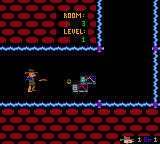
Shamus is a puzzle-platformer that challenges players to navigate levels filled with obstacles and enemies. Its gameplay revolves around solving environmental puzzles and timing movements carefully to move forward through each stage. The design keeps things clear and intuitive, making it suitable for players of different ages and skill levels. Essentially, it’s about strategic movement and puzzle-solving, providing a relaxed yet engaging challenge.
Playing Shamus means guiding a character through a series of levels, each with its own layout and challenges. The game maintains a steady pace, balancing difficulty with accessible mechanics. It rewards careful planning but doesn’t punish quick thinking or trial-and-error. Its focus on puzzles and straightforward gameplay makes it a good choice for casual players or anyone looking for a simple, satisfying gaming session.
What Keeps You Coming Back
What makes Shamus appealing is its level design and the variety of puzzles it offers. Each stage introduces new mechanics or enemy patterns, encouraging creative thinking to overcome obstacles. The progression feels natural, with increasing complexity that’s still manageable, making it easy to replay and improve your skills over time.
Another reason players return is the game’s replay value. With multiple levels and different ways to tackle each challenge, you might find yourself experimenting with strategies to beat your best times or discover hidden solutions. The pixel-art style and nostalgic sounds also add to the charm, making it a game you can enjoy multiple times while still finding new things. It’s a game that invites you to sharpen your skills and explore every corner of its stages.
Handy Tips
Getting the most out of Shamus can be simple with a few tips:
- Take a moment to observe each level before rushing in; recognizing enemy patterns helps you plan your moves.
- Use the environment—block enemies or create safe paths with objects or terrain features.
- Patience pays off—don’t rush tricky sections; sometimes waiting for the right moment makes all the difference.
- Try different routes within levels to find the fastest or safest path.
- Replaying levels helps you memorize enemy placements and puzzle solutions, making future attempts easier.
Player FAQ
Is Shamus easy for young children to learn?
Yes, it features simple controls and mechanics, making it accessible for younger players, though some puzzles might require patience and problem-solving skills.
Do I need an internet connection to enjoy Shamus?
No, since it runs directly in your browser as an emulator, you can play offline once the game loads.
How long does a typical game session last?
Most levels take just a few minutes to complete, but mastering puzzles or exploring all options could extend your gameplay. It’s great for quick sessions or longer play if you’re aiming for perfection.
Shamus offers straightforward gameplay with enough depth to keep things interesting. Its simple design and nostalgic feel make it a solid pick for anyone interested in vintage Game Boy Color titles without needing extra devices or complicated setups. Playing here provides a quick, hassle-free way to enjoy a piece of handheld gaming history. Its charm lies in its simplicity and the fun challenge of solving puzzles in a compact, pixel-perfect package.
Related games: you can also try Pocket Racing (Europe) and NASCAR Racers (USA), or browse all other games in the Game Boy Color category.
How to Play Shamus (USA)?
Guide your character through levels by solving puzzles and avoiding enemies, using careful timing and environmental objects to progress and complete each stage.
Game Controls
Arrow keys control movement; other keys handle actions like jumping or interacting.
Related Retro Games
 ♥ 43Zook Hero Z
 ♥ 1Zok Zok Heroes (Japan)
 ♥ 1Zoids – Shirogane no Juukishin Liger Zero (Japan)
 ♥ 1Zoids – Jashin Fukkatsu! Genobreaker Hen (Japan)
 ♥ 2Zoboomafoo – Playtime in Zobooland (USA)
 ♥ 1Zidane Football Generation (Europe) (En,Fr,De,Es,It)
 ♥ 1Zen-Nihon Shounen Soccer Taikai – Mezase Nihon Ichi! (Japan)
 ♥ 1Zebco Fishing! (USA)