Solomon (Japan)
Play Solomon (Japan)
0 2 0
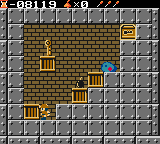
Solomon (Japan) is a classic Game Boy Color game you can play directly in your browser. It offers a straightforward puzzle experience that feels true to the handheld’s era. This game appeals to those who enjoy strategic thinking, pattern recognition, and making quick decisions in a simple, no-frills format. Fans of older puzzle games will find Solomon a solid choice for nostalgic gameplay focused on logical progression.
Read more about Solomon (Japan)Show less
Getting Into Solomon
The game centers around a puzzle mechanic where players arrange or match objects following specific rules. Each level becomes more complex, requiring you to adjust your approach as new challenges appear. The core idea is simple: analyze the current layout, plan your moves, and execute them carefully to clear levels and move forward. There are no multiple modes or storylines—just continuous puzzles that test your pattern recognition and timing skills.
Playing Solomon in your browser means instant access to a game that’s easy to pick up but tough to master. Its interface is designed for quick interactions, making it perfect for short gaming sessions or longer puzzle marathons. As a Game Boy Color classic, it focuses on precise, deliberate moves rather than frantic action. The pacing encourages thoughtful planning, especially as levels become more intricate and require careful sequencing of moves.
Standout Features
Graphically, Solomon keeps things simple with colorful visuals typical of the Game Boy Color. The visuals help distinguish between different puzzle elements, which is essential for fast-paced solving. The progression is steady—each new level introduces slightly more complicated arrangements to keep players engaged without feeling overwhelming. Its straightforward design makes it accessible for all ages, while still providing enough challenge to stay interesting over time.
Replay value comes from the game’s increasing difficulty and the desire to improve your scores or solve puzzles faster. Since there are no story modes or unlockables, motivation to replay comes from mastering each level and getting better at solving them efficiently. As it runs directly in your browser without needing installation, you can jump back into Solomon anytime, trying new strategies or aiming for perfect clears. Its mechanics are simple enough to encourage experimentation and multiple attempts.
Strategy and Tips
If you’re new to Solomon, focus on clear, logical thinking. Try to plan several moves ahead instead of reacting to the current situation alone. Managing your time and moves carefully will help you progress more quickly.
- Start by making the easiest moves to clear clutter or match objects, aiming to eliminate multiple items at once.
- Pay attention to the patterns and sequences; some levels depend heavily on specific orderings.
- Be patient—rushing can cause mistakes that set you back, especially in later levels.
- If available, use undo or reset options to try out different solutions without penalty.
- Note which puzzles give you trouble and work on improving your approach for next time.
Quick Questions
How do I get started with Solomon?
Just load the game in your browser and follow the on-screen instructions. It starts right away, guiding you through initial puzzles to help you get familiar with the mechanics.
What’s a common mistake new players make?
Many try to solve puzzles reactively, making moves without considering the overall pattern. Taking a moment to plan several steps ahead usually leads to better results.
Can I play Solomon on mobile or touch devices?
Yes, since it runs in your browser, you can play on mobile devices with touch controls. The interface is designed for quick, intuitive interactions, making it easy to play casually on the go.
Solomon offers a compact puzzle experience rooted in its Game Boy Color origins. Its simple mechanics and steady challenge make it a good choice for anyone looking for a game that’s easy to start but hard to master. Enjoy testing your pattern recognition skills with this browser-based classic.Related games: you can also try Holy Magic Century (Europe) (En,Fr,De) and Hyper Olympic Series – Track & Field GB (Japan), or browse all other games in the Game Boy Color category.
How to Play Solomon (Japan)?
Arrange and match objects on the grid to clear levels, planning your moves carefully as puzzles increase in difficulty. Focus on logical placement and quick decisions to progress through each stage.
Game Controls
Arrow keys move the cursor; action buttons are mapped for selecting and swapping objects.
Related Retro Games
 ♥ 43Zook Hero Z
 ♥ 1Zok Zok Heroes (Japan)
 ♥ 1Zoids – Shirogane no Juukishin Liger Zero (Japan)
 ♥ 1Zoids – Jashin Fukkatsu! Genobreaker Hen (Japan)
 ♥ 2Zoboomafoo – Playtime in Zobooland (USA)
 ♥ 1Zidane Football Generation (Europe) (En,Fr,De,Es,It)
 ♥ 1Zen-Nihon Shounen Soccer Taikai – Mezase Nihon Ichi! (Japan)
 ♥ 1Zebco Fishing! (USA)