Sonic 7
Play Sonic 7
0 11 5
Sonic 7 is a classic Game Boy Color game that runs right in your browser, giving you a nostalgic platforming experience on your device. If you grew up with the Game Boy Color or enjoy quick, straightforward action games, Sonic 7 offers a compact adventure that captures the feel of early handheld gaming. Its simple mechanics and pixel art style make it appealing whether you’re new to the game or just looking for a quick challenge.
Read more about Sonic 7Show less
Getting Into Sonic 7
The main gameplay involves guiding the speedy hero through a series of side-scrolling levels. It’s all about fast reflexes and precise movements—dodging obstacles and enemies as you race to finish each stage. You pick a level, run through it, and try to beat your best time or score. Unlike many modern games, Sonic 7 keeps things focused on tight, responsive platforming with no complicated storylines or modes.
The game is built for short sessions. You can start it up, complete a level or two, and move on. It’s perfect for quick challenges or longer play when you want to improve your times. The controls are simple enough for new players, but getting the timing right for jumps and speed boosts is what makes it fun. Since it runs directly in your browser, there’s no need to download anything, so you can start playing whenever the mood strikes.
Standout Features
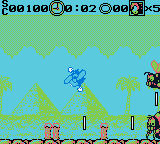
Visually, Sonic 7 has pixel art reminiscent of late 90s handheld titles, with bright colors and smooth sprite animations that evoke the Game Boy Color era. The graphics are simple but do a good job of conveying speed and momentum, which are key to gameplay. The levels are designed with a natural flow, encouraging players to learn and memorize routes for better times. This encourages replaying levels to beat your personal best or discover different paths.
Advancing in Sonic 7 is straightforward: finish levels to unlock new ones or improve your times. The short levels make it easy to pick up and put down, which suits casual play and quick competitions. Being a game from the Game Boy Color era, it offers a nostalgic experience focused on quick, satisfying challenges rather than long sessions. Its simplicity makes it perfect for playing alone or challenging friends in quick races.
Strategy and Tips
To do well in Sonic 7, focus on mastering speed and timing. Keep up your momentum to avoid losing precious seconds. Practice your jumps and use power-ups wisely. Knowing the level layout helps you anticipate obstacles and pick the best routes. Sometimes slowing down a bit can actually save time overall. Pay attention to your surroundings to avoid unnecessary mistakes. Replaying levels helps you find ways to shave off seconds and get better at the game.
- Hold down the run button longer for a sustained speed boost, but be ready to jump or dodge obstacles.
- Use checkpoints efficiently; reaching them early can save time if you make mistakes later.
- Practice tricky sections repeatedly to build muscle memory and improve your overall time.
- Adjust your approach based on the level layout—sometimes a slower, more deliberate route works best.
- Be patient during tough parts; rushing can lead to mistakes that cost more time.
Quick Questions
How do I start playing Sonic 7?
The game runs directly in your browser, so just click to load it and start playing right away—no downloads needed.
What’s a common mistake new players make?
Many beginners rush through levels without mastering jumps and speed control, which often results in crashes and slower times.
Can I play Sonic 7 on a mobile device with touch controls?
Yes, since it runs in your browser, it works well on smartphones and tablets, making control easy with touchscreens.
Sonic 7 offers a simple, fast-paced platforming challenge rooted in the Game Boy Color’s style. It’s easy to pick up but tricky to master, making it a fun choice for quick sessions or improving your skills directly in your browser.
Related games: you can also try Moomin's Tale (Europe) (En,Fr,De) and Pocket Hanafuda (Japan), or browse all other games in the Game Boy Color category.
How to Play Sonic 7?
Guide Sonic through side-scrolling levels by running, jumping, and dodging obstacles to beat your best time. Complete levels quickly and improve your scores in short, fast-paced sessions.
Game Controls
Arrow keys act as the D-pad; Enter is Start; action buttons are mapped to on-screen keys.
Related Retro Games
 ♥ 43Zook Hero Z
 ♥ 1Zok Zok Heroes (Japan)
 ♥ 1Zoids – Shirogane no Juukishin Liger Zero (Japan)
 ♥ 1Zoids – Jashin Fukkatsu! Genobreaker Hen (Japan)
 ♥ 2Zoboomafoo – Playtime in Zobooland (USA)
 ♥ 1Zidane Football Generation (Europe) (En,Fr,De,Es,It)
 ♥ 1Zen-Nihon Shounen Soccer Taikai – Mezase Nihon Ichi! (Japan)
 ♥ 1Zebco Fishing! (USA)