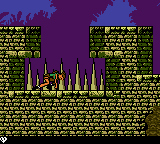
Tomb Raider (USA, Europe) (En,Fr,De,Es,It)
Play Tomb Raider (USA, Europe) (En,Fr,De,Es,It)
0 2 0
Tomb Raider (USA, Europe) (En,Fr,De,Es,It) is a classic Game Boy Color game that brings the iconic adventure series to a handheld platform. While it condenses the larger console experience, it still offers a satisfying mix of exploration, platforming, and action. This game is great for players who enjoy retro titles that test their reflexes and problem-solving skills, all packed into a small and accessible package.
Read more about Tomb Raider (USA, Europe) (En,Fr,De,Es,It)Show less
Getting Into Tomb Raider
The core gameplay of Tomb Raider involves guiding Lara Croft through various levels full of obstacles, enemies, and puzzles. The game focuses on exploration, encouraging players to find hidden paths or items that help them move forward. The platforming keeps the pace lively, with Lara jumping across gaps, climbing ledges, and avoiding traps. Combat is straightforward but needs good timing, as enemies require quick reflexes.
A typical session involves exploring a level, collecting items, and solving environmental puzzles. Managing your limited resources is important, since health and ammunition don’t last forever. The game doesn’t have complicated modes or branching paths but rewards thorough exploration and skillful maneuvering. Progress usually means completing a set of challenges in each stage, unlocking the next part of Lara’s adventure on the Game Boy Color’s small screen.
Standout Features
Visually, the game captures the essence of the Tomb Raider series with detailed sprite work and clear, though simplified, environments. Levels are designed to be challenging but fair, encouraging players to try different routes and strategies. The progression system is simple, with each level building on the last and gradually getting harder. Replay value comes from trying to finish levels faster or more efficiently, or discovering secret areas that are easy to miss.
While it doesn’t feature modern graphics or huge worlds, this version of Tomb Raider offers a well-paced experience that encourages multiple playthroughs. The limited controls and screen size mean players need to plan their moves carefully, making each successful jump or puzzle feel rewarding. Even after several attempts, players can find new ways to tackle tricky sections, keeping the game engaging over time.
Strategy and Tips
Getting started is simple—take your time to learn the controls and environment before rushing into danger. Patience and observation are key to mastering the platforming sections and avoiding hazards.
- Explore each area carefully for hidden items or shortcuts that can make later sections easier.
- Save your health by avoiding unnecessary fights or scouting enemy positions before engaging.
- Use timed jumps and careful positioning to cross gaps and avoid traps.
- Watch for environmental clues that hint at puzzle solutions or secret routes.
- Manage your ammunition wisely; save bullets for tougher enemies or bosses.
- If you get stuck, revisit earlier areas to find missed items or alternative paths that might help you progress.
Quick Questions
How do I get started with Tomb Raider?
Simply navigate the menus and pick a level to start exploring. Take your time to learn the controls and how Lara moves through the world.
What is a common mistake for beginners?
Rushing through levels without exploring thoroughly or ignoring puzzle clues can lead to setbacks. Patience makes a difference.
Can I play Tomb Raider comfortably on mobile or touch devices?
Since it runs in your browser, the game works well on touch screens, making control and navigation easy. No extra setup needed for mobile play.
Tomb Raider offers a compact but faithful take on the classic series for the Game Boy Color, focusing on exploration, precise platforming, and resource management. Its straightforward gameplay and nostalgic feel make it a good choice for fans of retro adventure titles.Related games: you can also try Hamster Club – Awasete Chuu (Japan) and Holy Magic Century (Europe) (En,Fr,De), or browse all other games in the Game Boy Color category.
How to Play Tomb Raider (USA, Europe) (En,Fr,De,Es,It)?
Guide Lara Croft through levels by exploring, jumping, climbing, and solving puzzles while avoiding enemies and traps. Collect items and complete challenges to progress to the next stage.
Game Controls
Arrow keys move Lara; action buttons are mapped to keyboard keys for jumping, climbing, and interacting.
Related Retro Games
 ♥ 43Zook Hero Z
 ♥ 1Zok Zok Heroes (Japan)
 ♥ 1Zoids – Shirogane no Juukishin Liger Zero (Japan)
 ♥ 1Zoids – Jashin Fukkatsu! Genobreaker Hen (Japan)
 ♥ 2Zoboomafoo – Playtime in Zobooland (USA)
 ♥ 1Zidane Football Generation (Europe) (En,Fr,De,Es,It)
 ♥ 1Zen-Nihon Shounen Soccer Taikai – Mezase Nihon Ichi! (Japan)
 ♥ 1Zebco Fishing! (USA)