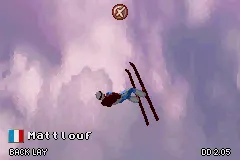
Winter Sports (E)(sUppLeX)
Play Winter Sports (E)(sUppLeX)
0 2 0
Winter Sports (E)(sUppLeX) is a classic Game Boy Advance game that offers a simple simulation of winter sports, mainly focusing on snowboarding and skiing. It’s great for players who enjoy casual sports games with easy mechanics, capturing the feeling of winter competitions in a portable format. Since it runs directly in your browser, you can jump into this nostalgic title without any downloads or setups, making it perfect for quick gaming sessions.
Read more about Winter Sports (E)(sUppLeX)Show less
Getting Into Winter Sports
The game involves choosing a sport—mostly snowboarding or skiing—and competing in timed events. Each race involves performing tricks, avoiding obstacles, and keeping up your speed to beat your best scores. Controls are mainly about basic directional inputs and timing, so it’s accessible for newcomers and familiar to anyone who has played other simple sports games. You can pick different courses with varying levels of difficulty, and progress depends on how well you can improve your timing and technique over time.
Most of the gameplay focuses on mastering a few core skills: pulling off tricks for points, turning smoothly, and managing your speed. There are different modes, like single events or tournaments, so players can focus on specific disciplines or test their overall skills. Races typically last a few minutes, making them easy to fit into a quick gaming session or longer ones if you want to master all the courses and aim for higher scores.
Standout Features
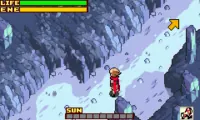
Visually, Winter Sports keeps things simple with colorful graphics typical of the Game Boy Advance. The courses are easy to tell apart, with clear terrain features and animations that show the motion of snowboarding and skiing. Even with minimal details, the visuals do a good job of conveying gameplay and emphasizing timing and accuracy.
Progression involves unlocking new courses and increasing difficulty levels. The fun part is improving your scores, mastering tricks, and competing across different events. With various disciplines and courses available, players are encouraged to refine their skills to succeed in each event, making it enjoyable for both casual players and those who want to complete everything.
Strategy and Tips
To do well in Winter Sports, focus on timing your tricks and keeping your momentum through turns. Accuracy is crucial for beating your best scores and moving forward in the game.
- Practice timing tricks to earn more points and avoid penalties.
- Watch obstacle placement to plan your route and prevent crashes.
- Use smooth turns to maintain your speed—sudden moves tend to slow you down.
- Learn each course layout so you can anticipate tricky sections and prepare your approach.
- Adjust your speed carefully when approaching jumps to land cleanly and score higher.
Quick Questions
How do I get started with the game?
Pick your preferred sport and course from the menu, then follow the prompts to start racing.
What’s a common mistake for beginners?
Many new players try to perform tricks too early or without proper timing, which can lead to missed points or crashes. Focus on mastering simple moves first.
Can I play Winter Sports on mobile or touch devices?
Yes, since it runs in your browser, you can play on any device with a compatible browser—including phones with touch screens. Controls are usually arrow keys or taps, depending on your device.
Winter Sports gives a nostalgic look at winter sports simulation on the Game Boy Advance, now easily playable in your browser. Its straightforward gameplay and emphasis on timing make it a good choice for casual sports fans looking to enjoy some snow-filled fun without complicated mechanics.
Related games: you can also try Hitsuji no Kimochi (J)(Independent) and Hamtaro – Ham-Ham Heartbreak (U)(Venom), or browse all other games in the Game Boy Advance category.
How to Play Winter Sports (E)(sUppLeX)?
Choose a sport, then race by controlling your character to perform tricks, avoid obstacles, and maintain speed to beat your best scores across different courses.
Game Controls
Arrow keys control movement; other keys handle tricks and actions.
Related Retro Games
 ♥ 2Zooo (J)(Rising Sun)
 ♥ 4Zooo (E)(Trashman)
 ♥ 2ZooCube (U)(Mode7)
 ♥ 1ZooCube (E)(Blizzard)
 ♥ 1Zone of the Enders – The Fist of Mars (U)(Mode7)
 ♥ 1Zone of the Enders – The Fist of Mars (E)(Cezar)
 ♥ 1Zoku Bokura no Taiyou – Taiyou Shounen Django (J)(Independent)
 ♥ 7Zoku Bokura no Taiyou – Taiyou Shounen Django (J)(Caravan)