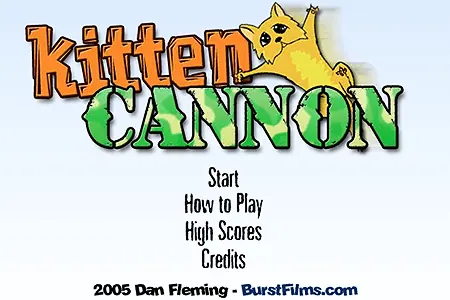
Kitten Cannon
Play Kitten Cannon
0 50 50
Kitten Cannon is a classic browser game that takes you back to the days when flash games ruled the internet. Its simple setup combines humor, chaos, and a bit of friendly competition, making it perfect for quick play sessions. The goal is to toss a cute but mischievous kitten as far as possible, watching it soar through the air and trying to beat your best scores. The mechanics are straightforward, and the visuals keep things light and funny, so you can jump in and start playing without any hassle, all right in your browser.
What makes Kitten Cannon stand out is its blend of playful visuals, quirky sound effects, and unpredictable physics. The cartoonish art style keeps things fun and inviting, while controls are easy enough for anyone to pick up. The physics-based nature of the game adds a layer of randomness that keeps you coming back to see how far your kitten can go. Whether you’re aiming to beat a high score or just want some silly entertainment, it’s a quick, enjoyable distraction you can enjoy anytime. You might start playing during a break and find yourself trying one more launch, again and again.
Another reason for its continued popularity is how accessible it is. Since it’s a free game running in the browser, it works well on most devices. No downloads, no installs—just load it up and get started. The gameplay is simple, with humorous touches like explosions and funny sounds that keep things lively without needing complex controls or strategies. The physics can be unpredictable, making each launch different. For anyone who enjoys a bit of chaos and laughs, Kitten Cannon is a reliable choice for quick fun.
Read more about Kitten CannonShow less
Why Kitten Cannon Is Worth Playing
One thing that makes Kitten Cannon appealing is its playful humor paired with engaging gameplay. Watching a tiny kitten fly through the air after being shot out of a cannon is amusing, especially with exaggerated physics adding to the silliness. It’s a lighthearted game that doesn’t take itself seriously, which makes it great for a break from more intense or complicated titles. Its visuals are simple but charming, with bright colors and lively animations that make each launch feel energetic and fun. Anyone can jump in and enjoy a few minutes of silly play without pressure.
It also balances randomness with a bit of skill. While the trajectory can be unpredictable, small adjustments in angle and force can make a big difference. Experimenting with different setups can help you find the best way to push your kitten further. The scoring system and leaderboards encourage friendly competition, motivating you to beat your previous bests or challenge friends. The combination of humor, physics, and a competitive streak makes Kitten Cannon a game that keeps you coming back for more.
The game’s simplicity also makes it perfect for quick sessions. Whether you’re on a lunch break or just need a few minutes of light entertainment, it fits easily into your schedule. It doesn’t require any extensive tutorials—just load it up and start launching kittens. Since each shot feels different, it’s easy to keep trying to improve your score. For a free browser game that offers laughs and a bit of friendly rivalry, Kitten Cannon remains a solid pick.
Tips to Get Ahead
If you want to improve your kitten-launching skills and set new high scores, trying out a few simple tricks can help. Understanding how the physics work and experimenting with angles and force is key. Here are some tips:
- Start with a moderate amount of force and adjust slowly to find what works best.
- Aim for a slightly higher angle if you want a longer flight, but avoid going too steep, or the kitten might fall short.
- Keep an eye on effects like wind or air resistance, as they can influence how far your kitten goes.
- Try consistent timing when adjusting your force—getting a feel for how much power to use makes a difference.
- Review your previous bests to spot patterns or strategies that work for you.
- Experiment with different angles and force levels quickly to discover new ways to push your kitten further.
- Patience helps—sometimes small tweaks lead to big improvements.
Things to Know Before You Start
How difficult is Kitten Cannon?
Answer: It’s pretty accessible for casual players, but mastering the physics to get the furthest throws can take some practice. It’s more about experimenting than complicated gameplay, so it’s easy to pick up but tricky to perfect.How long does a typical session last?
Answer: Usually just a few minutes, which makes it perfect for quick breaks. If you’re interested in beating your high score, you might spend longer trying out different launches.Can I play on mobile or offline?
Answer: Yes, since it runs in a web browser on most devices, including smartphones and tablets. Just make sure you have a good internet connection to load the game. Being a flash game, offline play isn’t really an option unless you have a way to run flash locally—something that’s less common now.Is it suitable for kids?
Answer: The cartoonish visuals and funny style make it appropriate for most ages. However, parents should be aware that the game involves explosions and physics chaos, so younger children might need supervision, especially if they’re sensitive to loud sounds or cartoon violence.What if I get stuck or can’t beat my score?
Answer: Keep trying different angles and force levels. Sometimes a small change makes a big difference. Watching your past attempts can help identify what works best. Don’t get discouraged—practice can lead to improvements.Ready to see how far you can send that adorable kitten? Load up the game and give it a shot. With its mix of silliness and physics, you’re in for some laughs and surprises along the way.
Related games: you can also try Frisbee Dog and Dogfight: The Great War, or browse all other games in the Flash category.
How to Play Kitten Cannon?
Press the button to launch the kitten and try to send it as far as possible. Adjust the angle and power to improve your distance and beat your high score.
Game Controls
Click or press space to set the launch angle and force, then release to shoot.