My New Room
Play My New Room
0 50 50
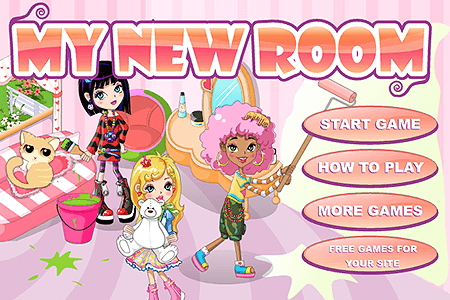
My New Room is a charming, nostalgic flash game that lets you create, customize, and explore your ideal virtual space. Its straightforward gameplay makes it easy to pick up and enjoy, even if you’re new to this style of game. Whether you’re reminiscing about childhood browser games or just looking for a casual way to spend time, My New Room offers a simple yet engaging experience that keeps players coming back for more. Best of all, you can enjoy this free browser game directly on your device without any downloads or complicated setups.
Read more about My New RoomShow less
What Is My New Room?
My New Room is a casual online game centered around decorating and personalizing a virtual space that feels like your own. The game falls into the simulation and dress-up genre, giving players the freedom to arrange furniture, choose decorative items, and customize every detail of their room. Its core appeal lies in the creativity it offers—no strict objectives, just a relaxing environment to experiment with your style and make your space uniquely yours. Playing My New Room is like having an endless digital canvas for interior design that’s both easy to understand and satisfying to explore.
As you progress, you unlock new items, themes, and accessories that let you craft a space that reflects your personality. Whether you prefer a cozy, minimalist vibe or a vibrant, eclectic look, the game provides plenty of options to experiment with. It’s a delightful mix of casual gameplay and design freedom, making it perfect for quick breaks or longer creative sessions. With intuitive controls and a straightforward interface, My New Room invites players of all ages to jump right in and start personalizing their dream space without any fuss.
What Keeps You Coming Back
One of the main reasons players keep returning to My New Room is its wide range of customization options. The game offers a variety of furniture, wallpapers, decorations, and themes, so each visit feels fresh. Whether you want to redesign your room for a holiday celebration or just try out new color schemes, there’s always something new to discover and add. The sense of progression, with new items unlocking as you play, encourages ongoing exploration and experimentation.
Plus, the relaxing atmosphere makes it a nice way to unwind during busy days. Its casual gameplay means you can jump in and out without feeling pressured, whether you have a few minutes or want to spend longer working on your design. The simple mechanics and charming visuals bring back childhood memories of browser-based games, which adds to its nostalgic appeal. Many players enjoy sharing their room designs with friends or on social media, which keeps the motivation to keep customizing high. The feeling of ownership and creative freedom keeps people engaged, eager to see how their next room will turn out.
Handy Tips
If you want to get the most out of My New Room, here are some tips to help you decorate with ease:
- Think about a theme or color scheme before you start to make your design more cohesive.
- Mix different furniture pieces to come up with unique combinations that match your style.
- Try out different layouts—sometimes moving things around makes a big difference.
- Look out for seasonal items or limited-time decorations to add a special touch.
- Save your favorite setups so you can revisit and adjust them later.
- Use the preview feature often to see how your room looks before finalizing everything.
- Share your best designs with friends or on social media to get ideas and feedback.
Player FAQ
Is My New Room easy for beginners to pick up?
Definitely. The interface is simple, and the mechanics are straightforward, so new players can start decorating right away without any trouble.
Can I enjoy My New Room on mobile devices or offline?
This game runs in your browser, so as long as you have an internet connection, you can play it on desktop, tablet, or smartphone. No downloads needed, but it does require online access to load and save your designs.
Is My New Room suitable for younger players?
Yes, it’s family-friendly and appropriate for all ages. Its creative, non-violent gameplay makes it a safe option for kids and casual players alike, encouraging imagination without any stressful elements.
Wrap-up
If you enjoy casual browser games or just want a relaxing way to express your creativity, My New Room offers a cozy space to unwind and design your perfect environment. Its simplicity makes it easy to enjoy at your own pace, and the variety of customization options helps keep things fresh. Playing can become a small daily ritual, giving you a digital space you can call your own, all from your favorite device.
Related games: you can also try Chao Maker and The Fancy Pants Adventures: World 1, or browse all other games in the Flash category.
How to Play My New Room?
Arrange and customize furniture and decorations to create your ideal room. Click and drag items to position them and explore different styles at your own pace.
Game Controls
Use your mouse to select, drag, and place items in the room.