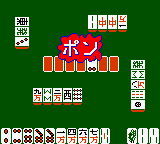
Pocket Color Mahjong (Japan)
Play Pocket Color Mahjong (Japan)
0 1 0
Pocket Color Mahjong (Japan) is a classic Game Boy Color game that brings the traditional tile-matching puzzle game to your browser. Designed for fans of Mahjong and puzzle games alike, it offers a straightforward experience rooted in the familiar mechanics of tile clearing and pattern matching. This title is perfect for players who enjoy strategic thinking and quick decision-making, all wrapped in a compact, portable format that recalls the handheld’s early days.
Read more about Pocket Color Mahjong (Japan)Show less
Getting Into Pocket Color Mahjong
The main gameplay involves matching Mahjong tiles in pairs to clear the game board. You see a grid of tiles, and your goal is to remove matching pairs that are free on at least one side — meaning no other tiles block their movement. As you clear tiles, new ones appear, keeping the puzzle interesting. There are no complicated mechanics or timers, so you can focus on recognizing patterns and planning your moves carefully.
Most sessions are relaxed, giving you time to think without pressure. The interface is simple, making selecting tiles easy whether you’re playing on a Game Boy Color or in-browser emulation. While it’s straightforward, Pocket Color Mahjong encourages developing strategies to clear the board efficiently. There aren’t different modes or levels; the challenge comes from the layout and figuring out the best sequence to finish each puzzle quickly.
Standout Features
This game from the Game Boy Color era features clean, pixel-art style graphics that stay true to the original hardware. The visuals are minimal but clear, with distinct tile designs that make matching intuitive. The soundtrack and sound effects are simple but effective, adding a nostalgic touch. There’s no progression system, but replay value comes from trying different tile arrangements and improving your solving time.
Since Pocket Color Mahjong runs in your browser, you can access it instantly without installing anything. Its mechanics are easy to learn, making it accessible for players of all ages. The challenge of optimizing your matches can keep puzzle fans coming back. Its simplicity makes it great for quick sessions or casual play, and focusing on pattern recognition keeps every puzzle engaging.
Strategy and Tips
Getting comfortable with Pocket Color Mahjong involves spotting which tiles to match first and planning your moves ahead. Here are some tips:
- Start with tiles that are blocked on both sides, as freeing these early opens up more options.
- Pick pairs that leave the most tiles accessible afterward, to reduce clutter quickly.
- Watch out for tiles beneath others — matching from the bottom up can prevent getting stuck later.
- Try to clear large sections at once rather than matching randomly, to save time.
- Take your time to scan the board for the best pair before making a move.
- If you get stuck, backtrack and reconsider previous matches that might not have been optimal.
Quick Questions
How do I start a new game?
The game begins as soon as it loads, with a random layout of tiles. Just start matching pairs to clear the board.
What is a common mistake beginners make?
Many players match tiles without thinking ahead, which can lead to getting stuck early on.
Can I play Pocket Color Mahjong on mobile or touch screens?
Yes, since it runs in your browser, it works well with touch controls, making it easy to play on smartphones and tablets.
Pocket Color Mahjong offers a relaxing puzzle experience that challenges your pattern recognition and planning skills. Its simple mechanics and quick gameplay make it a good choice for casual play, all accessible directly in your browser without any downloads needed.
Related games: you can also try Barbie – Pet Rescue (USA) and Cannon Fodder (USA) (En,Fr,De,Es,It), or browse all other games in the Game Boy Color category.
How to Play Pocket Color Mahjong (Japan)?
Match and remove pairs of free Mahjong tiles to clear the board. Select tiles with the mouse or keyboard, and plan your moves to uncover more options and finish the puzzle quickly.
Game Controls
Arrow keys move cursor; Enter or space selects tiles; Esc cancels selection.
Related Retro Games
 ♥ 43Zook Hero Z
 ♥ 1Zok Zok Heroes (Japan)
 ♥ 1Zoids – Shirogane no Juukishin Liger Zero (Japan)
 ♥ 1Zoids – Jashin Fukkatsu! Genobreaker Hen (Japan)
 ♥ 2Zoboomafoo – Playtime in Zobooland (USA)
 ♥ 1Zidane Football Generation (Europe) (En,Fr,De,Es,It)
 ♥ 1Zen-Nihon Shounen Soccer Taikai – Mezase Nihon Ichi! (Japan)
 ♥ 1Zebco Fishing! (USA)